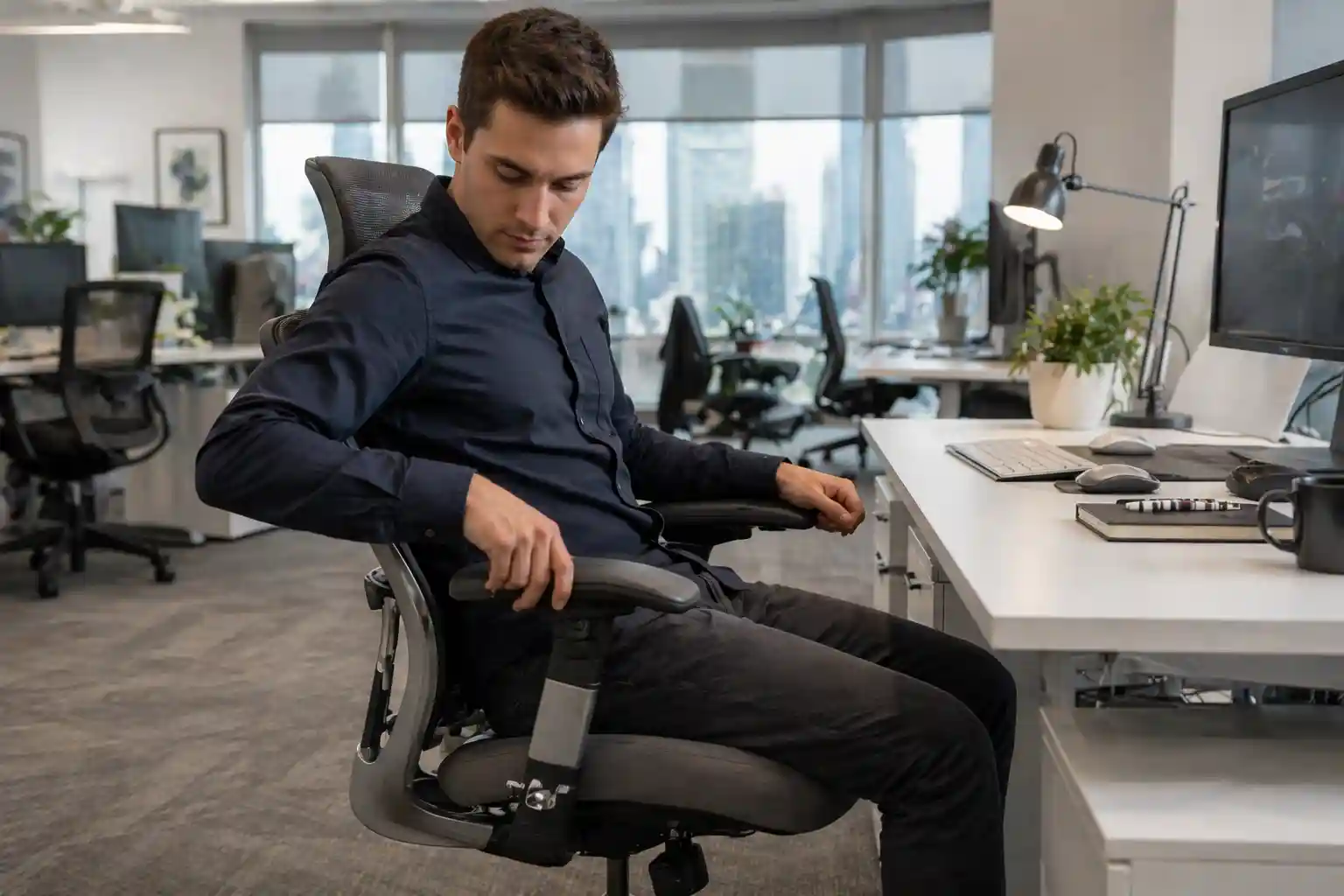
Do your shoulders feel tight after working for a few hours?
Do your wrists hurt while typing?
Or maybe your arms just don’t feel “supported” no matter how you sit?
If yes, the problem might not be your desk or posture—it could be your armrests.
Most people ignore armrests or never adjust them properly. But the truth is, wrong armrest height and position can cause shoulder pain, wrist strain, and even neck discomfort.
If you work long hours, you should also explore the best chair for long sitting hours for maximum comfort and productivity.
In this simple guide, you’ll learn:
- How to adjust armrests correctly
- The best office chairs with adjustable armrests
- How to choose the right chair for long-term comfort
Let’s fix your setup 👇
🪑 Quick Comparison Table (Top Chairs with Adjustable Armrests)
| Product | Image | Armrest Type | Action |
|---|---|---|---|
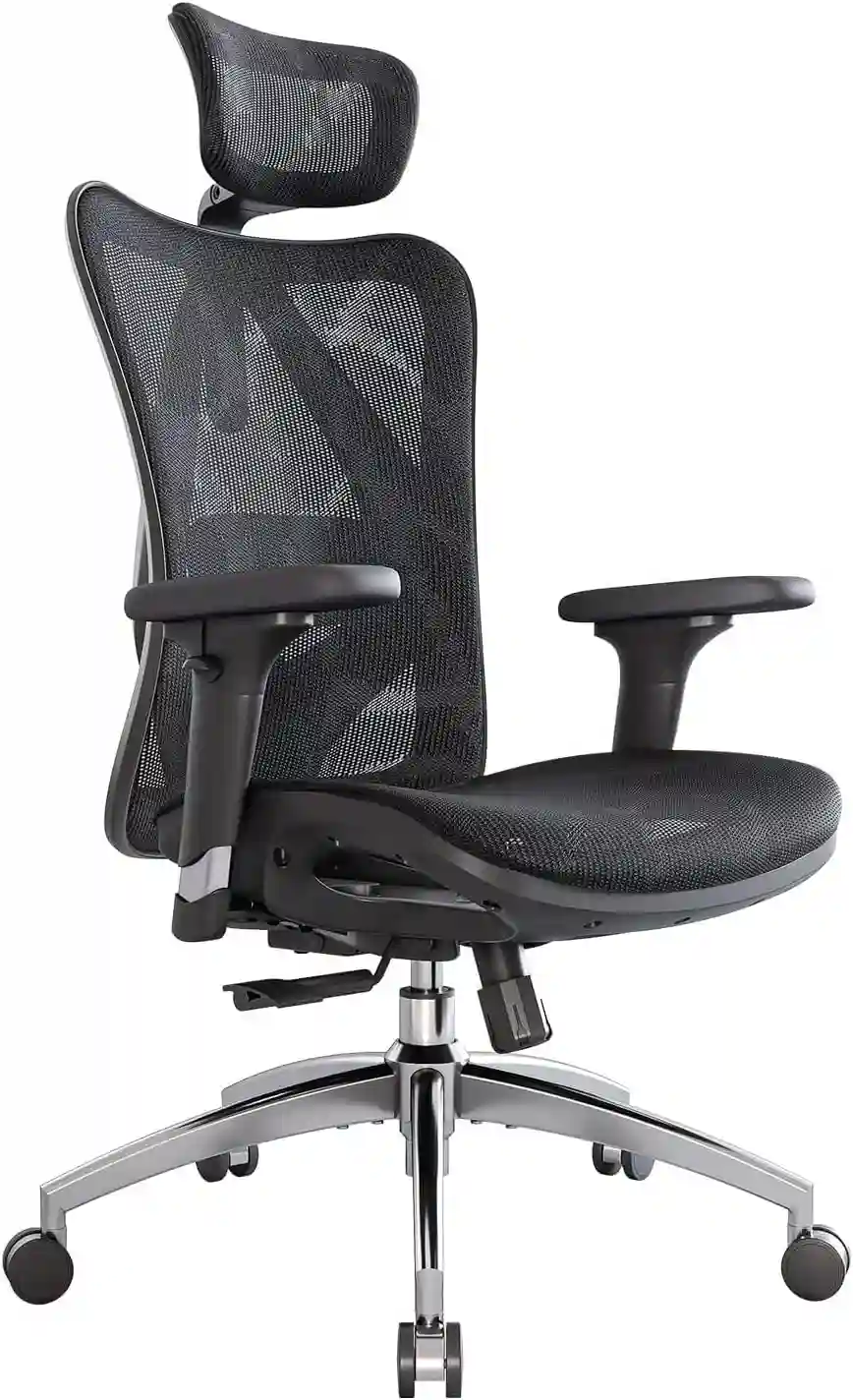
| SIHOO M57 |
|
3D armrests | Check Price |
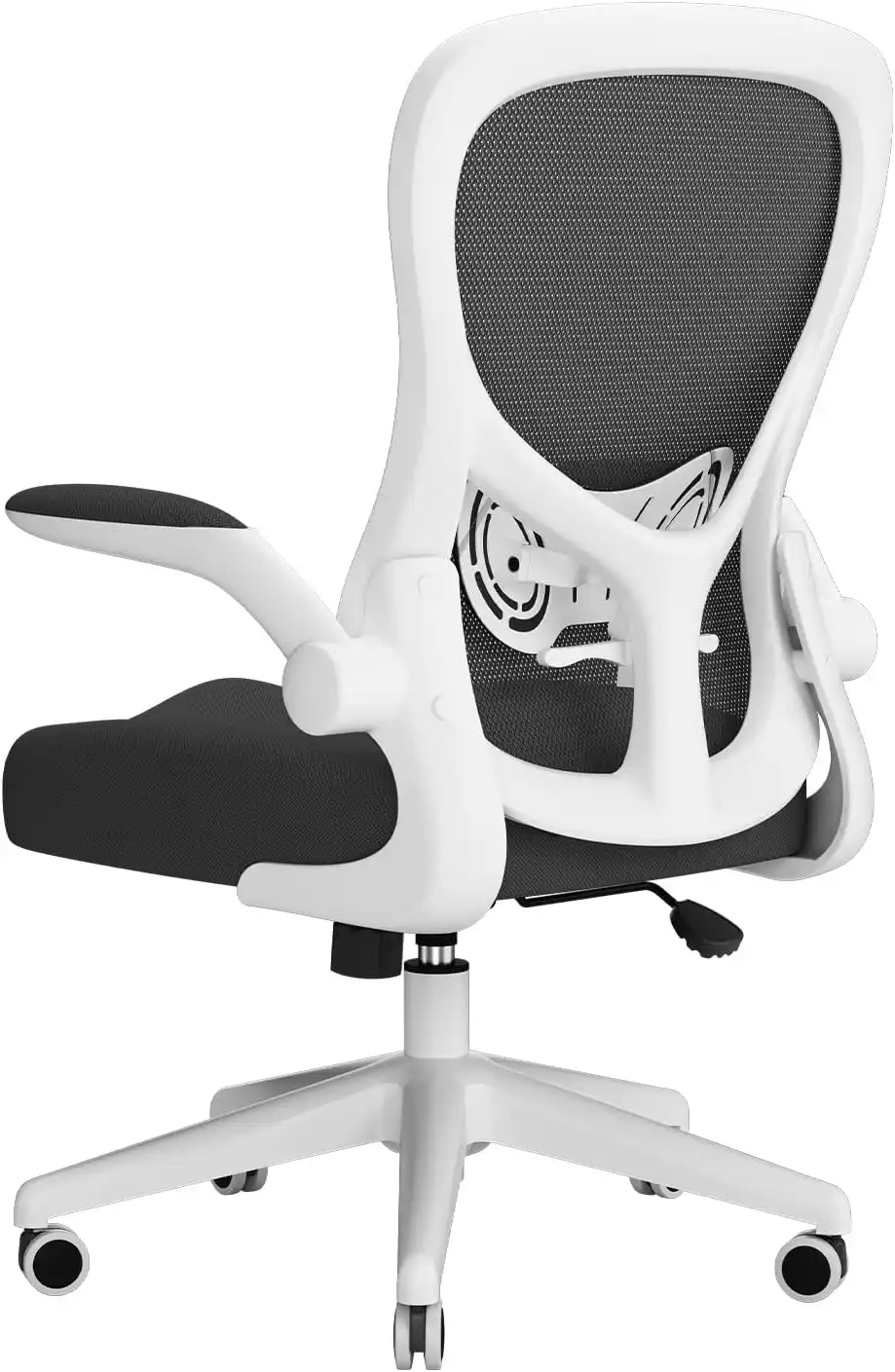
| Hbada Chair |
|
Flip-up | View Deal |
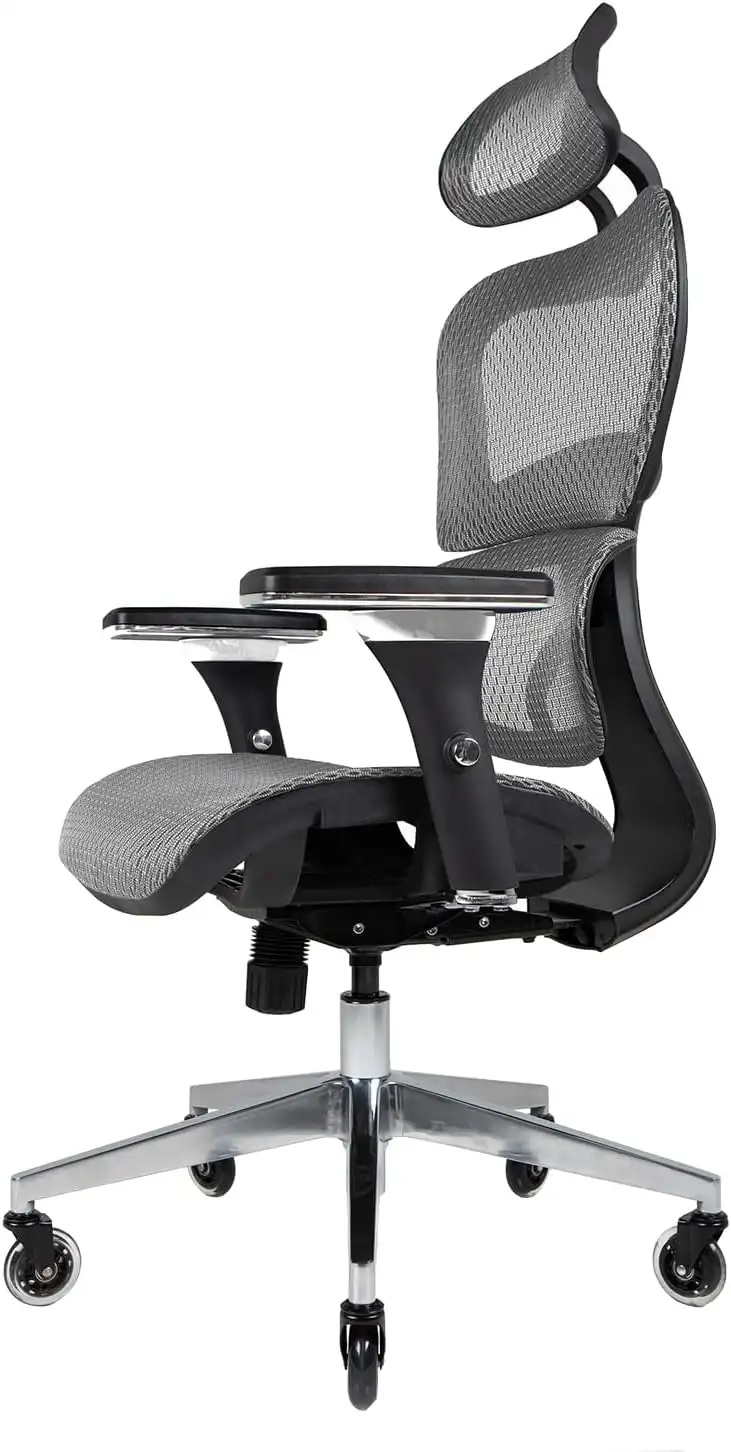
| Nouhaus Ergo3D |
|
4D armrests | Buy Now |
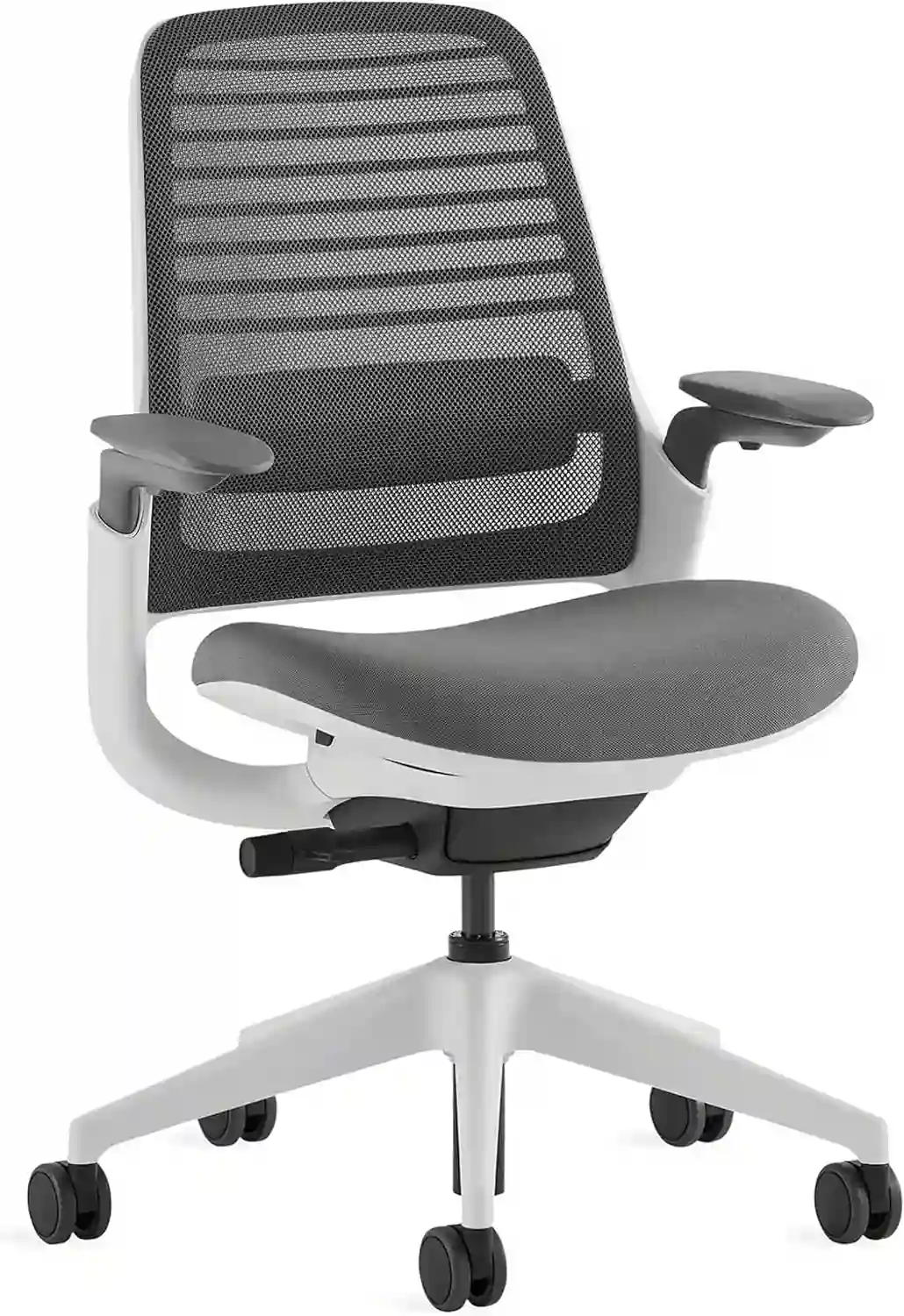
| Steelcase Series 1 |
|
Adaptive arms | Check Price |
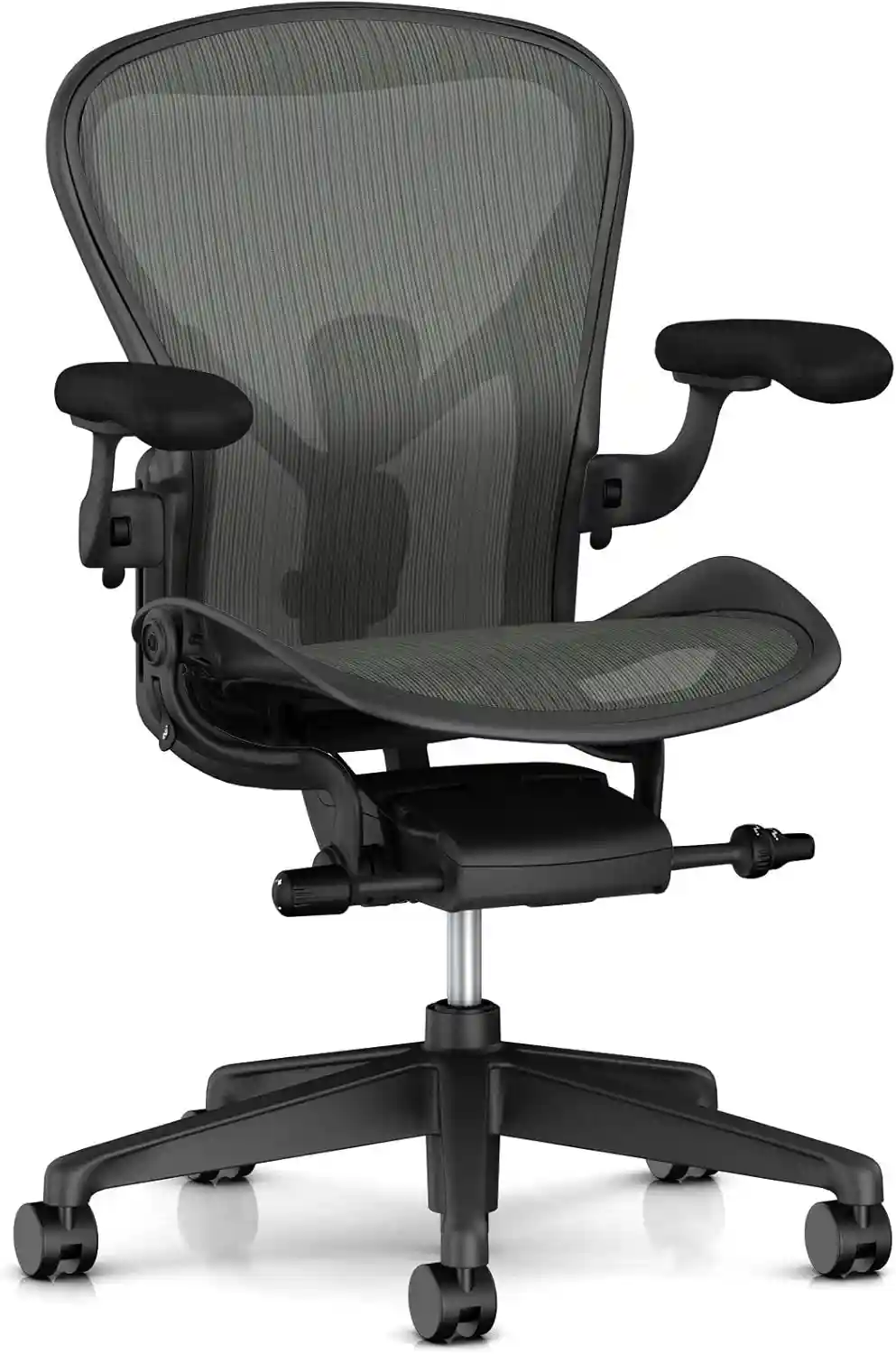
| Herman Miller Aeron |
|
Fully adjustable | View Price |
🤔 Why Armrest Adjustment Matters
Armrests are not just for resting your arms—they help:
- Reduce shoulder tension
- Keep wrists aligned while typing
- Support elbows at the correct angle
- Improve overall posture
👉 Poorly adjusted armrests can lead to:
- Shoulder pain
- Wrist strain
- Poor posture
- Fatigue during long work hours
🛠️ How to Adjust Armrests on an Office Chair
Follow these simple steps:
1. Adjust the Height
Your armrests should be at the same height as your elbows.
👉 Tip:
Your elbows should form a 90-degree angle while typing.
2. Adjust Width (If Available)
Move armrests closer or farther from your body.
👉 Tip:
Your arms should rest naturally—not too wide, not too tight.
3. Adjust Depth (Forward/Backward)
Slide armrests forward or backward based on your desk position.
👉 Tip:
Keep elbows supported without pushing your arms too far forward.
4. Adjust Angle (Pivot)
Some chairs allow armrests to rotate inward or outward.
👉 Tip:
Angle them slightly inward if you type a lot.
5. Check Alignment
Sit normally and check:
- Shoulders relaxed
- Elbows supported
- Wrists straight
👉 If anything feels tense, readjust.
Upgrade your setup with the best chairs for work from home and improve your daily comfort.
🏆 Best Office Chairs with Adjustable Armrests (Detailed Reviews)
1. SIHOO M57 Ergonomic Chair
Best for: Overall comfort and adjustability
⭐ SIHOO M57 Ergonomic Chair
Best for: Back pain & long sitting
- ✔ Adjustable lumbar support
- ✔ Breathable mesh
- ✔ Reclining backrest
👉 Limited stock – check now
Check Price on AmazonFeatures:
- 3D adjustable armrests
- Adjustable lumbar support
- Breathable mesh back
- Reclining function
Pros:
- Excellent armrest flexibility
- Great value for money
- Good for long hours
Cons:
- Assembly takes time
- Seat cushion could be softer
👉 Verdict: Best overall choice for most users.
2. Hbada Ergonomic Office Chair
Best for: Budget buyers
💸 Hbada Ergonomic Chair
Best for: Budget users
- ✔ Compact design
- ✔ Flip-up arms
- ✔ Mesh airflow
Features:
- Flip-up armrests
- Compact design
- Adjustable height
- Mesh back
Pros:
- Affordable
- Space-saving
- Simple design
Cons:
- Limited adjustments
- Not ideal for long sitting
👉 Verdict: Good entry-level chair.
3. Nouhaus Ergo3D Chair
Best for: Long working hours
🪑 Nouhaus Ergo3D Chair
Best for: Long sitting hours
- ✔ 4D armrests
- ✔ Dynamic lumbar support
- ✔ Strong build
Features:
- 4D armrests (full adjustability)
- Dynamic lumbar support
- Smooth rolling wheels
- Breathable mesh
Pros:
- Maximum armrest flexibility
- Comfortable for 8–10 hours
- Strong build quality
Cons:
- Slightly expensive
- Bulky
👉 Verdict: Best for heavy users.
4. Steelcase Series 1
Best for: Premium comfort
👑 Steelcase Series 1
Best for: Premium comfort
- ✔ Adaptive lumbar
- ✔ High durability
- ✔ Professional design
Features:
- Adaptive armrests
- Weight-activated recline
- High-quality build
- Ergonomic design
Pros:
- Durable
- Excellent posture support
- Trusted brand
Cons:
- Expensive
- Limited headrest
👉 Verdict: Premium long-term investment.
5. Herman Miller Aeron Chair
Best for: Ultimate ergonomics
🔥 Herman Miller Aeron
Best for: High-end users
- ✔ PostureFit support
- ✔ Premium build
- ✔ Long-lasting
Features:
- Fully adjustable armrests
- PostureFit SL support
- Breathable mesh design
- Multiple size options
Pros:
- Industry-leading comfort
- Perfect for long sitting
- Highly adjustable
Cons:
- Very expensive
- Not budget-friendly
👉 Verdict: Best premium ergonomic chair.
If you are also dealing with discomfort, check our guide on best office chair for back pain to find the right support for your needs.
🛒 Buying Guide: Choose the Right Chair with Armrests
Choosing the right chair is key for comfort and health.
1. Armrest Type
- Fixed armrests: Not adjustable (avoid if possible)
- 2D armrests: Height + width
- 3D armrests: Height + width + depth
- 4D armrests: Full adjustability (best option)
2. Padding
Soft padding improves comfort, especially for long hours.
3. Adjustability
More adjustments = better comfort.
4. Desk Compatibility
Make sure armrests fit under your desk.
5. Build Quality
Choose chairs with strong frames and durable materials.
💡 Tips for Better Armrest Use
- Keep shoulders relaxed
- Don’t lean too heavily on armrests
- Adjust when switching tasks
- Take breaks every 30–60 minutes
Feeling hot and uncomfortable while sitting? 👉 Discover the Best Breathable Office Chairs designed to keep you cool during long hours.
❓ FAQs
1. Should armrests be high or low?
They should match your elbow height for proper support.
2. Are adjustable armrests necessary?
Yes, especially if you sit for long hours.
3. Can armrests cause shoulder pain?
Yes, if they are too high or too low.
4. What is 4D armrest adjustment?
It allows height, width, depth, and angle adjustment.
5. Should I remove armrests?
Only if they don’t fit your desk—but adjustable ones are better.
🏁 Final Verdict: What Should You Choose?
If your armrests are not adjusted properly, your body will feel it.
👉 Best Picks:
- Budget: Hbada Chair
- Best Value: SIHOO M57
- Long Hours: Nouhaus Ergo3D
- Premium: Steelcase Series 1
- Best Overall: Herman Miller Aeron
👉 Top Recommendation: SIHOO M57 — best balance of comfort, features, and price.
💬 Final Thoughts
Small adjustments can make a big difference.
Proper armrest positioning can:
- Reduce pain
- Improve posture
- Increase productivity
👉 Don’t ignore your armrests—adjust them today and feel the difference.
Want more options? Explore more office chair guides to find the perfect chair for your needs.