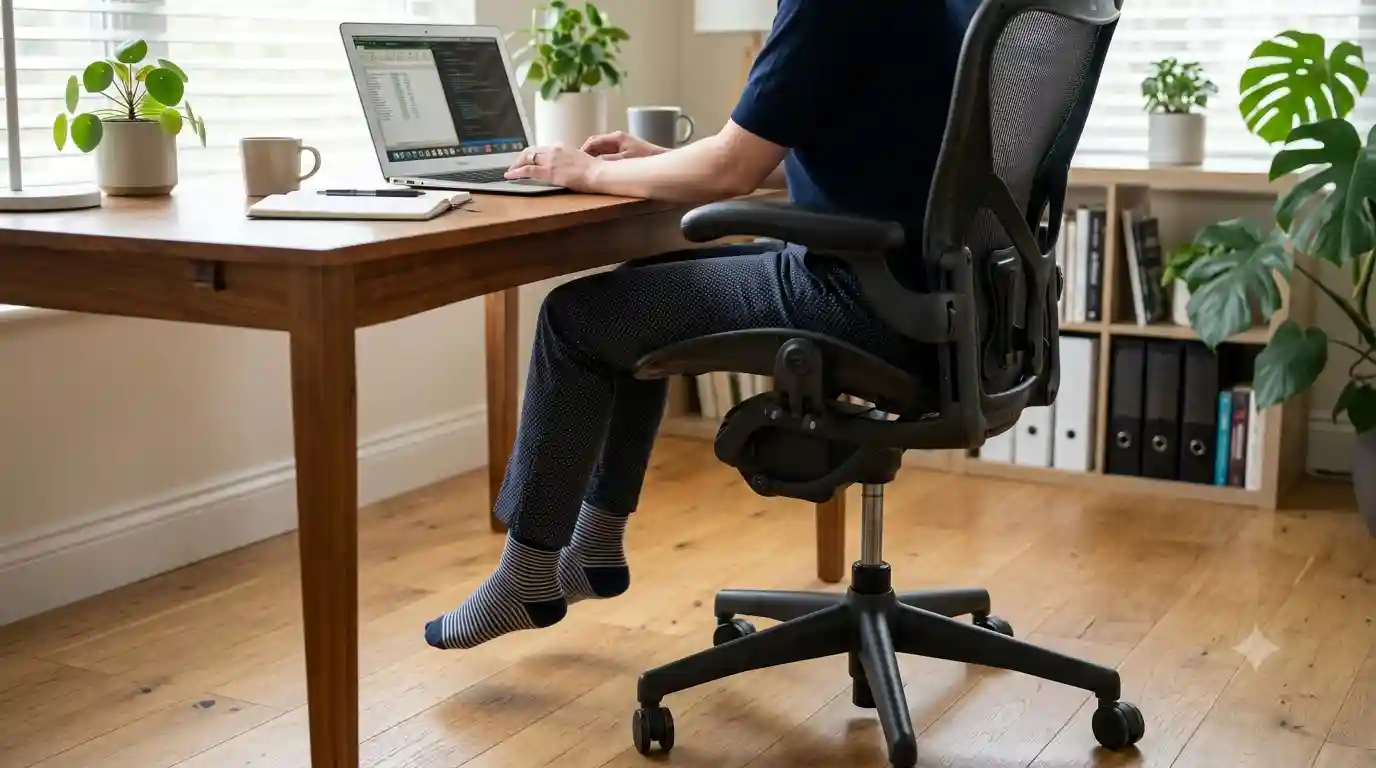
You sit down at your desk, adjust your office chair, and notice that your feet are hanging in the air instead of resting comfortably on the floor.
At first, it may seem like a small problem. But if you work from home or spend several hours at a desk, unsupported feet can make your sitting position feel awkward and uncomfortable.
So, why do my feet not touch the floor in my office chair?
In many cases, the answer is simple: your chair is too high for your body. However, desk height, seat depth, body proportions, and the chair’s adjustment range can also play a role.
The good news is that you usually don’t need an expensive solution. A few adjustments to your chair and workstation may improve the fit. In some situations, a properly positioned footrest can also help.
Let’s look at the common causes and the easiest ways to fix them.
Quick Answer: Why Don’t My Feet Touch the Floor?
If your feet don’t reach the floor when you’re sitting in your office chair, the most common reasons include:
- Your office chair is adjusted too high.
- Your desk is too high, causing you to raise the chair.
- Your legs are relatively short compared with the chair’s dimensions.
- The seat is too deep, pushing you farther away from the floor.
- Your chair has a limited height-adjustment range.
- Your chair and desk are not well matched.
- Your workstation has been adjusted around the desk rather than your body.
The first thing to check is your chair height. If lowering the chair allows your feet to rest comfortably on the floor while keeping your arms in a reasonable working position, you may have found the simplest solution.
If lowering the chair makes the desk too high, however, you’ll need to adjust more than just the chair.
Is It Important for Your Feet to Touch the Floor?
For most desk setups, having your feet comfortably supported is a useful ergonomic goal.
When your feet are supported, your lower body has a stable base while you’re sitting. You can also position the chair without having to rely on your toes or let your legs hang freely.
A comfortable setup generally allows you to have:
- Feet comfortably supported
- Knees in a natural, comfortable position
- Thighs supported by the seat without excessive pressure
- Back supported by the chair
- Shoulders relaxed
- Arms positioned comfortably for keyboard and mouse use
That does not mean there is one perfect sitting position that works for every person.
People have different heights, leg lengths, torso lengths, desk heights, and working habits. The goal is to create a workstation that can be adjusted to fit you rather than forcing your body to fit a fixed setup.
If your feet are hanging above the floor, the chair may simply be too high for you.
Common Reasons Your Feet Don’t Touch the Floor
Your Office Chair Is Too High
This is the most obvious cause.
Office chairs are designed with adjustable seat heights, but their lowest setting may still be too high for some users.
If you raise your chair, your feet move farther away from the floor. Shorter users may notice this particularly often.
Try lowering the chair gradually and checking whether your feet become comfortably supported.
Don’t adjust the chair only by looking at your desk. Check your feet, knees, arms, shoulders, and back as a complete setup.
Your Desk Is Too High
This is a very common problem.
Suppose your desk is relatively high. You may raise your chair so your arms can reach the keyboard comfortably.
That solves one problem but creates another: your feet no longer reach the floor.
This is why chair height and desk height should be considered together.
If lowering the chair makes your arms too low relative to the desk, don’t simply raise the chair again. Look for ways to adjust the desk or your keyboard and mouse position.
You Have Shorter Legs Relative to the Chair
Office chairs are made for a wide range of users, but no single chair will fit every body equally well.
Two people of the same overall height can have different leg and torso proportions.
A chair that feels perfectly comfortable for one person may be too tall for another.
This is one reason shorter users should pay close attention to the chair’s minimum seat height and seat dimensions before buying.
The Seat Is Too Deep
Seat depth is often overlooked.
If the seat pan is too deep for you, you may have to sit farther back than is comfortable, or you may change your sitting position to compensate.
A deep seat can also make it more difficult to position your legs naturally.
If possible, look for a chair with adjustable seat depth or a seat design that suits your body dimensions.
Your Chair Has Limited Height Adjustment
Some budget office chairs have only a modest range of height adjustment.
If the chair doesn’t go low enough, lowering it as far as possible may still leave your feet unsupported.
This is especially important for shorter users.
Before buying a chair, check its published minimum and maximum seat height rather than assuming every office chair adjusts to the same range.
Your Desk and Chair Are Not Properly Matched
Your chair doesn’t work independently from your desk.
The chair height affects your arm position. Your desk affects your keyboard and mouse position. Your monitor affects your head and neck position.
Changing one part can affect the others.
A good ergonomic setup therefore considers the entire workstation instead of focusing only on the chair.
How to Fix It: Step-by-Step
Step 1: Lower Your Office Chair
Start with the simplest adjustment.
Sit normally and lower the chair gradually.
Check whether your feet can rest comfortably on the floor.
Don’t worry about getting a specific number of degrees at your knees. Instead, focus on whether your legs feel naturally supported without excessive pressure from the front edge of the seat.
Step 2: Check Your Feet
Once the chair is lowered, check your feet.
Ideally, they should have stable support rather than dangling above the floor.
Your feet don’t necessarily have to be completely flat in exactly the same position all day. The important point is that you have a comfortable and stable lower-body position.
Step 3: Check Your Knees
Look at your knee position.
Your legs should feel relaxed rather than being forced into an awkward position.
Avoid obsessing over an exact knee angle. Human bodies are not identical, and you will naturally change position throughout the day.
Comfort and adjustability are more useful goals than maintaining one rigid posture.
Step 4: Adjust Your Desk Setup
Now check your desk.
If lowering the chair causes your keyboard and mouse to feel too high, the desk may be the real limitation.
Depending on your setup, you may be able to:
- Move the keyboard and mouse to a more appropriate position
- Use an adjustable desk
- Lower the desk if possible
- Adjust the chair and monitor independently
- Consider a different desk if the current height cannot work with your chair
Don’t simply raise your chair until your hands reach the desk if doing so leaves your feet unsupported.
Step 5: Use a Footrest if Necessary
If the chair cannot be lowered enough, a footrest may be a practical solution.
A footrest gives your feet a stable platform while allowing you to keep the chair at a height that works with your desk.
A good footrest should be:
- Stable
- Large enough for comfortable foot placement
- Appropriate for your chair height
- Comfortable to use
- Adjustable when possible
An adjustable footrest can be particularly useful if you frequently change your sitting position.
Step 6: Check Your Seat Depth
If your feet still don’t feel naturally positioned, check the seat depth.
If your chair has an adjustable seat pan, try moving it forward or backward.
The goal is to find a position where you can sit comfortably while still getting appropriate support from the chair.
If the seat is permanently too deep for you, the issue may be the chair itself rather than your setup.
Step 7: Recheck Your Armrests
Finally, look at the armrests.
Your armrests should not force your shoulders upward.
If they are too high, your shoulders may feel unnecessarily elevated while working.
If they are too low, you may lose useful arm support.
Adjust them along with your chair height rather than treating them as a separate feature.
Should You Use a Footrest?
Yes, a footrest can be a useful addition when your chair cannot be lowered enough for comfortable foot support.
This can be especially helpful for shorter users whose desk and chair combination doesn’t fit their body dimensions.
A footrest isn’t a sign that your workstation is badly designed. It can simply be an adjustment tool.
Who May Benefit From a Footrest?
A footrest may be useful if:
- Your feet don’t comfortably reach the floor
- Your chair cannot go any lower
- Your desk requires the chair to remain relatively high
- You have shorter legs relative to the chair
- You want additional lower-body support
What Makes a Good Footrest?
Look for a platform that stays firmly in place.
An adjustable model can be useful because you can change the height or angle to suit your setup.
Avoid using something unstable that slides around every time you move your feet.
The footrest should support your feet without forcing your legs into an uncomfortable position.
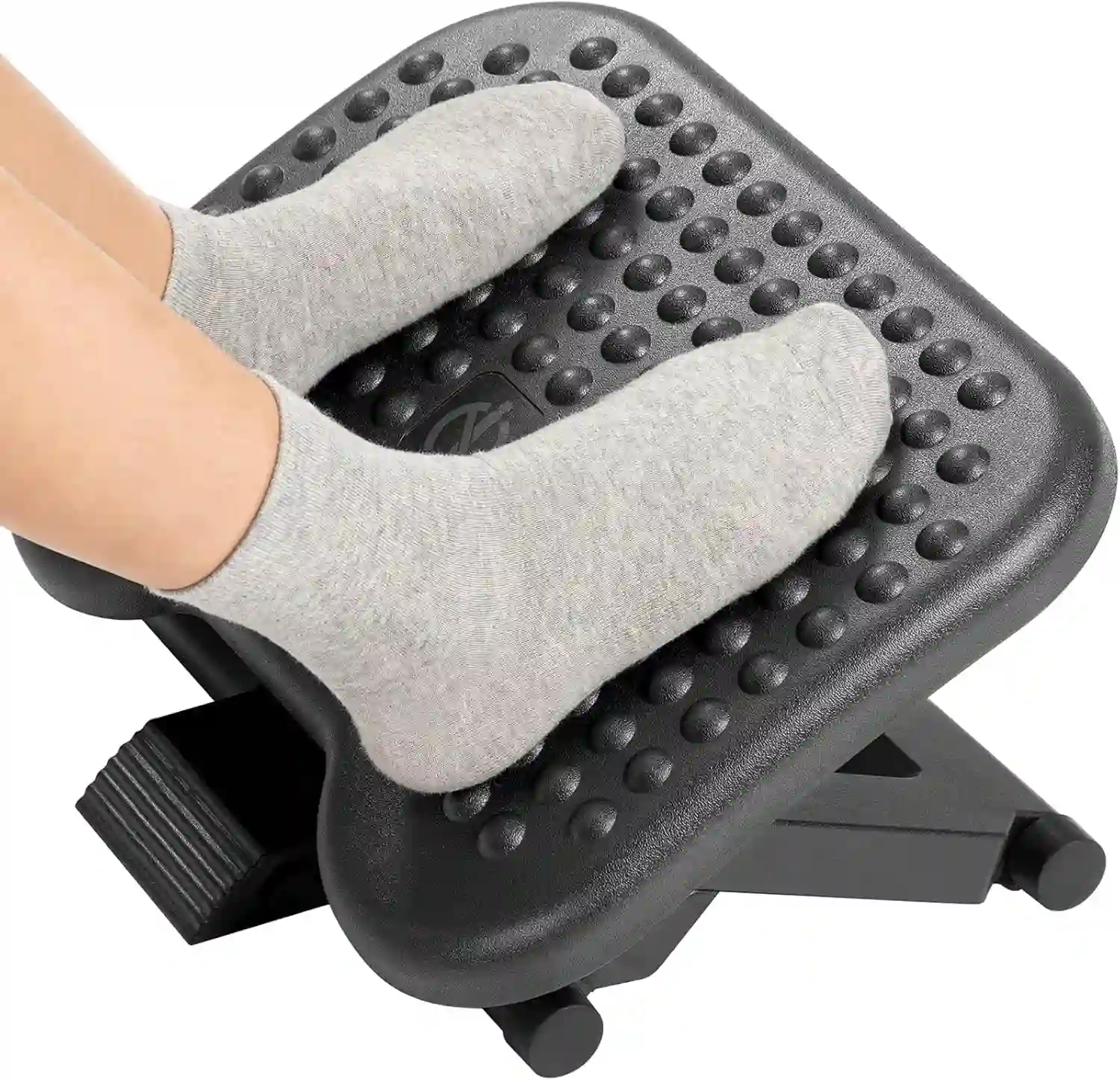
Adjustable Ergonomic Office Footrest
If your office chair cannot be lowered enough for comfortable foot support, an adjustable footrest can provide a stable platform under your desk.
Look for a stable design with a suitable height and enough space for both feet.
What If Your Feet Touch the Floor but the Desk Is Too High?
This is another common home-office problem.
You lower the chair so your feet reach the floor, but suddenly the keyboard feels too high.
This usually means the desk and chair are not working well together.
Start by keeping the chair at a height that allows your feet to be comfortably supported.
Then look at the desk and input devices.
You may be able to improve the setup by:
- Repositioning the keyboard
- Repositioning the mouse
- Using an adjustable desk
- Lowering the desk if possible
- Adjusting the monitor separately
- Using a desk that better matches your chair
The goal is not to sacrifice your lower-body position just to reach the keyboard.
How Should an Office Chair Fit Your Body?
Instead of asking whether your chair is simply “the right height,” check the entire fit.
Feet
Your feet should have comfortable support rather than hanging freely.
Knees
Your knees should feel relaxed and unrestricted.
Thighs
The seat should support your thighs without creating excessive pressure.
Lower Back
The backrest should provide appropriate support for your preferred sitting position.
Shoulders
Your shoulders should not have to remain raised to use the keyboard or armrests.
Arms
Your keyboard, mouse, and armrests should allow your arms to work comfortably.
Head and Neck
Your monitor should be positioned so you can work without constantly looking excessively upward or downward.
A well-adjusted chair is only one part of an ergonomic workstation.
Best Office Chair Features for Shorter Users
If you’re a shorter user, chair dimensions may be more important than appearance.
Look for:
Wide Height-Adjustment Range
Check how low the seat can go.
A chair that has a low minimum seat height gives shorter users more adjustment options.
Adjustable Seat Depth
This can make a major difference if you find standard office-chair seats too deep.
Adjustable Seat Pan
Some chairs allow the seat to move forward and backward.
Adjustable Armrests
Adjustable armrests make it easier to position your arms without changing your entire sitting position.
Adjustable Lumbar Support
The ability to position lumbar support can help the chair accommodate different torso lengths.
Smaller Seat Dimensions
A very large seat may not work as well for someone with a smaller frame.
Good Return Policy
This is particularly important when buying online.
Chair dimensions can look suitable on paper but feel different once you actually sit in the chair.
For more options, you can also see our guide to the best chair for short person and compare the dimensions before buying.
Footrest vs Lower Chair: Which Should You Choose?
| Situation | Better Solution |
|---|---|
| Chair is simply too high | Lower the chair |
| Desk becomes too high after lowering chair | Consider footrest plus desk adjustment |
| User has shorter legs | Footrest may help |
| Seat is too deep | Look for adjustable seat depth |
| Chair cannot go low enough | Consider another chair |
In many situations, lowering the chair should be the first step.
A footrest becomes more useful when lowering the chair creates another problem, such as making the desk too high.
Common Office Chair Setup Mistakes
Even a good chair can feel uncomfortable if it is adjusted incorrectly.
Common mistakes include:
Raising the Chair Too High
Users sometimes raise the chair because they are trying to match a fixed-height desk.
Letting Feet Dangle
If your feet aren’t supported, consider lowering the chair or using a suitable footrest.
Using a Footrest That Is Too High
A footrest should support your feet without forcing your legs into an awkward position.
Ignoring Seat Depth
A seat that is too deep can make it harder to find a comfortable sitting position.
Reaching Upward for the Keyboard
If your desk is too high, repeatedly reaching upward can make the workstation feel awkward.
Keeping Shoulders Raised
Your arms and armrests should be adjusted so your shoulders can remain relaxed.
Positioning the Monitor Incorrectly
Your monitor is part of the workstation too. Don’t focus on the chair while ignoring the screen.
Staying in One Position for Too Long
Even a well-adjusted workstation shouldn’t mean sitting completely still all day. Change positions and move periodically.
When Should You Consider a Different Office Chair?
Sometimes the chair itself is the problem.
Consider another chair if:
- It cannot be lowered enough
- Your feet remain unsupported
- The seat is excessively deep
- The armrests cannot be adjusted appropriately
- The lumbar support cannot be positioned comfortably
- You constantly slide forward
- The chair doesn’t accommodate your body dimensions
- You cannot make the chair and desk work together
You don’t necessarily need the most expensive ergonomic chair.
You need a chair with dimensions and adjustments that work for your body.
If you’re shopping for a new chair, our ergonomic chair guide can help you compare the features that matter beyond appearance.
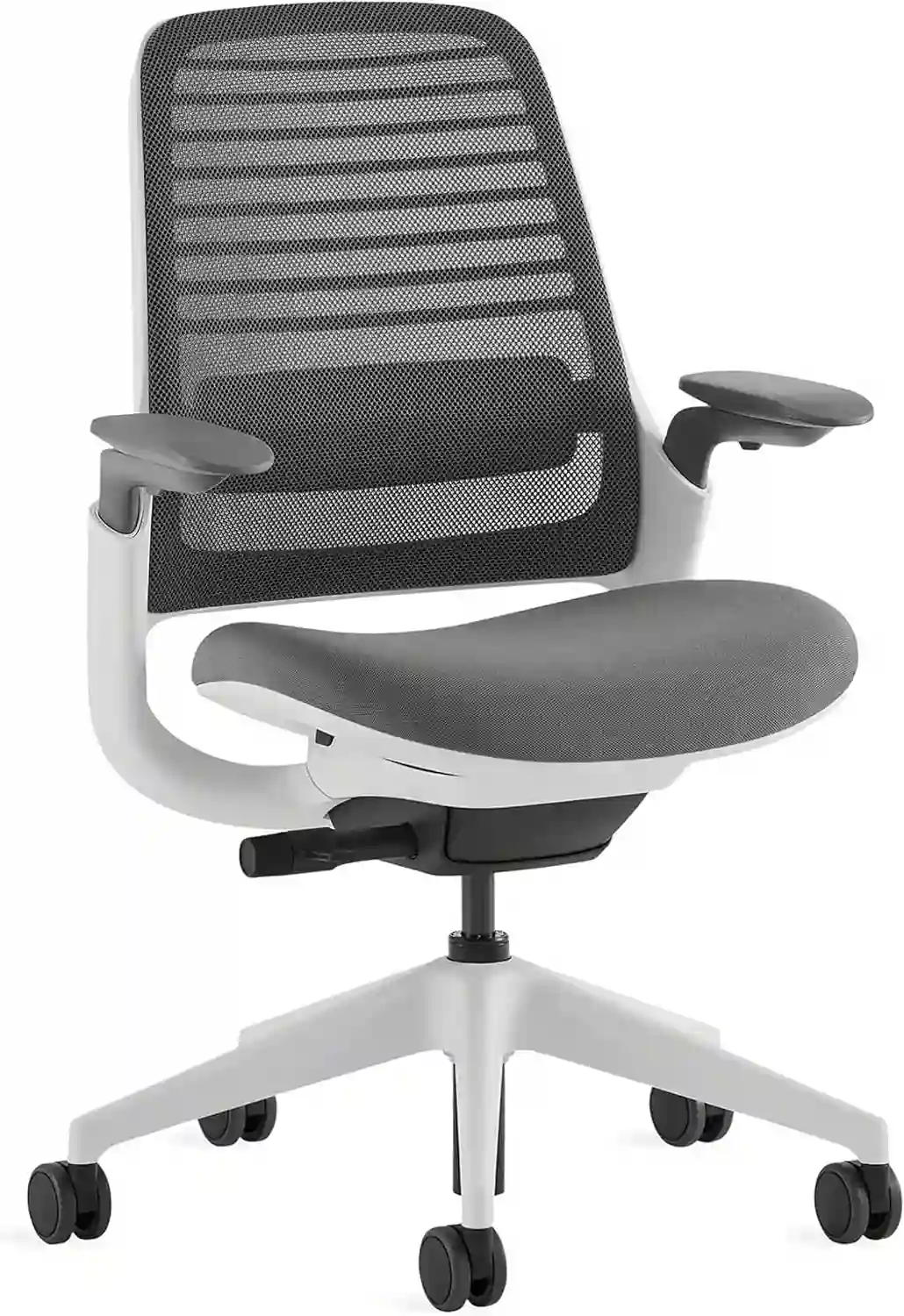
Steelcase Series 1
Best for: Shorter users looking for an adjustable ergonomic office chair.
- Low seat-height options are available
- Adjustable seat depth helps improve fit
- Adjustable armrests and lumbar support
Keep in mind: Make sure you check the exact configuration and dimensions before purchasing, because available options can vary.
Frequently Asked Questions
Why do my feet not touch the floor in my office chair?
The most common reason is that the chair is too high for your body. Other possibilities include a high desk, short leg length relative to the chair, excessive seat depth, or a chair with insufficient height adjustment.
Should my feet always touch the floor when sitting?
Comfortable foot support is generally a useful goal, but there isn’t one perfect sitting position for everyone. If your feet cannot comfortably reach the floor, a properly positioned footrest can provide stable support.
Is it okay to use a footrest under my desk?
Yes. A footrest can be useful when your chair needs to remain higher because of the desk or when your feet don’t comfortably reach the floor.
What should I do if my desk is too high?
First, check whether you can lower the chair while keeping your feet supported. If the keyboard then becomes too high, consider adjusting the desk, keyboard position, or using a different desk or adjustable workstation.
Are office chairs with adjustable seat depth better for shorter people?
Adjustable seat depth can be useful because it allows the seat to better accommodate different leg lengths. It isn’t automatically better for everyone, but it provides an additional way to customize chair fit.
How high should my office chair be?
Set the chair at a height that allows your feet to be comfortably supported while your legs, back, shoulders, and arms remain in a natural working position. There is no single chair-height number that works for every person.
Why does my chair feel comfortable at first but uncomfortable after several hours?
A chair can feel fine initially but become less comfortable during extended work because of its dimensions, lack of adjustment, workstation setup, or the amount of time spent in one position. Check the chair, desk, monitor, and movement habits as a complete setup.
If you experience persistent or significant discomfort, consider discussing it with an appropriate healthcare or ergonomics professional rather than assuming the chair alone is responsible.
Conclusion
If your feet don’t touch the floor in your office chair, don’t immediately assume that you need a new chair.
Start with the basics.
Lower your chair and check whether your feet become comfortably supported. Then check your desk, keyboard, mouse, seat depth, armrests, and monitor position.
If lowering the chair makes your desk too high, a footrest may provide a practical solution. If the chair simply cannot go low enough or the seat is too deep, it may be time to look for a chair with dimensions that better match your body.
For shorter users, features such as a low minimum seat height, adjustable seat depth, adjustable armrests, and a good return policy can be especially useful.
The best office chair is not necessarily the most expensive one. It is the chair that can be adjusted to fit your body and your workstation.