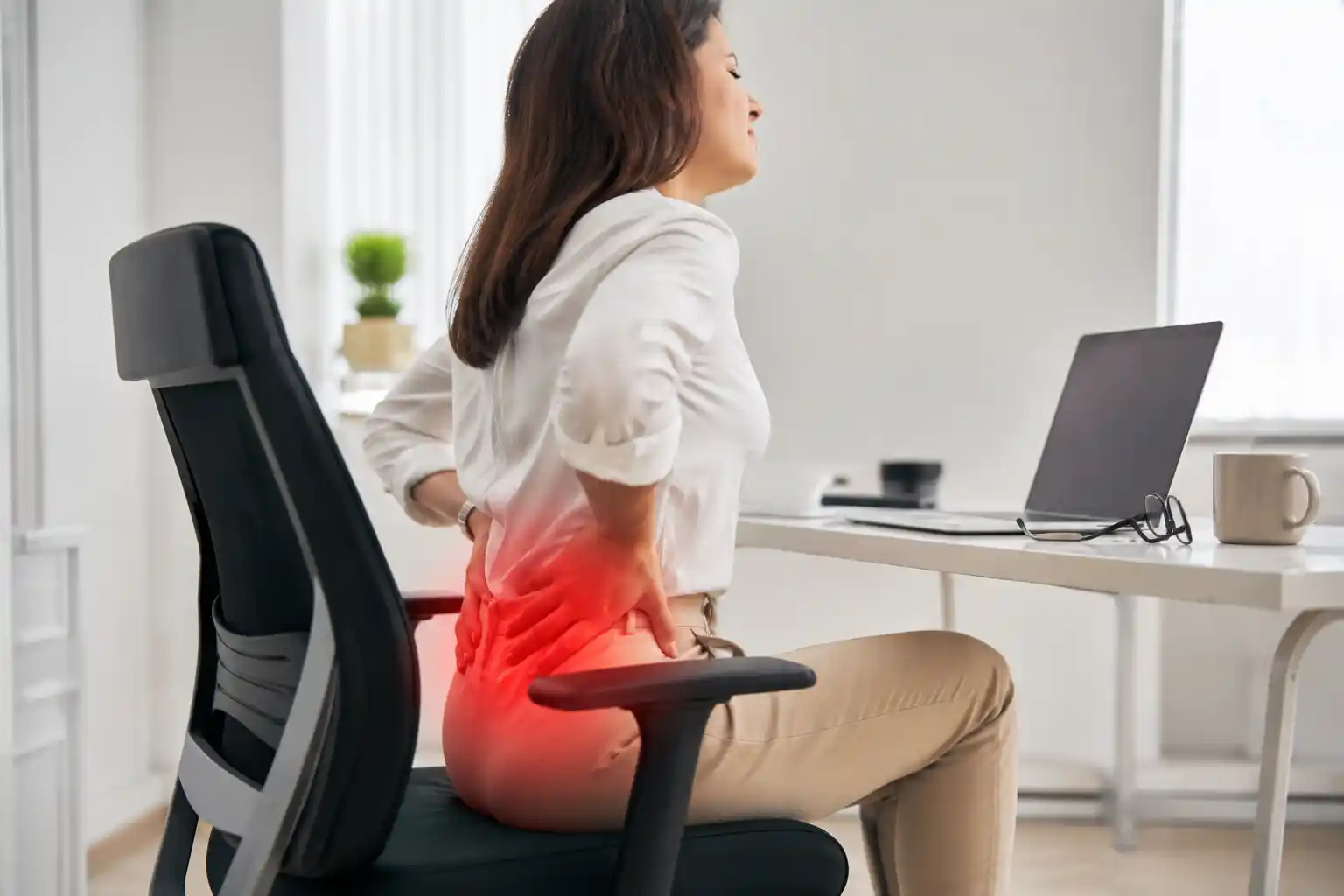
Sitting at a desk for six, eight, or even 10 hours a day can become especially uncomfortable when pressure builds around the tailbone. If your chair leaves you shifting constantly, leaning to one side, or avoiding sitting normally, finding a better setup can make a meaningful difference in everyday sitting comfort.
The best office chair for coccyx pain is not necessarily the softest chair or the one with the most impressive “ergonomic” label. What matters more is how the seat fits your body, how well you can adjust the seat depth and height, how the backrest supports you, and whether the chair allows you to change positions throughout the day.
The coccyx, commonly called the tailbone, is the small bone at the bottom of the spine. Prolonged sitting can feel uncomfortable when pressure is concentrated around this area. Chair design, sitting position, and the amount of time spent sitting can all influence how comfortable a person feels.
A good office chair cannot guarantee relief from tailbone discomfort, but a properly fitted chair may help distribute pressure and improve sitting comfort.
Medical note: This guide is about office-chair comfort, not medical treatment. Persistent, severe, worsening, or unexplained tailbone pain should be discussed with a qualified healthcare professional.
Affiliate disclosure: Some links on this page may be affiliate links. If you purchase through an affiliate link, we may earn a commission at no additional cost to you.
Quick Comparison: 5 Best Office Chairs for Coccyx Pain
| Office Chair | Best For | Seat Cushion | Lumbar Support | Seat Adjustability | Armrests | Backrest | Price | Check Price |
|---|---|---|---|---|---|---|---|---|
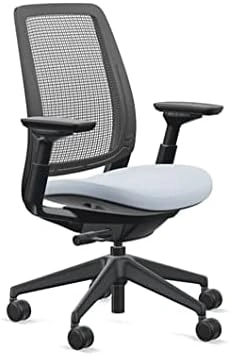 Steelcase Series 2
|
Best Overall | Adaptive foam with flexible seat edges | Height-adjustable on applicable configurations | Height and configuration-dependent options | 4D adjustable | Air LiveBack / upholstered options | Premium | Check Price on Amazon |
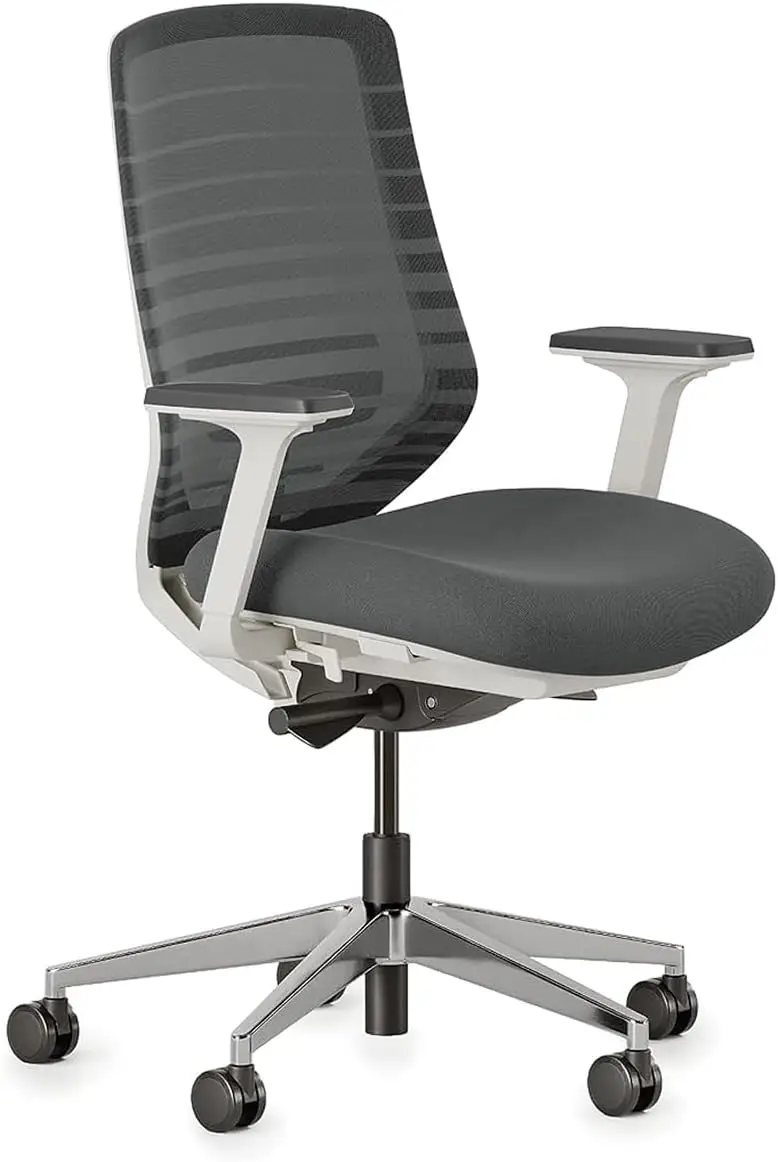 Branch Ergonomic Chair
|
Best Budget Option | High-density cushion | Height-adjustable lumbar | Height + seat depth | 3-way adjustable | Breathable double-layer mesh | $$ | Check Price on Amazon |
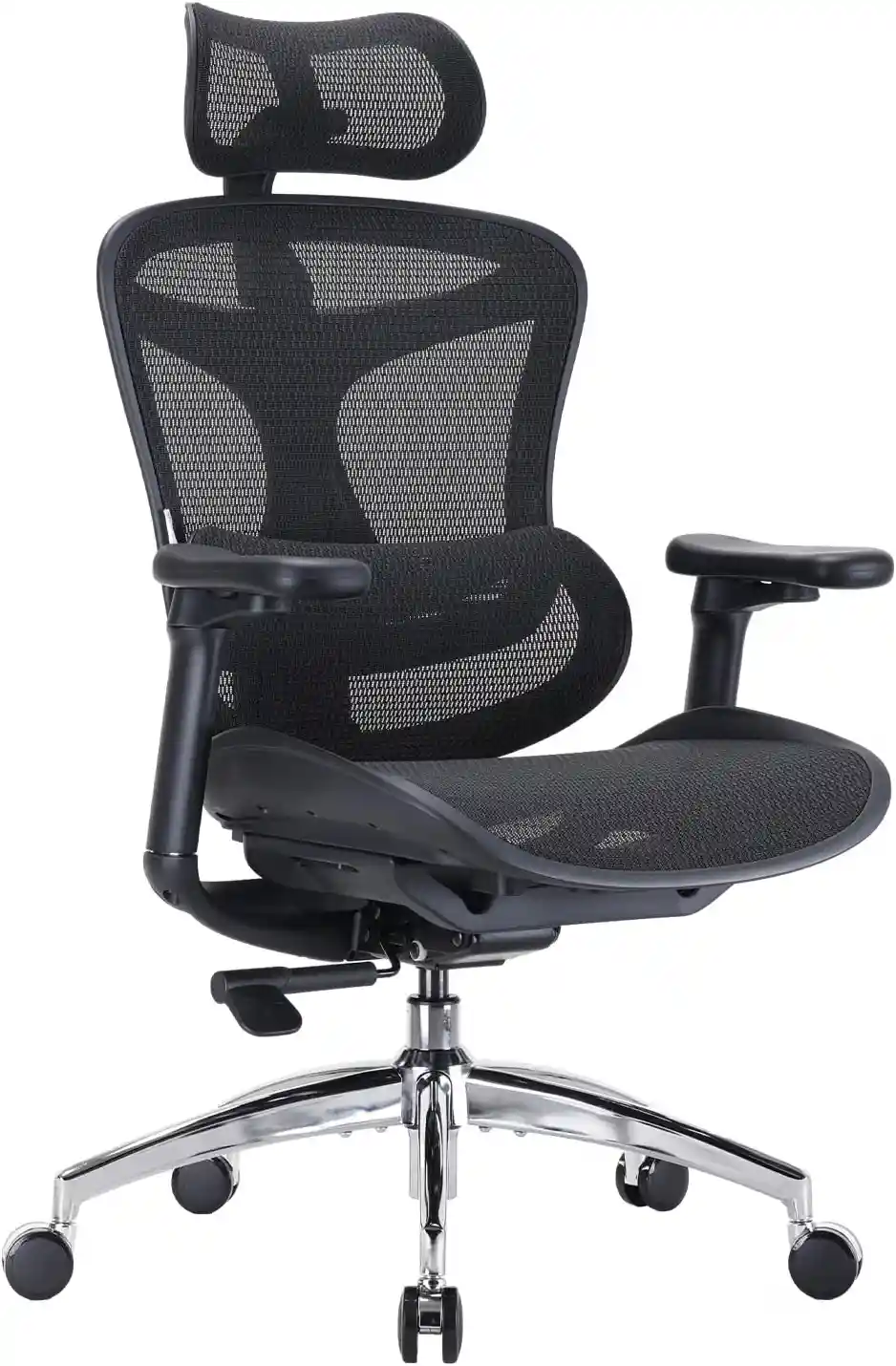 Sihoo Doro C300
|
Best for Long Hours | Breathable mesh seat | Adaptive lumbar support | Adjustable seat depth | Adjustable | Breathable mesh | $$ | Check Price on Amazon |
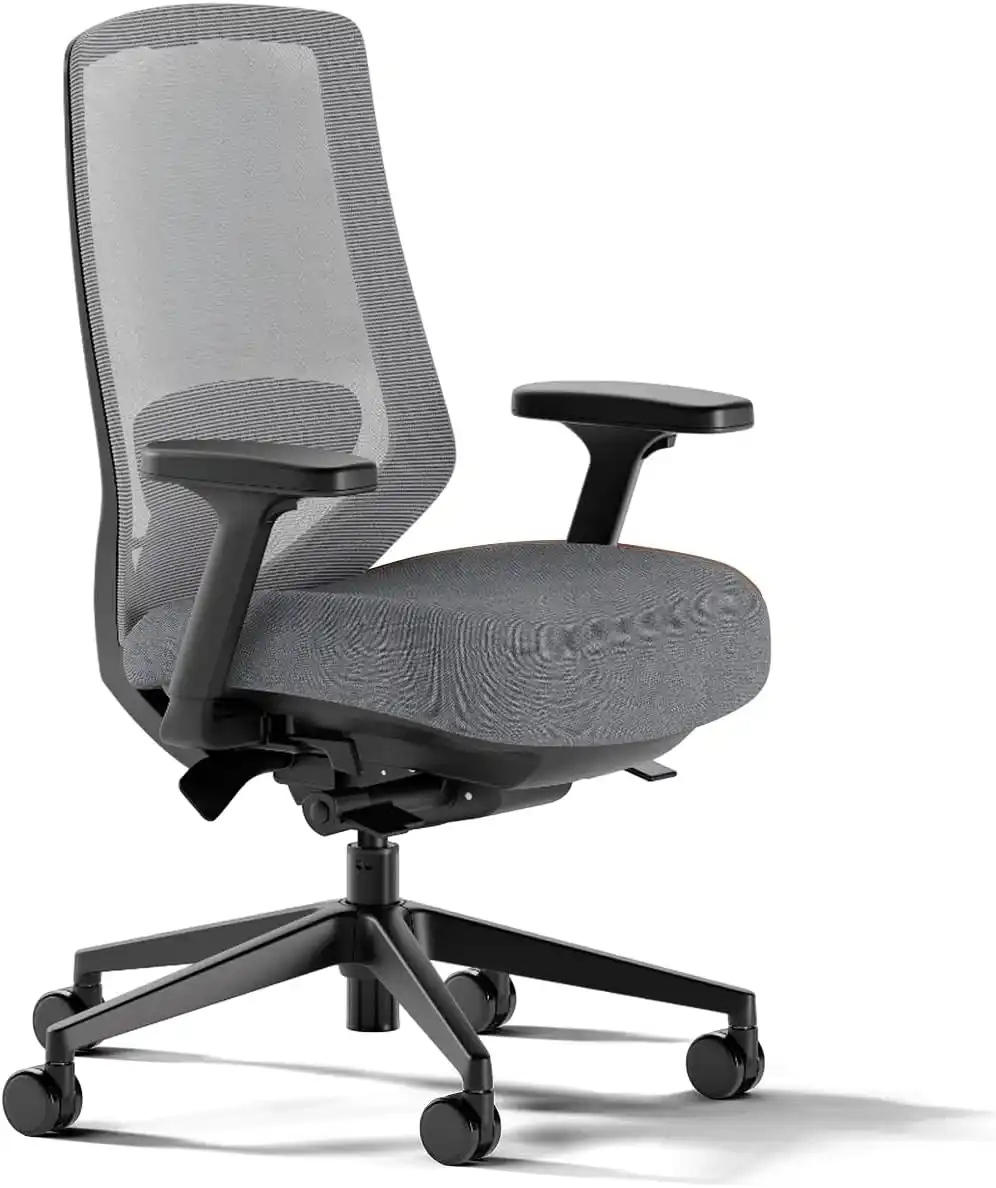 Branch Ergonomic Chair Pro
|
Best Adjustable | High-density cushion | Padded, 2-way adjustable | Height + depth + forward tilt option | 5-way adjustable | Breathable mesh / other upholstery options | $$$ | Check Price on Amazon |
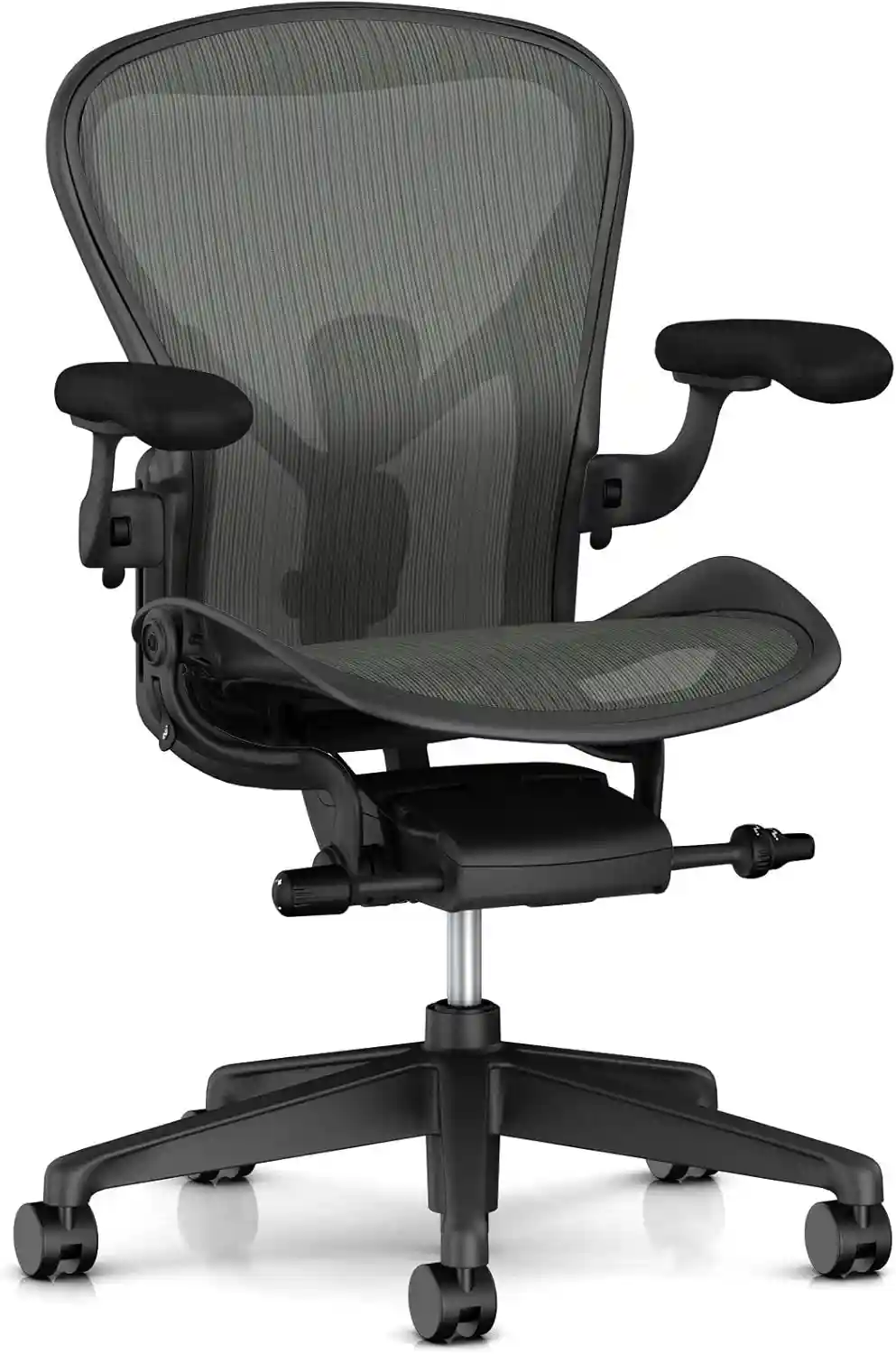 Herman Miller Aeron
|
Best Premium | 8Z Pellicle suspension | PostureFit SL / lumbar options | Height + tilt adjustments | Adjustable options | Suspension mesh | $$$$ | Check Price on Amazon |
Note: Chair configurations, availability, and prices can change. Check the product page for the latest specifications and current price before purchasing. No chair is guaranteed to relieve or treat coccyx or tailbone pain.
Specifications and configurations can vary, so always verify the exact version before purchasing. For example, Steelcase lists Series 2 with flexible seat edges, adaptive foam bolstering, height-adjustable lumbar on applicable configurations, recline adjustments, and 4D arms.
1. Steelcase Series 2 — Best Overall
The Steelcase Series 2 is one of the strongest choices if your priority is a combination of seat design, adjustability, and dynamic movement.
Its seat is particularly interesting for people searching for an office chair for coccyx pain because Steelcase describes the seat as having flexible edges and adaptive bolstering in the foam. The company specifically describes this construction as intended to create a pressure-free sitting experience.
Steelcase Series 2
A highly adjustable ergonomic office chair with a flexible seat design, dynamic back support and multiple configuration options.
- Flexible seat edges
- Adaptive foam cushioning
- Adjustable lumbar support on applicable configurations
- 4D adjustable armrests
- Multiple recline settings
Prices and availability may change. Check Amazon for the latest information.
Important features
- Flexible seat edges
- Adaptive foam bolstering
- Air LiveBack backrest option
- Height-adjustable lumbar support on applicable configurations
- Weight-activated recline
- Upright back lock
- Fully adjustable 4D armrests
- Multiple upholstery/back options
The Air LiveBack backrest is designed to flex as you move, which can be useful for workers who dislike a chair that keeps them locked into one position. Steelcase also provides multiple recline settings.
Seat comfort and pressure distribution
For tailbone comfort, the seat is arguably the most important part of the chair. The Series 2’s flexible edges and adaptive cushioning are worth considering if you find very hard, flat office chairs uncomfortable.
That does not mean the chair will reduce your individual coccyx symptoms. Bodies differ considerably, and a seat that feels excellent to one person may feel too firm or too soft to another.
Adjustability
The Series 2 offers substantial adjustment potential, particularly with the 4D arm option. The arms can be adjusted for height, width, depth, and pivot.
Pros
- Excellent seat design
- Strong adjustability
- Dynamic backrest
- Adjustable arms
- Useful recline options
- Suitable for demanding desk work
Cons
- More expensive than basic office chairs
- Many configurations can make choosing difficult
- Cushion feel is subjective
Best for: Remote professionals and office workers who want a highly adjustable chair without moving all the way into the highest premium price range.
Who should skip it: Someone looking specifically for an extremely soft, lounge-style office chair.
Affiliate opportunity: Check the latest price and current availability for the Steelcase Series 2.
2. Branch Ergonomic Chair — Best Budget Option
The Branch Ergonomic Chair is a compelling choice for shoppers who want useful ergonomic adjustments without spending premium-chair money.
The current model uses a high-density foam cushion with a breathable mesh back. Branch lists eight points of adjustment, including seat height, seat depth, tilt, tilt tension, lumbar adjustment, and three-way removable armrests.
Branch Ergonomic Chair
A value-focused ergonomic chair featuring a high-density cushion, adjustable seat depth, lumbar support and breathable mesh.
- High-density foam seat
- Adjustable seat depth
- Height-adjustable lumbar support
- 3D adjustable armrests
- Breathable mesh back
Prices and availability may change. Check Amazon for the latest information.
Important features
- High-density foam seat
- Breathable double-layer mesh back
- Height-adjustable lumbar support
- Adjustable seat height
- Adjustable seat depth
- 3D armrests
- Synchronous tilt mechanism
- Optional headrest
- 275-pound stated capacity
- Seven-year warranty
Branch lists the seat height at 17–21 inches and seat depth at 18–22 inches. These adjustment ranges can be useful because seat depth has a major influence on whether your legs and lower body feel properly supported.
Seat comfort
Unlike a completely mesh seat, the Branch Ergonomic Chair combines a cushioned seat with a breathable back. That may appeal to users who want some cushioning while still getting airflow.
For someone experiencing discomfort around the tailbone, the high-density foam seat is worth considering, but personal preference remains important.
Adjustability
The ability to adjust seat depth is particularly useful. A seat that is too deep can make it difficult for shorter users to sit comfortably against the backrest.
Pros
- Good value
- High-density foam seat
- Adjustable seat depth
- Adjustable lumbar support
- 3D armrests
- Breathable back
- Seven-year warranty
Cons
- Seat may feel firm to some users
- Standard design may not suit every body type
- Not as extensively adjustable as some premium chairs
Best for: Home-office workers looking for a good balance between price, cushioning, and adjustability.
Who should skip it: People who specifically prefer a fully suspended mesh seat.
3. Sihoo Doro C300 — Best for Long Hours
The Sihoo Doro C300 is worth considering for people who spend long periods working at a computer and want a highly adjustable mesh chair.
The manufacturer’s current U.S. specifications list a mesh seat and back, adjustable seat depth, adaptive lumbar support, adjustable features, a 330-pound maximum load, and a three-year warranty. The listed seat-depth range is approximately 17.13–18.11 inches.
Sihoo Doro C300
A breathable ergonomic chair designed for extended computer sessions, with a mesh seat, adaptive lumbar support and adjustable seat depth.
- Breathable mesh seat
- Adaptive lumbar support
- Adjustable seat depth
- Adjustable armrests
- Recline functionality
Prices and availability may change. Check Amazon for the latest information.
Important features
- Mesh seat and back
- Adaptive lumbar support
- Adjustable seat depth
- Generous recline
- Adjustable armrests
- 330-pound stated maximum load
- Three-year warranty
Seat comfort
Mesh can feel very different from foam. Instead of sinking into a cushion, the body is supported by the tension of the suspension material.
This can be useful for people who prefer a firmer, more responsive sitting surface. However, if you specifically want a plush seat, a foam-cushioned chair may be more appealing.
Pressure-distribution considerations
A mesh seat can distribute contact across a broader area rather than creating one concentrated pressure point. However, mesh tension and individual body shape matter, so it should not automatically be considered the best chair for tailbone pain for everyone.
Adjustability
The C300’s adjustable seat depth is an important feature. Its lumbar system is also designed to adapt to the user’s back.
Pros
- Breathable mesh seat
- Adjustable seat depth
- Adaptive lumbar support
- High stated weight capacity
- Good recline capability
- Designed for long desk sessions
Cons
- Mesh feel isn’t for everyone
- Limited current customer-review sample on the manufacturer’s page
- May not suit users who prefer thick foam cushioning
Best for: Remote workers who spend much of their day at a computer and prefer breathable seating.
Who should skip it: Anyone who strongly prefers a soft, padded seat.
4. Branch Ergonomic Chair Pro — Best Adjustable Option
If adjustability is your top priority, the Branch Ergonomic Chair Pro deserves attention.
Compared with the standard Branch Ergonomic Chair, the Pro version offers more adjustment points, five-way armrests, padded two-way adjustable lumbar support, and a high-density cushion. Branch also offers standard and tall cylinder options.
Branch Ergonomic Chair Pro
A more adjustable version of the Branch ergonomic chair, offering additional seat, lumbar and armrest adjustments for personalized setup.
- High-density cushion
- Two-way adjustable padded lumbar
- Five-way adjustable armrests
- Adjustable seat depth
- Forward-tilt option
Prices and availability may change. Check Amazon for the latest information.
Important features
- 14 ergonomic adjustments
- Five-way adjustable armrests
- Padded two-way lumbar support
- High-density cushion
- Optional forward tilt
- Standard or tall cylinder
- Multiple upholstery options
- Optional headrest
- Seven-year warranty
Seat comfort
The combination of high-density cushioning and additional seat adjustment gives users more opportunities to find a comfortable position.
The optional forward tilt is also interesting for people who alternate between typing, reading, and other desk tasks.
Pressure-distribution considerations
The goal here should not be to create a chair specifically marketed as a medical solution. Instead, the benefit is customization.
A better-fitting seat can potentially help prevent you from constantly shifting because of poor seat depth or an awkward sitting position.
Pros
- Extensive adjustability
- High-density cushion
- Adjustable lumbar
- Five-way arms
- Forward-tilt option
- Standard/tall cylinder choices
- Seven-year warranty
Cons
- More expensive than the standard Branch model
- More adjustment options can require setup time
- Not everyone needs 14 adjustment points
Best for: Users who want to fine-tune their workstation around their body dimensions and sitting habits.
Who should skip it: Shoppers who want a simple chair with minimal adjustments.
5. Herman Miller Aeron — Best Premium Option
The Herman Miller Aeron remains one of the most recognizable premium ergonomic office chairs.
Rather than using a traditional foam seat, the Aeron uses the company’s 8Z Pellicle suspension material. Herman Miller also offers multiple sizes and configurations, helping users select a chair based on body dimensions.
Herman Miller Aeron
A premium ergonomic office chair featuring suspension seating, multiple size options and extensive adjustment possibilities.
- 8Z Pellicle suspension seat
- Three available chair sizes
- PostureFit SL option
- Adjustable lumbar options
- Multiple armrest configurations
Prices and availability may change. Check Amazon for the latest information.
Important features
- 8Z Pellicle suspension seat
- Three chair sizes
- PostureFit SL option
- Adjustable lumbar support options
- Tilt limiter
- Multiple armrest configurations
- Breathable suspension material
The manufacturer’s specifications list a 16-inch seat depth for the A size and a 470 mm, or approximately 18.5-inch, seat depth for the C size, illustrating why selecting the correct Aeron size matters.
Seat comfort
The Aeron’s suspension seat provides a very different experience from thick foam. It is designed around distributed support rather than a conventional cushion.
For users who dislike pressure from traditional padded seats, this can be appealing. Others may prefer foam.
Pros
- Excellent adjustability
- Breathable suspension material
- Multiple sizes
- Strong lumbar/postural support options
- Premium build quality
- Long-standing office-chair design
Cons
- Expensive
- Suspension feel isn’t suitable for everyone
- Correct sizing is particularly important
Best for: Professionals willing to pay more for a highly refined ergonomic chair.
Who should skip it: Budget-conscious shoppers or people who specifically want a plush foam seat.
Affiliate opportunity: View the latest Aeron configurations and current pricing.
What Should You Look for in an Office Chair for Coccyx Pain?
1. Seat Cushion
The seat is the first thing to evaluate.
Look for cushioning that provides support without feeling like a hard board. Extremely soft seats aren’t automatically better either because excessive sinking can make repositioning difficult.
Consider:
- Cushion thickness
- Foam density
- Firmness
- Pressure distribution
- Long-term compression
- Your personal sitting preference
A high-quality foam cushion or well-designed suspension seat may provide better sitting comfort than a generic thick cushion.
2. Seat Pan Design
Seat depth is often overlooked.
A seat that is too deep may prevent you from sitting comfortably against the backrest. One that is too shallow may not provide enough thigh support.
A waterfall-style front edge can also reduce pressure beneath the thighs.
Your ideal seat should allow your back to contact the backrest while leaving comfortable space behind your knees.
3. Lumbar Support
Lumbar support does not directly treat coccyx discomfort.
However, appropriate lower-back support can help you maintain a more comfortable sitting position. A chair that allows lumbar adjustment is generally more useful than one with a fixed support position that doesn’t match your body.
4. Seat Height
Your feet should be supported rather than dangling.
Adjust the chair so your feet can rest comfortably on the floor or a suitable footrest while your knees remain in a comfortable position.
5. Seat Tilt and Recline
Being able to recline gives you another sitting position instead of forcing you to remain upright all day.
Changing positions regularly can be especially useful during long work sessions.
6. Adjustable Armrests
Properly positioned armrests can support the arms and reduce the tendency to lean or hunch toward the desk.
Look for height adjustment at minimum. More advanced chairs may offer width, depth, and pivot adjustments.
7. Breathability
If you sit for many hours, heat buildup can affect comfort.
Mesh backs and mesh seats generally provide more airflow than fully upholstered surfaces, although a cushioned seat may feel more comfortable for some users.
Looking for the Best Mesh Office Chair?
A strong warranty is important, but breathability and comfort matter too. If you’re searching for a chair that keeps you cool during long work hours, don’t miss our expert guide to the Best Mesh Office Chair. We compare the top-rated models based on comfort, ergonomic features, durability, value, and overall performance.
Read Our Best Mesh Office Chair Guide →Best Office Chair Cushion for Coccyx Pain
A separate office chair cushion for coccyx pain can be worth considering if your existing chair is otherwise well-adjusted but the seat itself isn’t comfortable.
Common designs include:
U-Shaped Coccyx Cushions
These cushions have a rear opening intended to reduce direct contact in the tailbone area.
Cut-Out Cushions
Similar designs use a central or rear cut-out. The idea is to change where pressure is concentrated while sitting.
Memory Foam Cushions
Memory foam can conform to the body and provide a different pressure-distribution feel than conventional foam.
Choosing the Right Firmness
Avoid assuming that the softest cushion is the best. A cushion that compresses too much may not provide enough support, while an extremely firm cushion may feel uncomfortable.
Position the cushion so that it supports your sitting area without forcing you into an awkward posture.
A cushion can be a useful experiment before replacing an otherwise good office chair, but individual comfort varies.
How to Sit More Comfortably When Your Tailbone Hurts
Even the best desk chair for tailbone pain won’t compensate for poor workstation setup.
Try these basic ergonomic adjustments:
- Keep both feet supported.
- Adjust chair height rather than sitting too high or low.
- Sit back against the backrest.
- Avoid prolonged slouching.
- Keep your monitor at a comfortable viewing height.
- Keep the keyboard and mouse close enough to avoid reaching.
- Change sitting positions regularly.
- Stand and walk briefly throughout the workday.
- Avoid remaining seated continuously for very long periods.
- Use a footrest if your feet don’t comfortably reach the floor.
There is no single “perfect” sitting position that everyone must maintain all day. Movement and frequent position changes are important parts of comfortable desk work.
Looking for the Best Office Chair for Lower Back Pain?
A good warranty is important, but long-lasting comfort matters just as much. If you struggle with lower back pain, check out our expert guide featuring the best ergonomic office chairs with excellent lumbar support, adjustable features, and outstanding value.
Read: Best Office Chair for Lower Back Pain →Office Chair Features to Avoid
If tailbone comfort is your priority, be cautious with chairs that have:
- Extremely hard seats
- Excessively deep seat pans
- Very limited height adjustment
- No useful seat-depth adjustment
- Unstable armrests
- Poor lower-back support
- A fixed recline position
- Seats that force you into one posture
A chair doesn’t have to be expensive to be comfortable, but it should fit your body and workstation.
Mesh vs. Cushioned Office Chair for Coccyx Comfort
| Feature | Mesh Chair | Cushioned Chair |
|---|---|---|
| Pressure distribution | Depends on mesh tension | Depends on foam construction |
| Airflow | Usually excellent | Usually lower |
| Softness | Usually firmer | Often softer |
| Long-hour comfort | Excellent for some users | Excellent for users who prefer padding |
| Adjustability | Often high | Depends on model |
| Maintenance | Generally easy | Fabric may require more cleaning |
| Durability | Depends on mesh quality | Depends on foam and upholstery |
If you tend to feel hot while working, mesh may be attractive. If you prefer a traditional padded sitting surface, foam may be better.
Neither material is automatically superior for tailbone discomfort.
High-Back vs. Mid-Back Chair
A high-back chair provides more upper-body and backrest coverage and may be preferable for people who recline frequently or work long hours.
A mid-back chair can feel less bulky and may work well in smaller workspaces.
For someone spending eight or more hours at a desk, a high-back ergonomic chair often provides more opportunities for full-back support, but the seat fit remains more important than backrest height alone.
How We Would Choose a Chair for Tailbone Comfort
Rather than choosing a chair simply because its marketing says “ergonomic,” use a practical evaluation framework:
- Seat design — Is the seat supportive without being excessively hard?
- Adjustability — Can you adjust height and preferably seat depth?
- Cushioning — Does the material match your preferred firmness?
- Lumbar support — Can you position it appropriately?
- Recline — Can you change your sitting angle?
- Armrests — Can you position your arms comfortably?
- Build quality — Does the construction appear appropriate for daily use?
- Warranty — Is there meaningful manufacturer coverage?
- Fit — Does the chair’s size match your body dimensions?
- Return policy — Can you return it if the seat doesn’t work for you?
This approach is more reliable than selecting a chair based solely on a “pain relief” claim.
Buying Guide: What to Check Before Ordering
Before purchasing an office chair, go through this checklist:
1. Measure Your Desk
Make sure the chair can fit comfortably under or around your desk.
2. Check Seat Height Range
Compare the chair’s minimum and maximum seat height with your leg length and desk height.
3. Check Seat Depth
This is particularly important. Make sure the seat isn’t too deep for your body.
4. Check Seat Width
Make sure you have enough room without the armrests interfering with your natural sitting position.
5. Look at Cushion Construction
Check whether the seat uses foam, mesh, suspension material, or another construction.
6. Check Lumbar Support
Look for adjustment rather than assuming every lumbar design will fit you.
7. Check Armrests
At minimum, adjustable height is useful. More adjustments provide greater customization.
8. Check Recline
A useful recline mechanism allows you to change position during long work sessions.
9. Check Weight Capacity
Always compare your requirements with the manufacturer’s stated maximum capacity.
10. Check Warranty and Return Policy
A generous warranty and reasonable return period are particularly valuable when buying an expensive chair online.
Frequently Asked Questions
1. What is the best type of office chair for coccyx pain?
There isn’t one chair that works for everyone. Look for a chair with a supportive seat, suitable seat depth, adjustable height, good lumbar support, and the ability to recline and change positions.
2. Is a mesh chair good for tailbone pain?
A mesh chair may be comfortable for some people because suspension seating can distribute body weight differently and mesh provides airflow. Others may prefer a foam seat.
3. Is a cushion or ergonomic chair better for coccyx discomfort?
It depends on the situation. A cushion may be a lower-cost way to change the feel of an existing chair, while an ergonomic chair provides broader adjustments such as seat height, depth, lumbar support, and recline.
4. How should I sit in an office chair with tailbone pain?
Keep your feet supported, sit against the backrest, adjust the chair height, avoid prolonged slouching, and change positions regularly. Individual comfort varies.
5. Can an office chair cause tailbone discomfort?
An unsuitable chair may contribute to uncomfortable pressure, especially if the seat is excessively hard, poorly sized, or forces an awkward sitting position. However, tailbone discomfort can have many possible causes.
6. Is a U-shaped cushion good for sitting?
A U-shaped cushion may change pressure around the tailbone area and can be worth trying. Its effectiveness and comfort vary from person to person.
7. When should I seek professional advice for persistent tailbone pain?
Consider speaking with a qualified healthcare professional if discomfort is persistent, severe, worsening, follows an injury, or has no obvious explanation. A chair should not be considered a substitute for professional evaluation.
Conclusion
The best office chair for coccyx pain is ultimately the chair that fits your body, supports comfortable sitting, and allows you to change positions throughout the workday.
For an overall balance of seat design and adjustability, the Steelcase Series 2 is a strong choice. The Branch Ergonomic Chair offers a more approachable option for shoppers who want cushioning and useful adjustments. For long computer sessions, the Sihoo Doro C300 provides breathable mesh and adjustable features. If adjustability is your priority, the Branch Ergonomic Chair Pro offers a broader range of customization. At the premium end, the Herman Miller Aeron stands out for its suspension seating, multiple sizes, and extensive ergonomic options.
The most important factors are not flashy marketing claims. Focus on seat depth, cushioning, pressure distribution, seat height, lumbar support, armrest adjustment, and recline.
If you are already experiencing tailbone discomfort, don’t assume that buying a new chair alone will solve the problem. Improving your workstation, taking regular movement breaks, and getting professional advice when symptoms persist can all be important parts of a sensible approach to comfortable desk work.