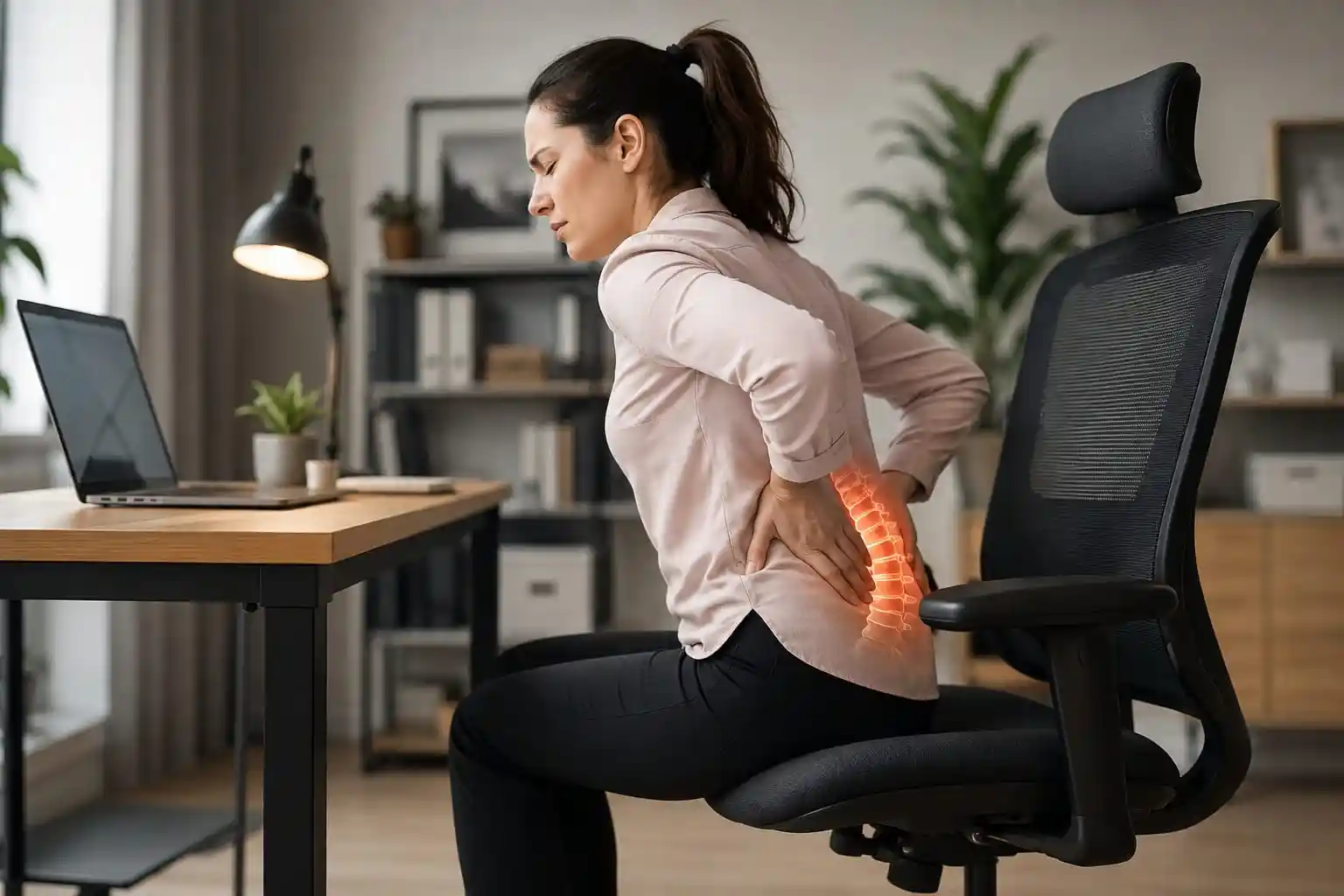
If sitting for several hours leaves your lower back feeling uncomfortable, your office chair may be part of the problem. A chair that is too deep, too low, poorly adjustable, or lacking useful lumbar support can make it harder to find a comfortable working position.
If you are searching for the best office chair for degenerative disc disease, focus less on marketing claims and more on fit, adjustability, lumbar support, seat depth, recline, and overall comfort. An ergonomic chair cannot treat or reverse degenerative disc disease, but the right chair can help you create a workstation that feels more supportive and comfortable.
In this guide, we compare five office chairs with different designs and price levels so you can choose based on your body, workstation, and budget.
Important: This article is for general ergonomic information, not medical advice. If you have persistent, severe, or worsening back symptoms, speak with an appropriate healthcare professional.
Quick Comparison: Best Office Chairs for Degenerative Disc Disease
These ergonomic office chairs offer different combinations of lumbar support, adjustability, seat comfort, and price. Compare the features and check the current Amazon listing before choosing a chair for your workstation.
| Chair | Best For | Lumbar Support | Adjustability | Seat Comfort | Price Range | Check Price |
|---|---|---|---|---|---|---|
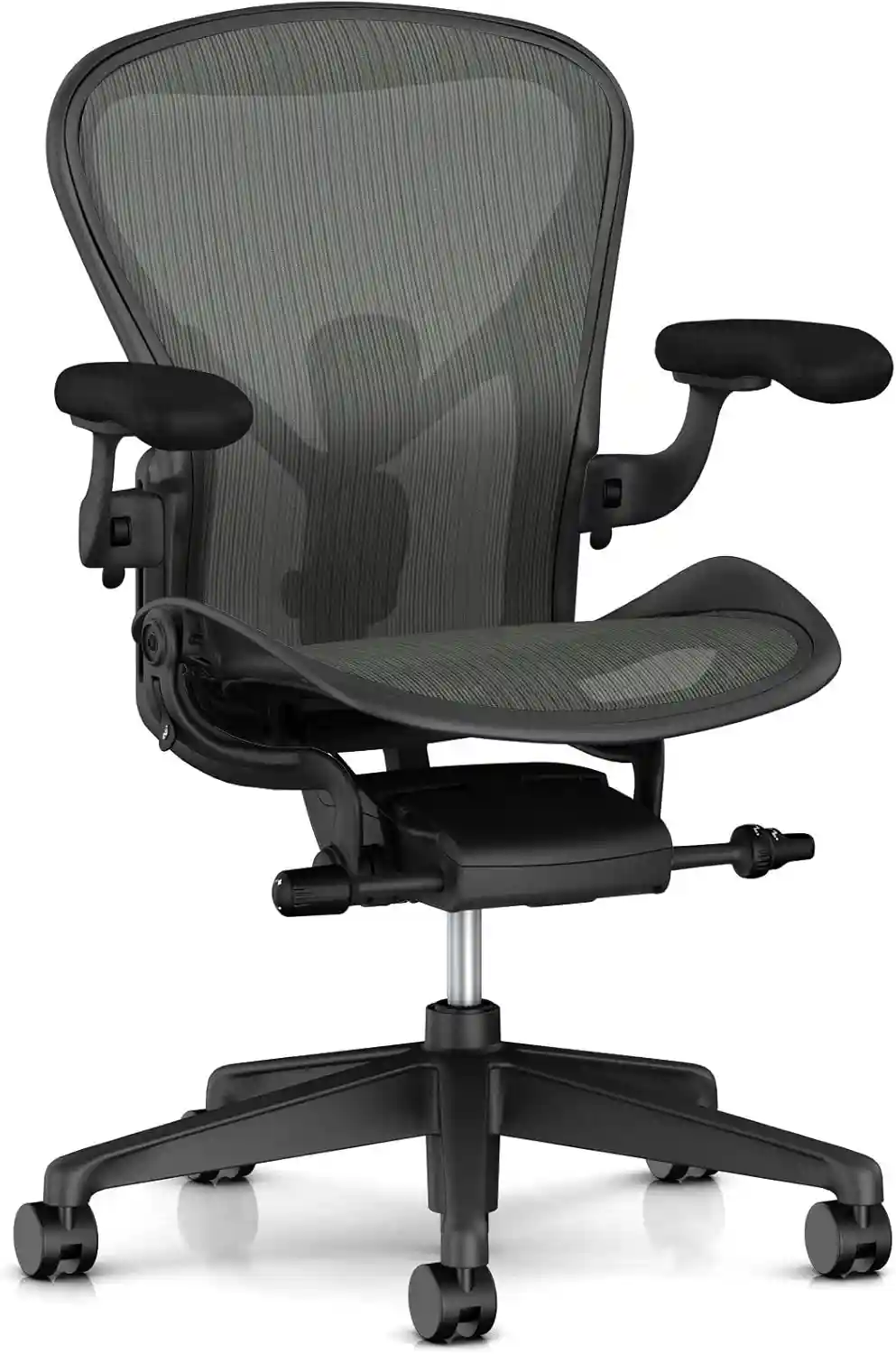 Herman Miller Aeron
|
Best Overall | PostureFit SL or adjustable lumbar, depending on configuration | Excellent | Supportive 8Z Pellicle suspension | Premium | Check Price on Amazon |
 Steelcase Gesture
|
Long Workdays | Adjustable lumbar support | Excellent | Cushioned seat | Premium | Check Price on Amazon |
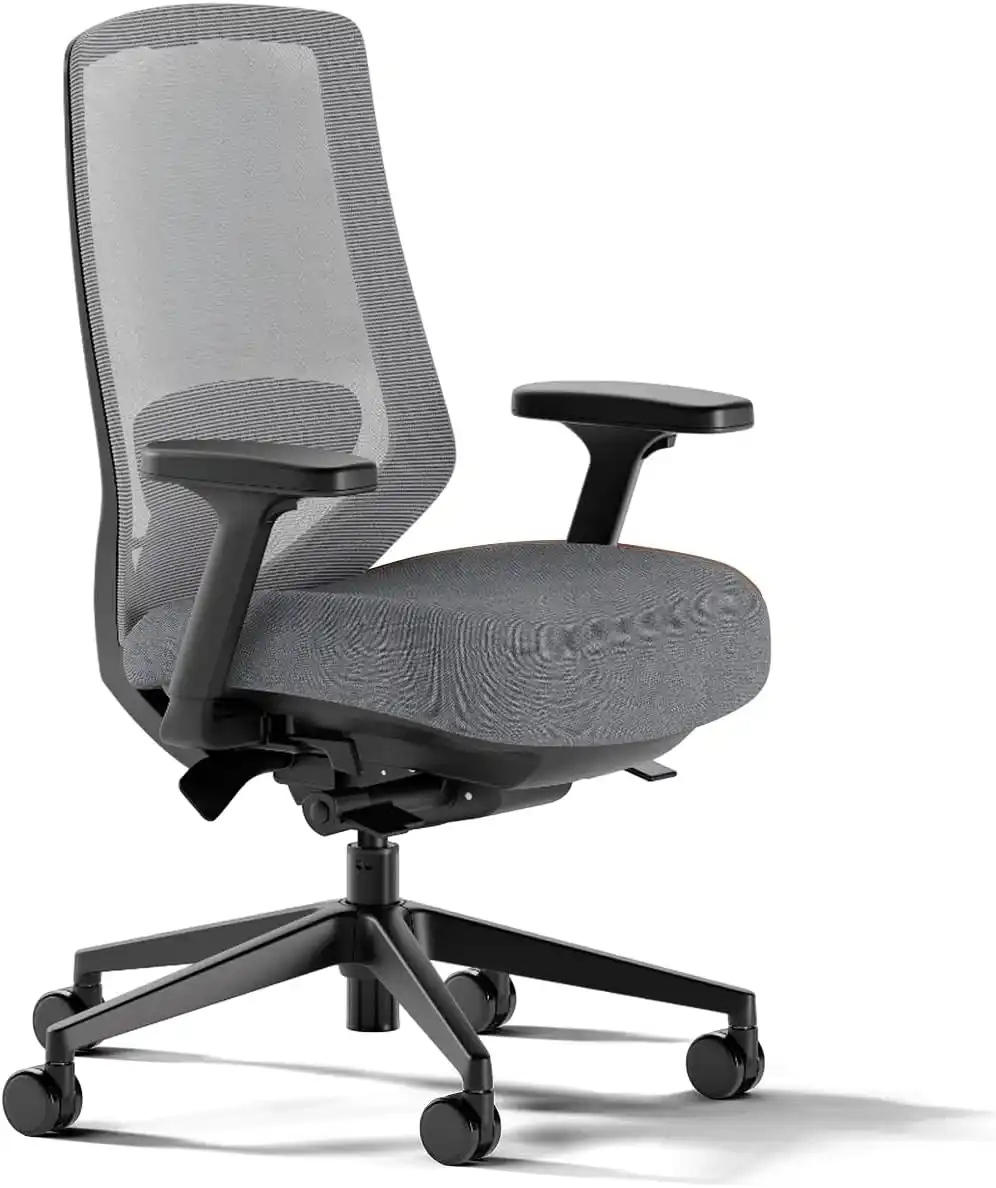 Branch Ergonomic Chair Pro
|
Best Value | Adjustable lumbar support | Excellent | Cushioned | Mid-range | Check Price on Amazon |
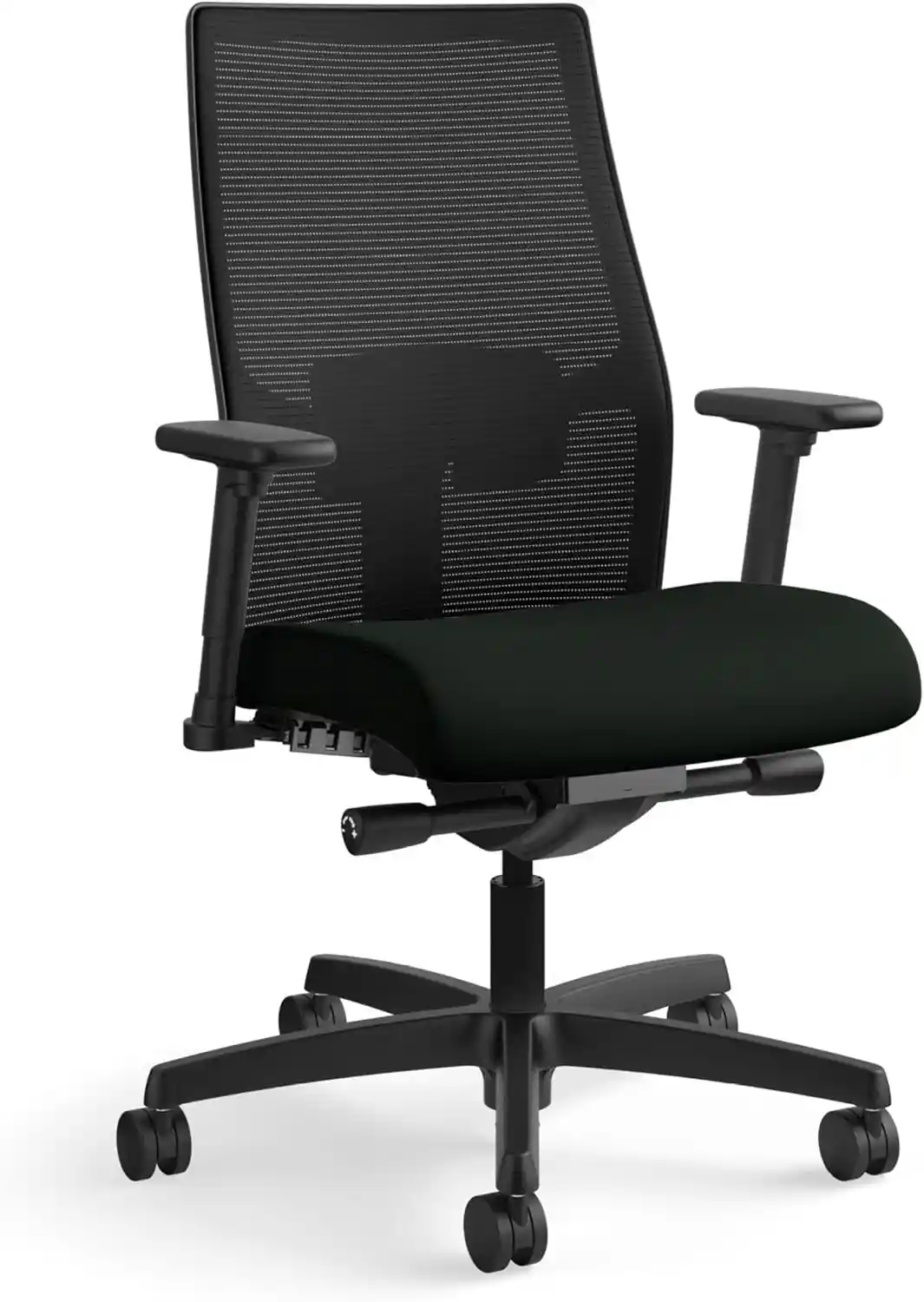 HON Ignition 2.0
|
Best Budget Option | Adjustable lumbar support on applicable configurations | Good | Padded seat with mesh configurations available | Budget–Mid-range | Check Price on Amazon |
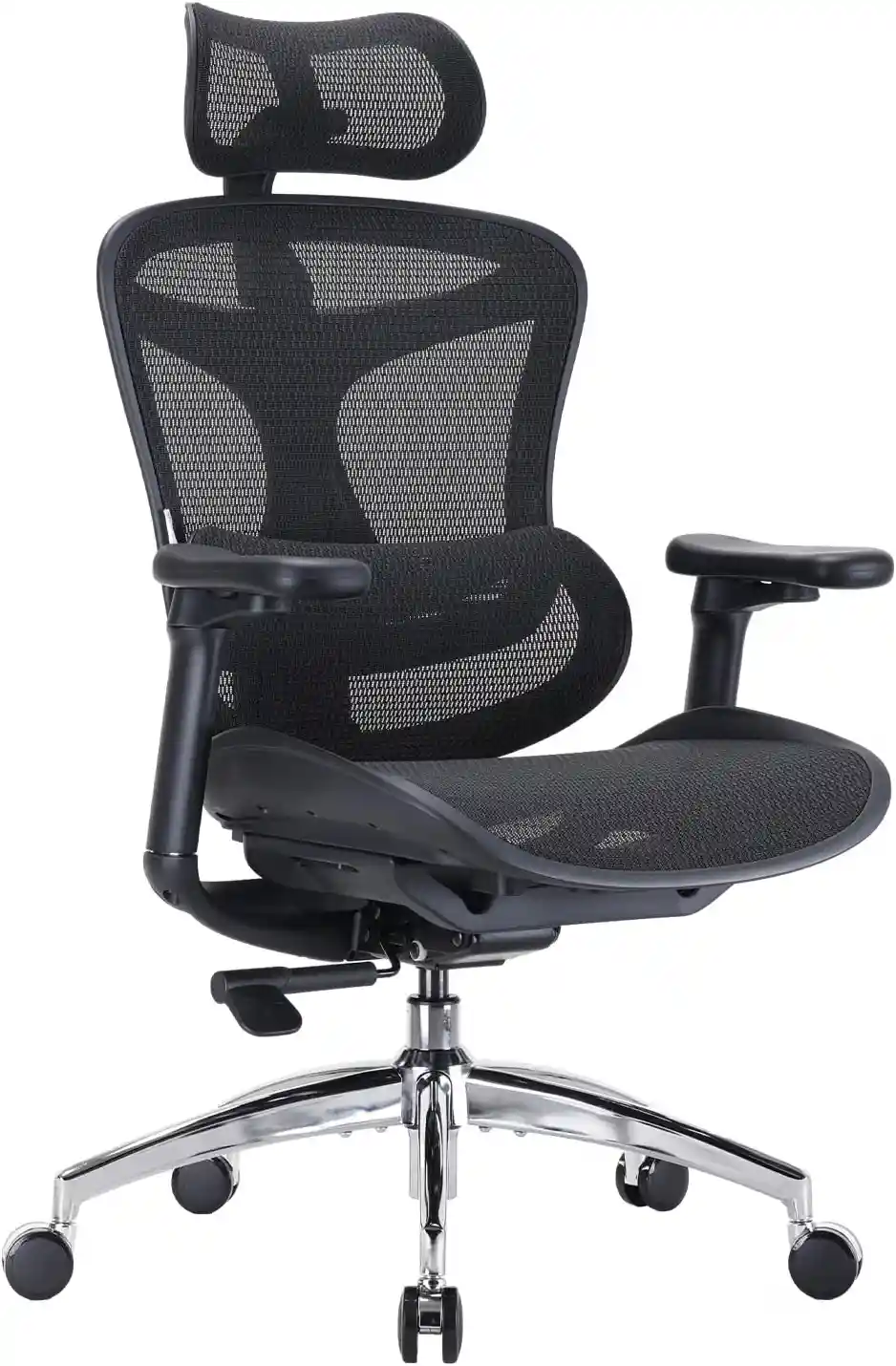 Sihoo Doro S300
|
Feature-Rich Design | Dynamic lumbar support | Excellent | Suspension-style seat | Mid-range–Premium | Check Price on Amazon |
Affiliate Disclosure: This table contains affiliate links. If you purchase through one of these links, we may earn a commission at no additional cost to you. Prices, availability, configurations, and specifications can change, so verify the current Amazon listing before purchasing.
The exact configuration, retailer, and current promotions can change the price and available features, so check the current model before purchasing.
1. Herman Miller Aeron — Best Overall
The Herman Miller Aeron remains one of the most recognizable ergonomic office chairs, particularly for people who prefer a breathable suspension seat and extensive adjustment options.
Its PostureFit SL system is designed to support the sacral and lumbar areas, while the Harmonic 2 Tilt mechanism allows the chair to move with you as you recline. Herman Miller also offers the Aeron in three sizes, which is important because chair fit can vary significantly between users.
Herman Miller Aeron
A premium ergonomic office chair featuring suspension seating, multiple size options and extensive adjustment possibilities.
- 8Z Pellicle suspension seat
- Three available chair sizes
- PostureFit SL option
- Adjustable lumbar options
- Multiple armrest configurations
Prices and availability may change. Check Amazon for the latest information.
Key Features
- Adjustable PostureFit SL lumbar/sacral support
- 8Z Pellicle suspension seat and back
- Adjustable seat height
- Adjustable arms on selected configurations
- Multiple chair sizes
- Reclining tilt mechanism
- Up to 350-pound capacity on sizes B and C according to Herman Miller’s product documentation
Pros
- Excellent range of ergonomic adjustments
- Breathable for warm environments
- Available in multiple sizes
- Strong build quality
- Excellent lumbar-support customization
Cons
- Expensive
- Mesh-style suspension is not everyone’s preferred seat feel
- Correct sizing is important
- Some desirable features depend on configuration
Best For
People who spend most of the workday at a desk and want a highly adjustable, breathable chair from a premium manufacturer.
Who Should Skip It?
If you strongly prefer a thick, soft foam cushion or have a limited budget, a cushioned chair may be a better fit.
Affiliate CTA: Check the current Aeron configuration and price before purchasing.
2. Steelcase Gesture — Best for Long Workdays
The Steelcase Gesture is particularly interesting for people who frequently switch between a keyboard, mouse, laptop, phone, and other devices.
Its arms move through a broad range of positions, while the chair also includes adjustable recline settings and lumbar support. Steelcase describes its Core Equalizer as providing lumbar support throughout different recline angles.
Steelcase Gesture Office Chair
The Steelcase Gesture is a premium ergonomic office chair engineered to support a wide range of sitting positions. Featuring industry-leading adjustability, exceptional lumbar support, and highly flexible armrests, it’s an excellent choice for professionals who spend long hours at their desk.
- ✔ 360° Adjustable Armrests
- ✔ Adaptive LiveBack Technology
- ✔ Adjustable Lumbar Support
- ✔ Premium High-Density Seat Cushion
- ✔ Ideal for 8–12 Hours of Daily Sitting
Key Features
- Highly adjustable 360-degree arm movement
- Adjustable lumbar support
- Recline with multiple stop settings
- Upright back lock
- Cushioned seat
- Optional headrest
- Flexible back design
Pros
- Excellent arm adjustability
- Comfortable for varied working positions
- Good reclining capability
- Supportive cushioned seat
- Useful for people using several devices
Cons
- Premium price
- Large number of adjustments can take time to configure
- Heavier and less visually minimal than some alternatives
- Headrest configuration costs more
Best For
Remote workers, programmers, office professionals, and people who regularly change positions or use multiple devices throughout the day.
Who Should Skip It?
If you want a lightweight, highly breathable mesh chair or have a smaller budget, consider a different option.
Affiliate CTA: Compare the available Gesture configurations and current price before ordering.
3. Branch Ergonomic Chair Pro — Best Value for Adjustability
The Branch Ergonomic Chair Pro is a strong choice for shoppers who want many ergonomic adjustments without immediately moving into the highest premium-chair price tier.
Branch lists 14 points of adjustment, including height- and depth-adjustable lumbar support, seat depth, seat height, forward tilt, tilt tension, and 5D armrests. It is also available with different materials and an optional headrest.
Branch Ergonomic Chair Pro
A more adjustable version of the Branch ergonomic chair, offering additional seat, lumbar and armrest adjustments for personalized setup.
- High-density cushion
- Two-way adjustable padded lumbar
- Five-way adjustable armrests
- Adjustable seat depth
- Forward-tilt option
Prices and availability may change. Check Amazon for the latest information.
Key Features
- Two-way adjustable lumbar support
- Seat-depth adjustment
- Seat-height adjustment
- 5D armrests
- Forward tilt
- Recline
- Tilt-tension adjustment
- Optional headrest
- Standard and tall-cylinder options
- 275-pound listed capacity
Pros
- Excellent adjustability for the price
- Useful lumbar customization
- Highly adjustable armrests
- Multiple material choices
- Tall-cylinder option
Cons
- Not as inexpensive as basic office chairs
- 275-pound capacity may not suit every user
- Feature-rich design can require some setup time
Best For
Home-office workers who want an adjustable office chair for back support without spending as much as some flagship ergonomic chairs.
Who Should Skip It?
Users who need a higher weight rating or strongly prefer the feel of a specialized suspension seat may want to consider another chair.
Affiliate CTA: Check the current Branch Ergonomic Chair Pro configuration and available options.
4. HON Ignition 2.0 — Best Budget-Friendly Option
The HON Ignition 2.0 is worth considering when budget matters but you still want useful ergonomic features.
HON offers the Ignition 2.0 in different configurations, including models with adjustable lumbar support. Its specifications include synchro-tilt, tilt tension, tilt lock, adjustable arms on selected models, and a 300-pound weight rating.
HON Ignition 2.0
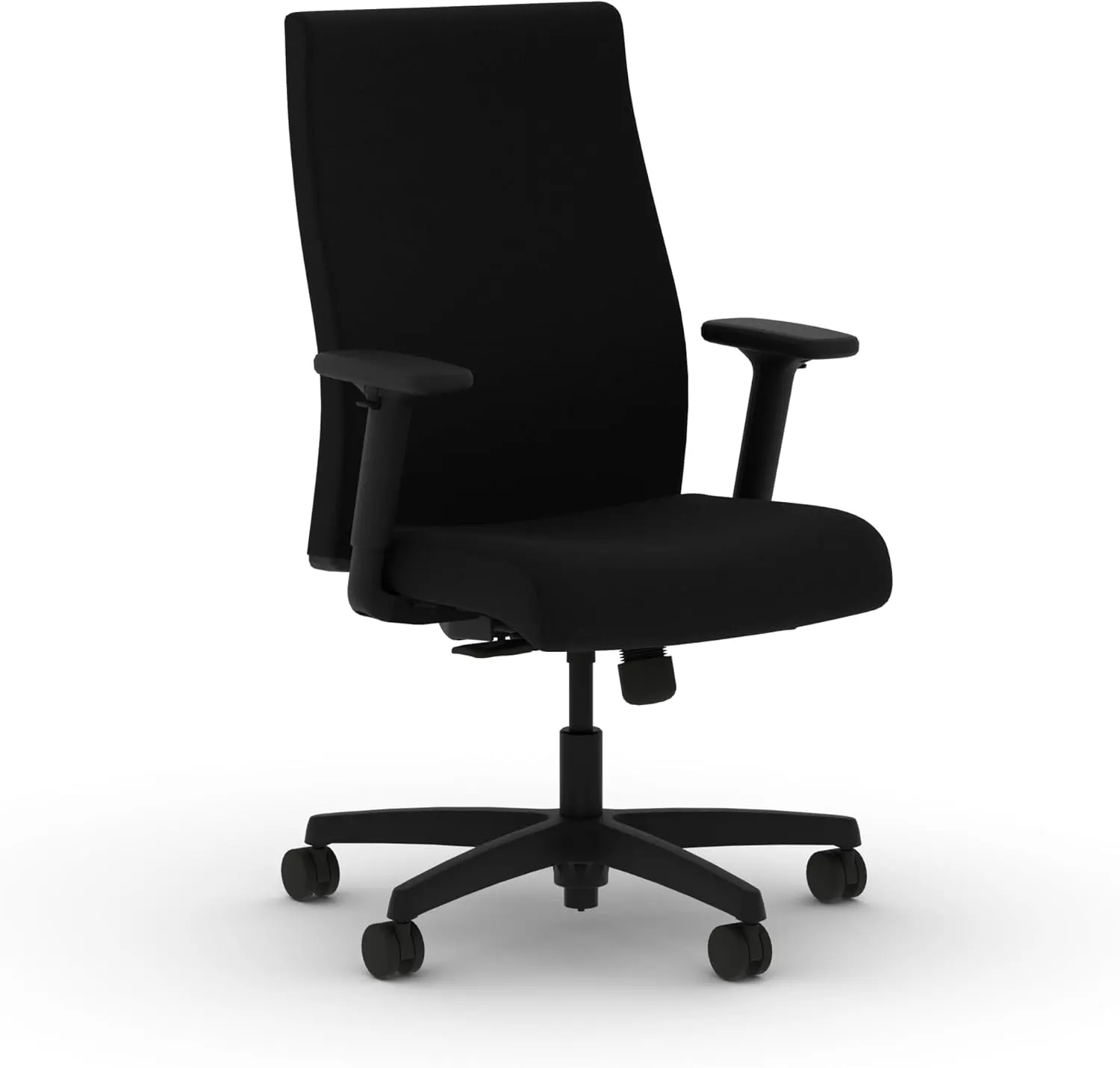
A versatile ergonomic office chair designed for everyday work, with adjustable seating features that can help you create a more personalized desk setup.
- Adjustable seat height
- Adjustable lumbar support
- Adjustable armrests
- Recline and tilt functionality
- Breathable back option
Prices and availability may change. Check Amazon for the latest information.
Key Features
- Adjustable lumbar option
- Synchro-tilt
- Tilt tension adjustment
- Tilt lock
- Adjustable arms on selected configurations
- Upholstered and mesh configurations
- 300-pound listed weight rating on documented models
Pros
- More accessible price than many premium chairs
- Several configurations available
- Good basic ergonomic functionality
- Mesh option can improve airflow
- Suitable for home or traditional office environments
Cons
- Feature availability varies by configuration
- Less refined than premium chairs
- Lumbar support should be checked carefully before ordering
Best For
Budget-conscious buyers looking for a comfortable office chair for long sitting without spending four figures.
Who Should Skip It?
If you want highly customized armrests, advanced lumbar adjustment, or premium materials, spending more may be worthwhile.
Affiliate CTA: Compare the exact Ignition 2.0 configuration before buying because features vary between models.
5. Sihoo Doro S300 — Best Feature-Rich Alternative
The Sihoo Doro S300 is another option for buyers who want a large adjustment range. Its documented specifications include 6D armrests, adjustable seat depth, adjustable seat height, and a 300-pound maximum load. The manufacturer’s US guidance also explains how to adjust its lumbar support and seat depth.
Sihoo Doro C300
A breathable ergonomic chair designed for extended computer sessions, with a mesh seat, adaptive lumbar support and adjustable seat depth.
- Breathable mesh seat
- Adaptive lumbar support
- Adjustable seat depth
- Adjustable armrests
- Recline functionality
Prices and availability may change. Check Amazon for the latest information.
Key Features
- Adjustable lumbar support
- 6D armrests
- Adjustable seat depth
- Adjustable seat height
- Recline adjustment
- Recline tension
- Headrest
- Suspension-style seat design
- 300-pound maximum load
Pros
- Extensive adjustment range
- Highly adjustable armrests
- Useful seat-depth adjustment
- Feature-rich design
- Good option for people who like a more customized setup
Cons
- Adjustment-heavy design may feel complicated initially
- Large chair footprint
- Not the right choice for every body shape
- Premium configurations can become expensive
Best For
Users who enjoy experimenting with chair settings and want extensive adjustability for long desk sessions.
Who Should Skip It?
If you prefer a simple chair with fewer controls or need a particularly compact chair, consider a simpler model.
Looking for the Best Mesh Office Chair?
A strong warranty is important, but breathability and comfort matter too. If you’re searching for a chair that keeps you cool during long work hours, don’t miss our expert guide to the Best Mesh Office Chair. We compare the top-rated models based on comfort, ergonomic features, durability, value, and overall performance.
Read Our Best Mesh Office Chair Guide →What Makes an Office Chair Suitable for Long-Term Back Comfort?
There is no universally perfect chair for everyone. The best ergonomic chair for back support is usually one that can be adjusted to your body and workstation.
Adjustable Lumbar Support
A chair having lumbar support is useful, but adjustable lumbar support can be even more practical.
Your lower back is not identical to someone else’s. Height, torso length, seat depth, and preferred recline all affect where the lumbar area should sit.
Look for a chair that allows you to change the lumbar support’s height, depth, firmness, or position when possible.
Seat Depth
Seat depth is often overlooked.
If a seat is too deep, you may have difficulty sitting back against the backrest while keeping comfortable space behind your knees. If it is too shallow, your thighs may not receive enough support.
A seat-depth adjustment allows you to customize this relationship.
Seat Height
Your feet should be comfortably supported, with the chair height working together with your desk.
Avoid raising the chair so high that your feet cannot rest comfortably on the floor. If your desk is unusually high, you may need to adjust the entire workstation rather than simply lowering the chair.
Recline
A reclining backrest lets you change position rather than remaining completely upright all day.
For many users, the ability to alternate between upright and reclined positions is more practical than trying to maintain one rigid posture for hours.
Adjustable Armrests
Armrests can help position your arms comfortably while typing or using a mouse.
Ideally, they should not force your shoulders upward or prevent you from getting close enough to the desk.
Seat Cushion
There is no single ideal firmness level.
Some people prefer a firmer seat because it feels supportive, while others prefer thicker cushioning. Pressure distribution and personal preference matter.
Backrest
A good backrest should support your back without forcing you into an uncomfortable position.
Look for a backrest that works with your preferred sitting positions rather than one that only feels comfortable when you sit perfectly still.
Looking for the Best Office Chair for Lower Back Pain?
A good warranty is important, but long-lasting comfort matters just as much. If you struggle with lower back pain, check out our expert guide featuring the best ergonomic office chairs with excellent lumbar support, adjustable features, and outstanding value.
Read: Best Office Chair for Lower Back Pain →How to Set Up an Office Chair for Better Ergonomics
Use this process as a starting point rather than a rigid prescription.
1. Adjust Seat Height
Set the chair so your feet are comfortably supported and your knees are in a relaxed position.
2. Adjust Seat Depth
Move the seat forward or backward so you can use the backrest without excessive pressure behind your knees.
3. Position Lumbar Support
Move the lumbar support until it comfortably contacts the lower portion of your back.
4. Adjust Backrest Angle
Start relatively upright and experiment with a modest recline. You do not need to maintain one angle all day.
5. Position Armrests
Set the armrests so your shoulders can remain relaxed while your hands reach the keyboard and mouse naturally.
6. Position Your Feet
Keep your feet comfortably supported. A footrest can be useful if the chair must remain higher because of desk height.
7. Adjust Desk and Monitor Height
Your chair cannot compensate for a poorly positioned desk or monitor. Make sure your workstation allows you to work without constantly reaching, shrugging your shoulders, or bending your neck.
8. Change Sitting Position Regularly
Even a high-quality ergonomic chair is not a reason to remain stationary for hours.
Stand, walk, stretch gently, or simply change your position throughout the workday.
For more practical setup advice, see our guide to [How to Adjust Your Office Chair for Perfect Posture].
Is an Ergonomic Chair Helpful for Degenerative Disc Disease?
An ergonomic chair can be helpful for workstation comfort, but it should not be viewed as medical treatment.
Good adjustability may make it easier to find a sitting position that feels comfortable for your individual body. Lumbar support, appropriate seat depth, a suitable seat height, and the ability to recline can all be useful ergonomic considerations.
Changing positions and taking movement breaks can also be more practical than trying to maintain one “perfect” posture throughout an entire workday.
However, degenerative disc disease is a medical condition. An office chair cannot cure it, reverse disc degeneration, or medically prevent progression.
If sitting causes persistent or significant symptoms, discuss your individual situation with a qualified healthcare professional.
Best Chair Features by User Need
| User Need | Important Features |
|---|---|
| Long workdays | Adjustable lumbar support + comfortable seat |
| Small workspace | Compact dimensions |
| Tall users | Adjustable seat depth + suitable backrest height |
| Short users | Lower seat height + suitable seat depth |
| Hot environment | Breathable mesh |
| Premium comfort | High-quality cushioning + adjustability |
| Frequent reclining | Adjustable recline mechanism |
If you regularly work eight or more hours, our guide to the [Best Chair for Long Hours] can help you compare additional options.
Mesh vs Leather vs Fabric for Back Comfort
The material of an office chair affects comfort, temperature, maintenance, and appearance, but it does not automatically determine whether the chair is ergonomically suitable.
Mesh
Mesh is popular in warm environments because air can move through the material. It can also provide a supportive, responsive feel.
The downside is that some people prefer the softer feel of foam cushioning.
Leather
Leather and leather-like materials can look premium and are relatively easy to wipe clean.
However, they may feel warmer during long sessions, particularly in rooms without good climate control.
Fabric
Fabric chairs can provide a softer, more traditional feel. Depending on the design, they may also offer substantial foam cushioning.
The trade-off can be more difficult stain removal and less airflow than open mesh.
How Much Should You Spend on an Ergonomic Office Chair?
Under $150
Expect basic adjustment features and simpler construction. You can find usable chairs in this category, but lumbar and seat-depth adjustment may be limited.
$150–$300
This range can provide better ergonomic functionality, including adjustable arms, mesh backs, improved lumbar support, and better mechanisms.
$300–$700
This is often a strong range for shoppers who want substantially more adjustability and better materials without automatically moving into luxury pricing.
$700+
Premium chairs generally compete through build quality, warranty coverage, extensive adjustment options, specialized mechanisms, and materials.
However, more expensive does not automatically mean more comfortable for your body.
Explore more best office chairs under $200
Common Office Chair Mistakes to Avoid
- Buying primarily because the chair looks attractive
- Ignoring seat depth
- Choosing fixed lumbar support without checking its position
- Ignoring chair dimensions
- Setting the seat too high or too low
- Sitting continuously for hours
- Failing to check the return policy
- Assuming more adjustment features automatically mean better comfort
- Choosing a chair without considering your desk height
- Ignoring weight capacity
Before purchasing, measure your available workspace and compare those measurements with the chair’s specifications.
Office Chair Buying Checklist
- Adjustable seat height
- Suitable seat depth
- Adjustable lumbar support
- Adjustable armrests
- Comfortable seat
- Reclining backrest
- Suitable chair dimensions
- Appropriate weight capacity
- Good warranty/return policy
- Suitable for your desk
For more fundamentals, read our Ergonomic Chair Guide before making a final decision.
FAQs
What is the best office chair for degenerative disc disease?
There is no single chair that is medically “best” for everyone with degenerative disc disease. From an ergonomic perspective, the Herman Miller Aeron is our best overall pick because of its size options, adjustable PostureFit SL support, breathable suspension design, and broad adjustment range. The Steelcase Gesture and Branch Ergonomic Chair Pro are strong alternatives.
Is lumbar support important for degenerative disc disease?
Lumbar support can be an important ergonomic feature because it allows you to customize how your lower back is supported while sitting. However, the ideal amount and position of support varies from person to person.
Is a mesh chair better than a leather chair for back comfort?
Not necessarily. Mesh can be excellent for airflow and responsive support, while leather or upholstered chairs may provide a softer cushioned feel. The chair’s fit and adjustability are generally more important than the material alone.
How long should you sit in an office chair?
There is no universal number of hours that is ideal for everyone. Instead of trying to sit continuously for a specific period, change positions regularly and incorporate standing and movement into your workday.
Should an office chair have a headrest?
A headrest is optional for many users. It can be useful if you frequently recline or want additional neck support, but it is not essential for every ergonomic workstation.
Can an office chair improve posture?
An adjustable chair can make it easier to establish a comfortable workstation position, but the chair does not automatically “fix” posture. Your desk, monitor, keyboard, habits, and movement patterns also matter.
What should I look for in an ergonomic office chair?
Prioritize adjustable seat height, suitable seat depth, lumbar support, adjustable armrests, a supportive backrest, comfortable cushioning, useful recline, appropriate dimensions, and a good return policy.
Final Recommendation
If you’re looking for the best office chair for degenerative disc disease, prioritize fit and adjustability rather than buying a chair simply because it is marketed as “orthopedic” or “back pain friendly.”
Best Overall: Herman Miller Aeron
The Aeron is our top overall choice for users who want premium adjustability, breathable suspension, multiple sizes, and customizable PostureFit SL support.
Best Budget: HON Ignition 2.0
The Ignition 2.0 is worth considering if you want useful ergonomic features without entering premium-chair pricing. Check the exact configuration because lumbar and other features can vary.
Best Premium: Steelcase Gesture
The Gesture stands out for its highly adjustable arms, lumbar support, reclining capability, and cushioned seat.
Best for Long Hours: Branch Ergonomic Chair Pro
Its combination of adjustable lumbar support, seat depth, 5D armrests, recline, and forward tilt makes it a compelling option for long desk sessions.
Best Breathable Option: Herman Miller Aeron
Its 8Z Pellicle suspension material is designed for airflow and pressure distribution, making it particularly attractive if you dislike warm, heavily padded seats.
The most important point is that your body determines the best chair—not the product’s marketing label.
Before choosing a chair, compare the dimensions, adjustment range, return policy, and current price to make sure it fits your body and workstation. If you already experience significant or persistent symptoms, consider getting individualized guidance from an appropriate healthcare professional rather than relying on an office chair alone.