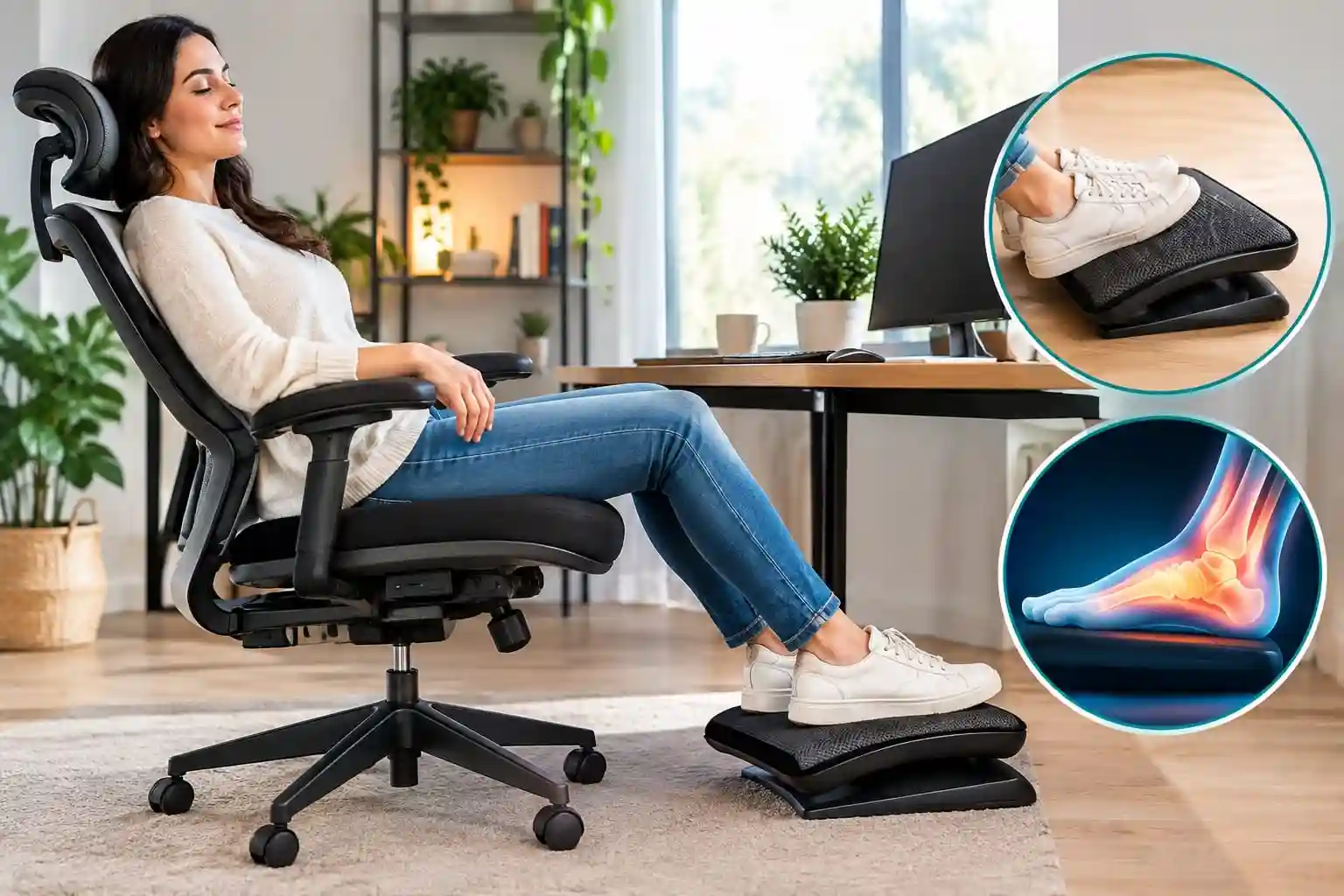
Sitting at a desk for six, eight, or even more hours a day can make your feet and legs feel tired. You may notice pressure under your feet, uncomfortable legs, frequent position changes, or a feeling that you simply cannot get your lower body into a comfortable position.
Your office chair can be part of the problem—or part of a better solution.
A chair that is too high may leave your feet unsupported. A seat that is too deep can make it difficult to sit comfortably against the backrest. Your desk height can also affect how you position your legs and feet.
That is why finding the best office chair for foot pain is not simply about buying the softest or most expensive chair. Seat height, seat depth, foot support, recline, lumbar adjustment, and overall workstation fit all matter.
It is also important to keep expectations realistic. An office chair does not diagnose, cure, or treat foot pain. Foot discomfort can have many possible causes, and prolonged sitting is only one factor to consider.
For this guide, the focus is ergonomic chair selection and workstation setup. If foot pain is persistent, severe, worsening, or unexplained, consider speaking with an appropriate healthcare professional.
Quick Comparison: Best Office Chairs for Foot & Leg Comfort
Compare adjustable office chairs that can help you create a more comfortable sitting and foot-support setup.
| Chair | Best For | Seat Adjustability | Foot/Leg Comfort | Price Category | Check |
|---|---|---|---|---|---|
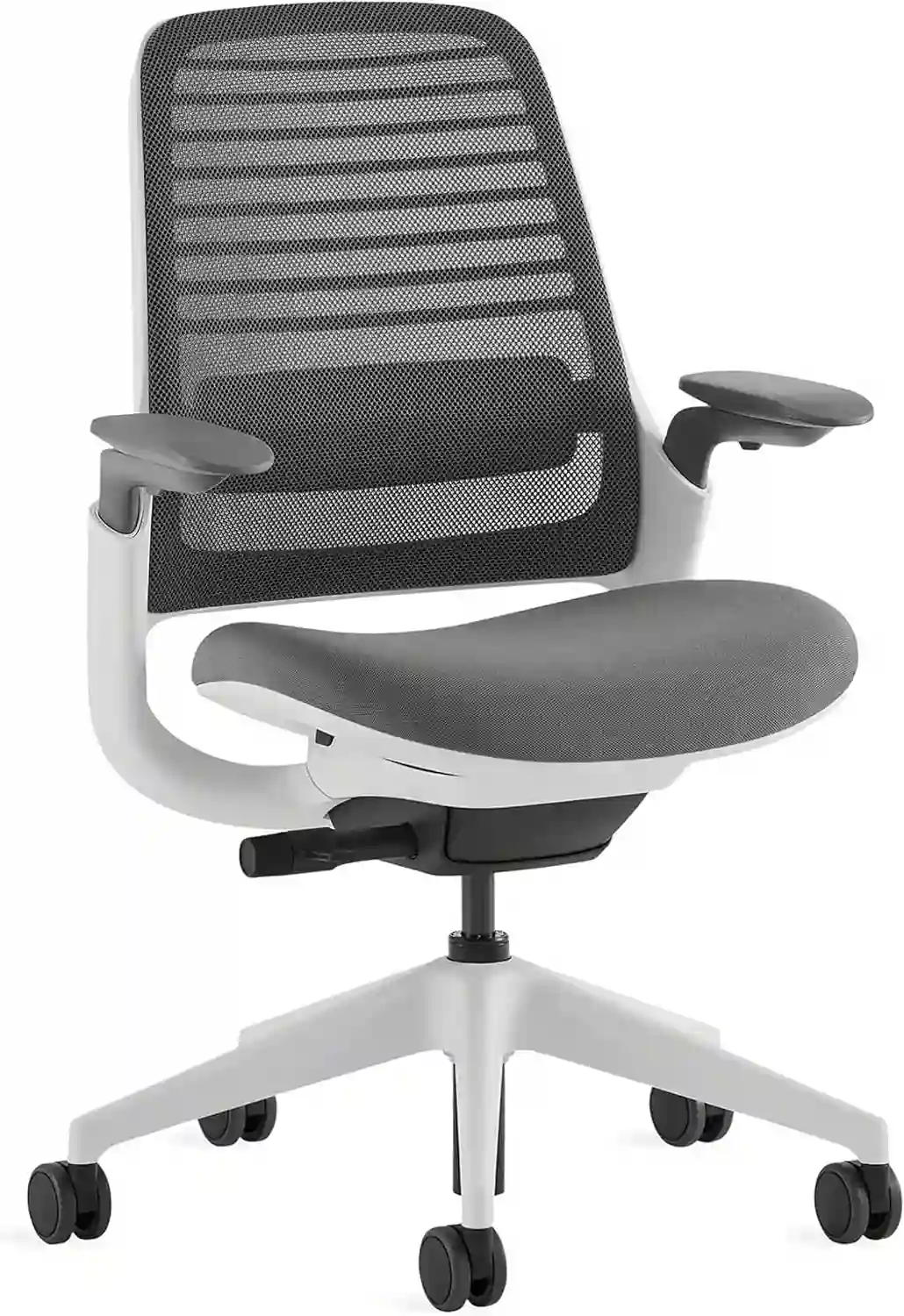 Steelcase Series 1
|
Everyday ergonomic work | Height + functional depth | Very Good | Mid-Range | View Chair |
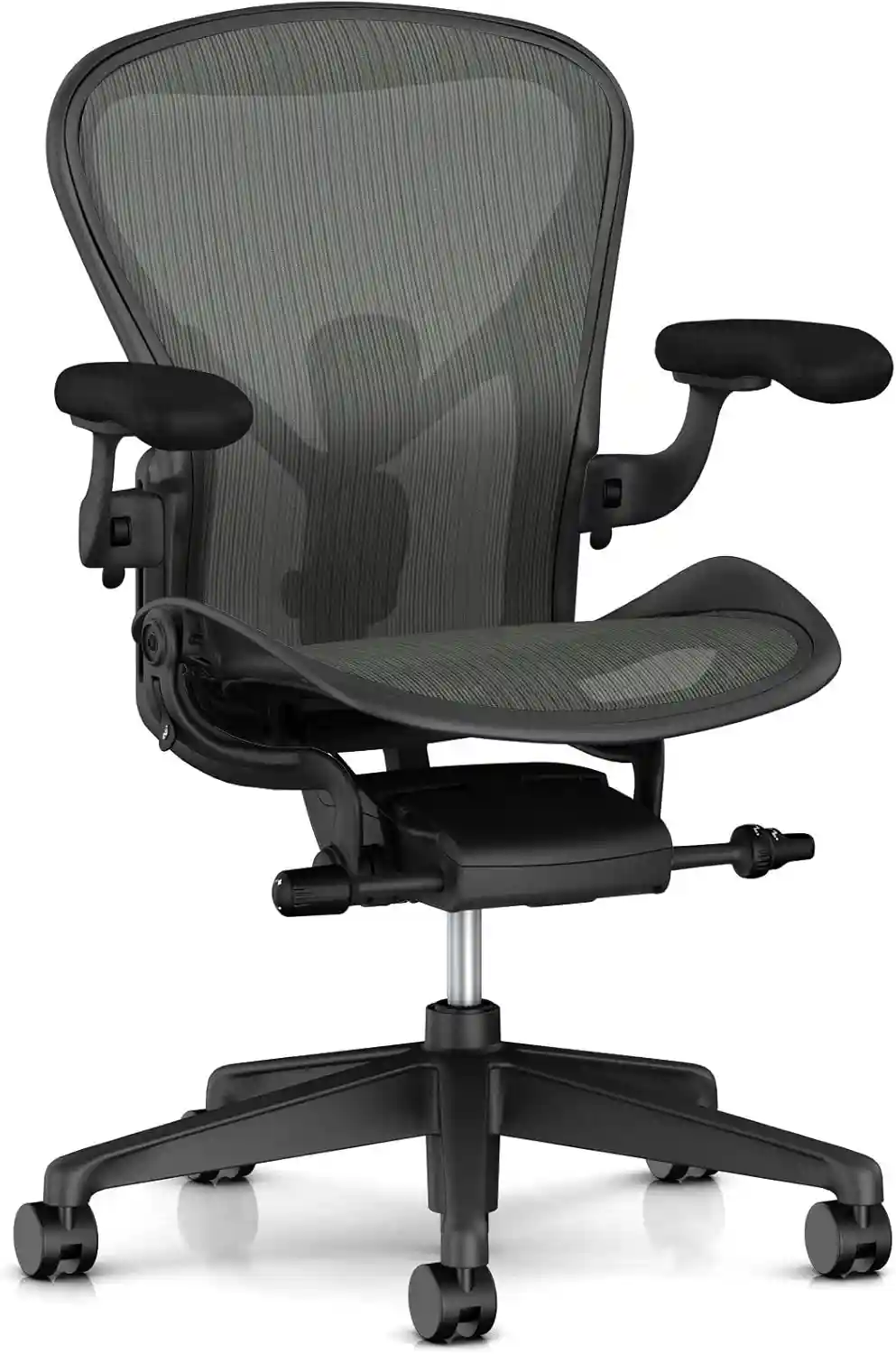 Herman Miller Aeron
|
Premium ergonomic seating | 3 sizes + height adjustment | Excellent Fit Potential | Premium | View Chair |
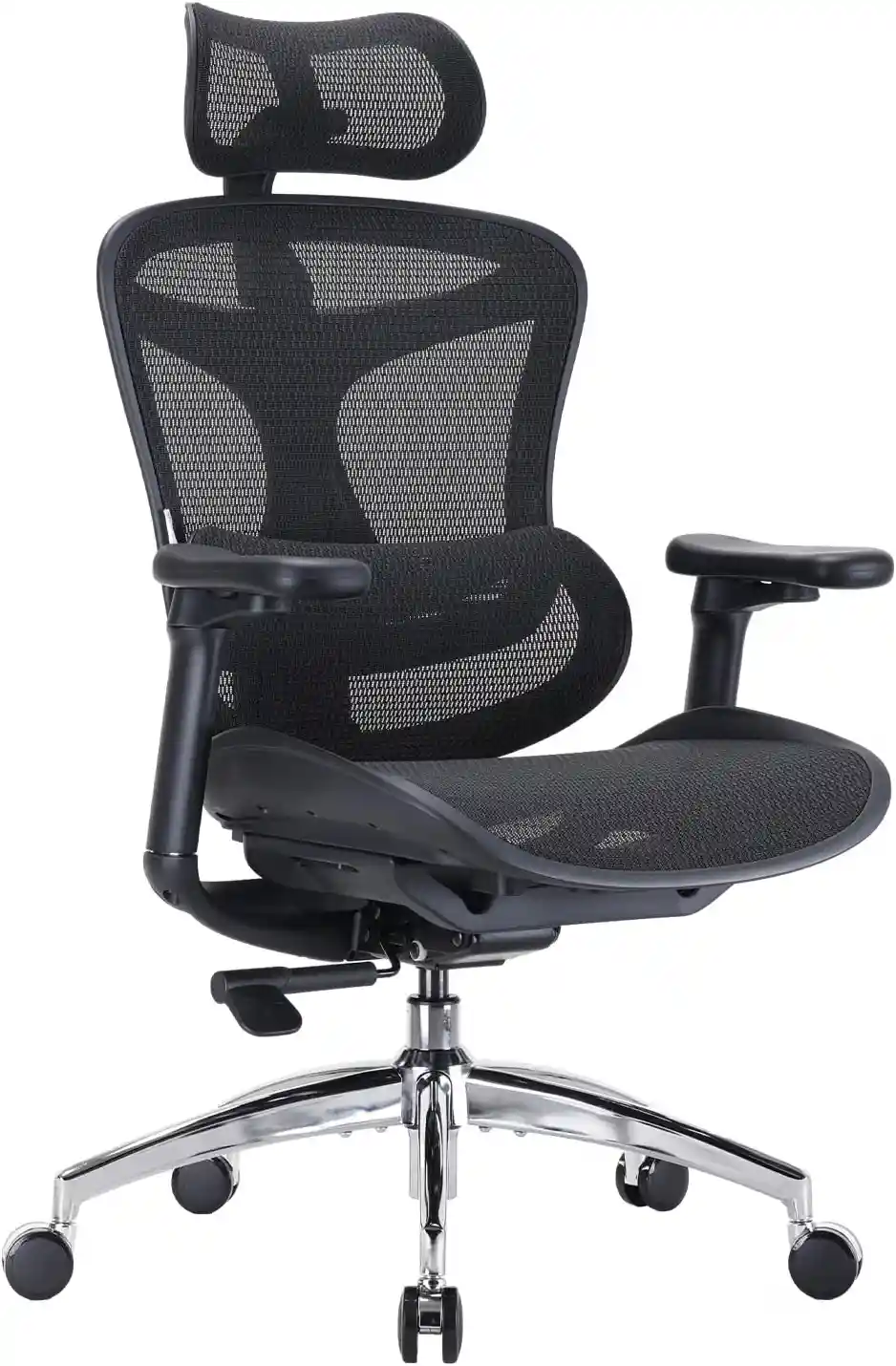 SIHOO Doro C300
|
Breathable ergonomic seating | Adjustable seat depth | Very Good | Mid-Range | View Chair |
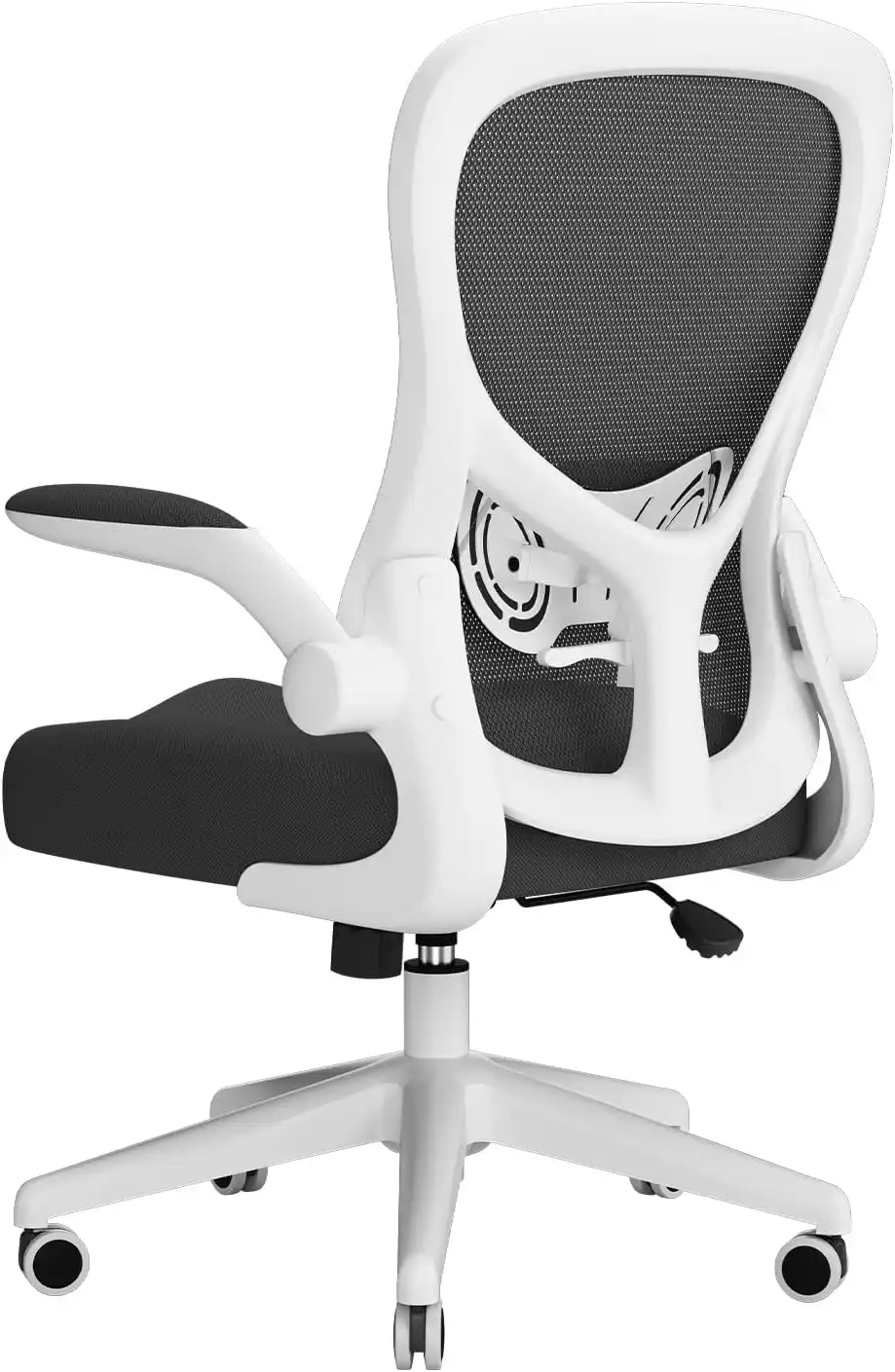 HBADA Ergonomic Chair
|
Budget-conscious buyers | Model dependent | Good | Budget–Mid | View Chair |
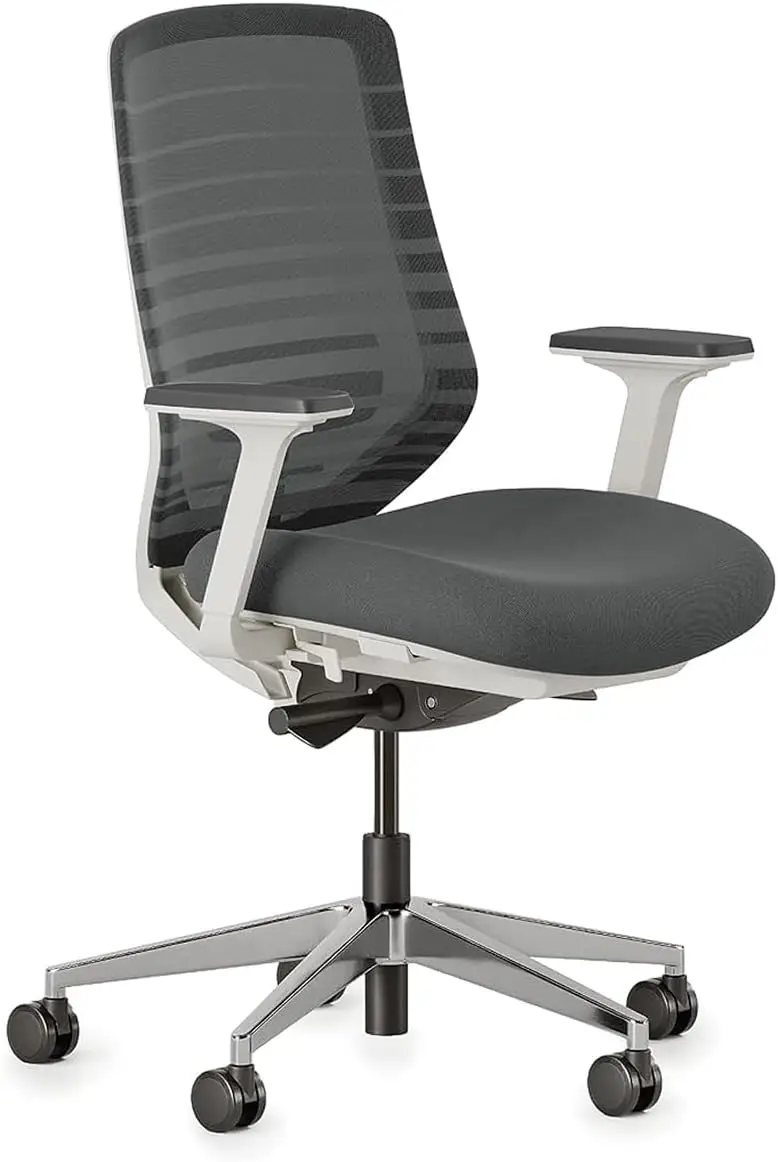 Branch Ergonomic Chair
|
Home-office users | Height + depth | Very Good | Mid-Range | View Chair |
Affiliate disclosure: We may earn a commission if you purchase through links on this page, at no additional cost to you. Product specifications and availability may change, so check the current listing before purchasing.
Steelcase’s current Series 1 information lists a seat height range of roughly 16.5–21.5 inches and functional seat depth of about 15.75–18 inches.
The Aeron is offered in Sizes A, B, and C, with seat-depth and seat-height ranges that differ by size.
Branch lists the Ergonomic Chair with a 17–21-inch seat-height range and an 18–22-inch adjustable seat-depth range.
SIHOO’s Doro C300 uses a mesh seat and back and lists a seat-depth range of approximately 17.13–18.11 inches on its U.S. product page.
Before You Buy
A specification sheet can tell you whether a chair is likely to fit your measurements, but it cannot guarantee personal comfort. Use the measurements to eliminate unsuitable options, then take advantage of the manufacturer’s return period when available.
What Makes an Office Chair Better for Foot Comfort?
There is no single “foot pain chair” that works for everyone.
Instead, look for a chair that makes it easier to create a neutral, comfortable sitting position.
Proper Seat Height
Seat height is one of the first things to check.
When the chair is too high, your feet may not sit comfortably on the floor. You may end up placing only part of your feet on the floor or allowing your legs to hang.
When the chair is too low, your knees and hips may end up in a position that does not work well with your desk.
An adjustable-height chair gives you more flexibility.
Adjustable Seat Height
People have different leg lengths, desk heights, and workstation layouts.
A chair with a useful seat-height range gives you more opportunity to position your feet securely while keeping your upper body comfortable at the desk.
This is especially important when buying online because a chair that works well for one person may not fit another person the same way.
Seat Depth
Seat depth is frequently overlooked.
If a seat is too deep, you may have difficulty sitting fully back against the backrest while keeping your feet comfortably positioned.
A seat with adjustable depth can make fitting the chair easier, particularly for people with shorter or longer thighs.
Waterfall-Style Seat Edge
A well-designed front edge can reduce concentrated pressure behind the knees.
The exact feel varies between chairs and users, so don’t judge the seat only by its appearance.
If possible, test the chair or use a return policy that allows you to evaluate it properly.
Stable Seat and Base
Your chair should feel stable when you shift your position.
A stable five-point base and smooth casters can make normal movement easier, particularly when you frequently change position while working.
Recline and Tilt
Sitting in exactly the same position for hours is rarely ideal.
A chair that allows controlled recline or tilt gives you another way to change your posture during the workday.
The goal isn’t to find one perfect sitting position and remain there all day. It is to make comfortable movement and position changes easier.
Steelcase Series 1 — Best for Adjustable Everyday Seating
Steelcase Series 1 is designed as a compact ergonomic work chair with several adjustment options.
Its manufacturer specifications show adjustable seat height and functional seat depth, along with adjustable arm positioning and lumbar-height options.
Why It Can Work for Foot and Leg Comfort
The combination of seat-height and functional-depth adjustment is useful when trying to establish comfortable foot placement.
Instead of simply accepting the chair’s fixed dimensions, you have more opportunity to adjust the seat to your body.
Steelcase Series 1
A compact ergonomic office chair with adjustable seat height and seat depth options. It can make it easier to create a comfortable sitting position with proper foot support.
Pros
- Useful seat-height range
- Adjustable functional seat depth
- Adjustable arm positioning
- Compact footprint compared with some large executive chairs
- Multiple configuration options
Cons
- The seat may not suit every body shape
- More adjustment does not automatically mean better personal comfort
- Premium ergonomic chairs can cost more than basic office chairs
Best For
People who want an adjustable ergonomic chair for a conventional home-office or workplace setup.
Consider Another Option If
You need a very different seat shape, a larger chair, or a specific premium suspension-seat design.
Herman Miller Aeron — Best Premium Option
The Herman Miller Aeron takes a different approach to fit by offering three chair sizes.
The manufacturer lists Sizes A, B, and C, with different seat heights and depths. Depending on configuration, Aeron also offers features such as adjustable lumbar support, PostureFit SL, and multiple arm options.
Why It Can Work for Foot and Leg Comfort
The three-size system can be particularly useful for people who find standard one-size office chairs difficult to fit.
Correct sizing is important, however. A premium chair can still feel uncomfortable if the wrong size is selected.
The seat-height range also gives users flexibility when positioning their feet relative to the floor and desk.
Herman Miller Aeron
A premium ergonomic chair available in different sizes. Its adjustable design can help users create a workstation setup that better matches their body and desk.
Pros
- Three-size approach
- Adjustable seat height
- Suspension seat and back
- Multiple arm configurations
- Strong range of ergonomic adjustments
- Well-established premium office-chair design
Cons
- Premium price category
- Size selection requires attention
- Suspension seating feels different from traditional foam cushions
- Not every user prefers the Aeron seat design
Best For
People who want a premium chair and are willing to spend time selecting the correct size.
Consider Another Option If
Your budget is limited or you strongly prefer a conventional cushioned seat.
SIHOO Doro C300 — Best for Breathable Ergonomic Seating
The SIHOO Doro C300 is a mesh ergonomic chair aimed at users who want extensive adjustment and breathable seating.
The U.S. product information lists a mesh seat and back, 4D coordinated armrests, adjustable seat depth, and a maximum load of 330 pounds for the listed version.
Why It Can Work for Foot and Leg Comfort
The adjustable seat-depth range can help users fine-tune how far forward the seat extends beneath their thighs.
That can be useful when trying to sit back against the backrest while keeping the lower legs and feet comfortably positioned.
SIHOO Doro C300
A breathable mesh ergonomic chair with multiple adjustment options. Its adjustable design can help users fine-tune their sitting position during long desk sessions.
Pros
- Breathable mesh
- Adjustable seat depth
- Extensive armrest adjustment
- Reclining capability
- Adaptive lumbar support
- Multiple configuration options
Cons
- More adjustment controls can take time to learn
- Mesh has a different feel from padded upholstery
- Large chair footprint
- Exact specifications can differ by model/version
Best For
People who want a breathable ergonomic chair with a large range of adjustments.
Consider Another Option If
You prefer a simple chair with fewer adjustment controls.
HBADA Ergonomic Chair — Best Budget-Focused Option
HBADA offers several ergonomic office chairs rather than one universal model.
Its current product range includes models with adjustable seat height and, on selected models, adjustable seat depth. The manufacturer also lists different adjustment levels and configurations across its chair range.
Why It Can Work for Foot and Leg Comfort
For budget-conscious buyers, the important thing is not the HBADA name itself.
Look for a specific model with a suitable minimum seat height, appropriate seat depth, and enough adjustment to keep your feet supported.
HBADA Ergonomic Office Chair
HBADA offers several ergonomic office chair models at different price points. Look for a model with suitable seat height, seat depth, and foot-support options for your workstation.
Pros
- Broad range of models
- Several adjustment-focused options
- Some models offer adjustable seat depth
- Breathable mesh options
- Often positioned below premium ergonomic brands
Cons
- Specifications vary substantially by model
- Not every HBADA chair has the same adjustment range
- You need to compare individual models carefully
Best For
Buyers who want ergonomic features without automatically moving into premium-chair pricing.
Consider Another Option If
You need a very specific fit and cannot find the required seat dimensions in the available model.
Branch Ergonomic Chair — Best for Home Offices
The Branch Ergonomic Chair is designed for home and office workspaces and currently lists a 17–21-inch seat-height range and 18–22-inch adjustable seat depth. It also has three-way adjustable/removable armrests and a 20-degree tilt range.
Why It Can Work for Foot and Leg Comfort
The combination of seat-height and seat-depth adjustment gives users useful control over lower-body positioning.
That can be particularly helpful in a home office where the desk and chair need to work together in a limited space.
Branch Ergonomic Chair
A home-office-focused ergonomic chair with adjustable seat height and seat depth. These adjustments can help you position your legs and feet more comfortably at your desk.
Pros
- Adjustable seat height
- Adjustable seat depth
- Three-way armrests
- Breathable mesh
- Recline capability
- Seven-year warranty listed by Branch
Cons
- Mid-range price
- Firm ergonomic support may not suit everyone
- Larger adjustment range can require some setup time
Best For
Home-office users looking for an adjustable chair with a relatively straightforward design.
Consider Another Option If
You want a very soft executive-style chair or a smaller chair for a particularly tight workspace.
Why Does Your Office Chair Affect Foot Comfort?
Your chair doesn’t work independently from the rest of your workstation.
Several common setup problems can influence lower-body comfort.
Your Chair Is Too High
Your feet may not sit securely on the floor.
This can leave your legs unsupported and make it harder to maintain a comfortable position.
Your Chair Is Too Low
A very low chair can change the relationship between your knees, hips, desk, and keyboard.
You may compensate by raising your shoulders or changing how you sit.
Your Seat Is Too Deep
If the seat extends too far forward, you may have trouble sitting against the backrest without pressure around the back of your knees.
Your Desk Is Too High
Even a good chair may not solve the problem if the desk forces you to raise the chair excessively.
This is why chair and desk height should be considered together.
Your Feet Are Unsupported
Your feet should have a stable place to rest.
If they cannot comfortably reach the floor, a properly sized footrest may be useful.
You Rarely Move
Staying in one position for long periods can make your body feel stiff or uncomfortable.
Changing positions and taking regular movement breaks can make a workstation more practical for long workdays.
How to Adjust Your Office Chair for Better Foot Comfort
Step 1: Adjust Seat Height
Start by placing your feet comfortably on the floor or a suitable footrest.
Do not begin with the armrests or lumbar support. Get the basic seat height right first.
Step 2: Check Knee Position
Your knees should not be forced into an awkward position simply because the desk is too high or too low.
If you need to raise the chair to reach the desk comfortably, consider whether the desk itself is the real problem.
Step 3: Check Seat Depth
Sit back against the backrest.
Make sure the front of the seat does not press uncomfortably behind your knees.
If the chair has adjustable seat depth, move it until the seat supports your thighs without interfering with your lower legs.
Step 4: Adjust Back Support
Set the backrest and lumbar support so you can work comfortably without constantly fighting the chair.
Step 5: Adjust Armrests
Position the armrests so your shoulders can remain relaxed while using the keyboard and mouse.
Step 6: Check Desk Height
Your desk should work with the chair.
If your chair is positioned correctly for your feet but the desk is too high, adjusting only the chair may create another problem.
Step 7: Consider a Footrest
If you cannot comfortably reach the floor after making reasonable chair adjustments, a stable footrest may help bridge the height difference.
Do You Need an Office Chair With a Footrest?
Not necessarily.
An integrated footrest can be useful when you regularly recline, read, watch videos, or take short breaks in your chair.
However, a built-in footrest also adds bulk and can take up additional space.
A separate ergonomic footrest gives you more flexibility. You can position it independently of the chair and replace or remove it later.
For normal desk work, the priority should usually be getting the chair height, seat depth, desk height, and foot position right first.
A footrest is a useful tool—not a requirement for everyone.
Best Office Chair for Foot Pain for Different Users
Best for Short Users
Look for a chair with a sufficiently low minimum seat height and an appropriate seat depth.
The key goal is being able to sit comfortably without leaving your feet unsupported.
Best for Tall Users
Pay closer attention to seat depth and overall seat dimensions.
A seat that is too short may not provide enough thigh support.
Best for Long Work Sessions
Prioritize adjustability.
Seat height, seat depth, lumbar support, armrests, and recline give you more ways to change position throughout the day.
Best for Small Home Offices
Look for a chair with a reasonable overall footprint.
A compact chair can be easier to use when your desk is in a bedroom, apartment, or small dedicated office.
Best for Hot Rooms
Breathable mesh can be worth considering, particularly if your home office becomes warm during long work sessions.
See our guide to choosing a breathable mesh office chair for more information.
Best Budget Option
Focus on the essentials rather than the brand name:
- Suitable seat height
- Appropriate seat depth
- Stable base
- Useful lumbar support
- Adjustable armrests where possible
- Reliable return policy
SIHOO Doro C300 Ergonomic Office Chair
An adjustable ergonomic mesh chair with adjustable seat depth, 4D armrests, self-adaptive lumbar support, and a breathable seat and back. A useful option for creating a more comfortable workstation setup during long desk sessions.
As an Amazon Associate, we may earn from qualifying purchases. Check Amazon for the latest price, availability, seller information, and product specifications.
Office Chair vs Footrest for Foot Comfort
| Feature | Adjustable Office Chair | Separate Footrest |
|---|---|---|
| Seat height adjustment | Yes | No |
| Foot support | Indirectly | Directly |
| Leg positioning | High impact | Helpful |
| Cost | Usually higher | Usually lower |
| Space required | Main seating space | Additional floor space |
| Best use | Complete workstation fit | Correcting foot-support height |
A chair and footrest can also work together.
For example, a taller user may find that a chair’s standard height works perfectly with the desk. A shorter user may need a lower chair—but if lowering the chair makes the desk uncomfortable, a footrest can provide another solution.
Other Workstation Changes That May Help
The chair is only one piece of the setup.
Adjust Your Desk Height
Your chair should not be forced into the wrong position simply because your desk is too high.
Position Your Monitor Correctly
A properly positioned monitor can reduce the need to lean forward or constantly adjust your body.
Set Up Your Keyboard and Mouse
Keep frequently used items within comfortable reach so you don’t repeatedly stretch forward.
Change Sitting Positions
There is no need to remain frozen in one posture.
Small changes in position throughout the day can make your workstation feel more comfortable.
Take Walking Breaks
Short periods away from the desk can break up long periods of sitting.
Avoid Prolonged Static Sitting
Even a high-quality ergonomic chair should not be viewed as permission to sit motionless for an entire workday.
Consider Your Footwear
If you work from home, footwear can also affect how your feet feel during the day. Choose footwear that is comfortable and appropriate for your environment rather than assuming the chair alone determines foot comfort.
For more setup advice, see our guide on how to adjust your office chair for better posture.
Buying Guide: What to Check Before Buying
Before ordering an office chair online, use this checklist.
1. Minimum and Maximum Seat Height
Check the entire adjustment range—not just the advertised maximum.
The minimum height can be especially important for shorter users.
2. Seat Depth
Compare the chair’s usable seat depth with your own thigh length.
3. Seat Edge Design
Look for a seat edge that feels comfortable around the back of your knees.
4. Lumbar Adjustment
A chair with adjustable lumbar support gives you more control over the backrest fit.
5. Armrest Adjustment
Adjustable arms can make it easier to keep your shoulders relaxed.
6. Recline
Consider whether the chair allows you to change position instead of locking you into one posture.
7. Weight Capacity
Always check the manufacturer’s stated capacity for the exact model.
8. Return Policy
This is especially important when buying online.
A chair can have excellent specifications but still feel wrong for your body.
9. Warranty
Check how long the warranty lasts and which components are covered.
10. Replacement Parts
For a chair you expect to use for years, replacement wheels, arm pads, cushions, cylinders, or other parts can matter.
11. Floor Compatibility
Check whether the included casters are appropriate for your flooring.
Hardwood, carpet, tile, and other surfaces can behave differently.
Common Mistakes to Avoid
Buying Only Because the Chair Is Soft
More cushioning does not automatically mean better ergonomic fit.
Ignoring Seat Height
This is one of the easiest ways to create an awkward foot position.
Choosing a Seat That Is Too Deep
A deep seat can be uncomfortable if it prevents you from sitting correctly against the backrest.
Using a Chair That Is Too High
If your feet cannot rest securely, investigate the chair height before changing everything else.
Keeping Your Feet Unsupported
If your feet cannot reach the floor comfortably, consider whether the chair needs to be lowered or whether a footrest is appropriate.
Ignoring Desk Height
A chair cannot completely compensate for a poorly matched desk.
Sitting in One Position for Hours
A good ergonomic chair should make movement easier, not encourage you to remain still.
Choosing a Chair Only Because It Looks Premium
A premium appearance does not guarantee that the chair fits your body.
FAQs
What type of office chair is best for foot comfort?
Look for a chair with adjustable seat height, appropriate seat depth, a comfortable seat edge, stable support, and enough adjustability to work with your desk. The best choice depends on your body measurements and workstation.
Can an office chair cause foot discomfort?
An incorrectly adjusted chair may contribute to an uncomfortable sitting position. For example, a chair that is too high can make it difficult to support your feet properly. However, foot discomfort can have many possible causes.
Should my feet touch the floor when sitting?
Ideally, your feet should have stable support. That support can come from the floor or, when appropriate, a properly positioned footrest.
Is a footrest useful for office work?
A footrest can be useful when your feet cannot comfortably reach the floor after adjusting your chair. It can also help when your desk height requires you to sit higher than is comfortable for your legs.
Is a mesh chair better for foot comfort?
Not directly. Mesh mainly affects the seat and back feel, breathability, and pressure distribution. Foot comfort depends more on seat height, seat depth, foot support, desk height, and overall workstation setup.
What chair height is best for foot comfort?
There is no single height that works for everyone. The correct height depends on your lower-leg length, desk height, and chair design. Your feet should have stable support without forcing you into an awkward position.
Can sitting all day affect foot comfort?
Long periods of sitting can be associated with stiffness and discomfort for some people. Changing positions, standing, walking, and adjusting your workstation can help make prolonged desk work more manageable.
When should I see a healthcare professional about foot pain?
If foot pain is persistent, severe, worsening, unexplained, or interfering with normal activities, consider consulting an appropriate healthcare professional. An office chair should not be used as a substitute for medical evaluation.
Conclusion
The best office chair for foot pain is not necessarily the chair with the thickest cushion or the highest price.
A better approach is to find a chair that fits your body and allows you to create a comfortable workstation.
Pay particular attention to:
- Seat height
- Seat depth
- Foot support
- Desk height
- Lumbar adjustment
- Armrest adjustment
- Recline
- Overall chair dimensions
- Return policy
- Warranty
For a premium option, the Herman Miller Aeron stands out for its three-size approach and broad configuration choices. For an adjustable everyday chair, the Steelcase Series 1 is worth considering. The SIHOO Doro C300 is a strong option for users who prefer breathable mesh and extensive adjustment. HBADA offers several budget-oriented ergonomic models, while the Branch Ergonomic Chair is designed around extensive adjustment for home and office use. These are category recommendations based on their documented features, not medical recommendations.
Your body measurements and desk setup should ultimately determine which chair fits you best.
Before purchasing, compare the current dimensions and configuration with your own measurements.
Affiliate Disclosure: This article may contain affiliate links. If you purchase a product through one of these links, we may earn a commission at no additional cost to you. Our recommendations are based on product features and ergonomic considerations, not on guaranteed medical results.
Ready to compare your options? Check the current price, availability, return policy, and specifications before choosing the chair that fits your workstation.