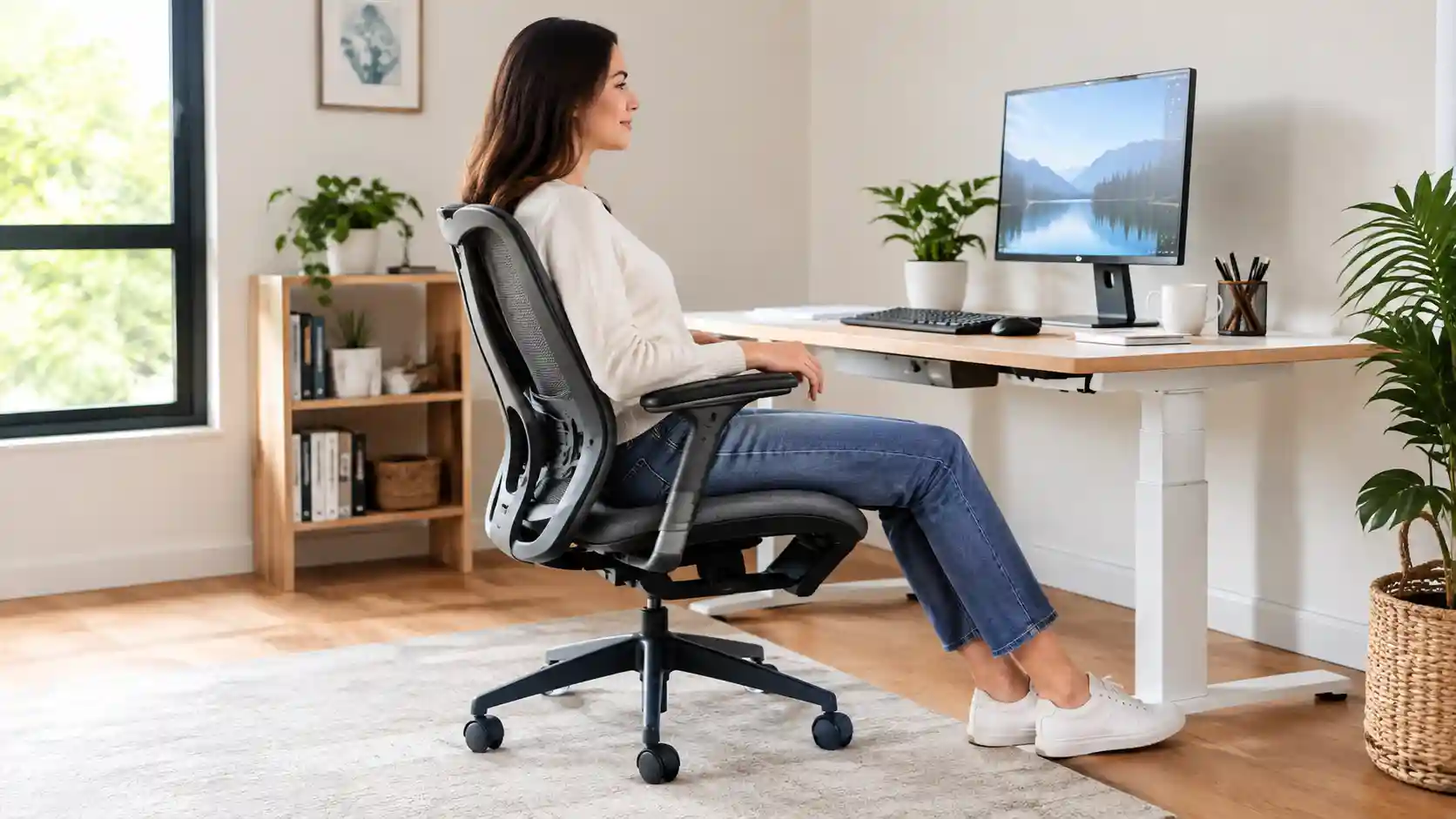
Sitting at a desk for several hours can leave your legs feeling tired, stiff, or uncomfortable. Sometimes the problem is not simply the number of hours you sit. It can also come from how your chair fits your body.
A chair that is too high may leave your feet unsupported. A seat that is too deep can press into the area behind your knees. A hard front seat edge can create uncomfortable contact with the legs. And even a well-designed ergonomic chair cannot compensate for staying in exactly the same position for hours.
If you are searching for the best office chair for leg circulation, it is better to think in terms of leg comfort, proper support, adjustability, and the ability to change position rather than looking for a chair that treats a circulation problem.
For most desk workers, useful features include adjustable seat height, appropriate seat depth, a comfortable seat edge, supportive lumbar adjustment, adjustable armrests, and a recline mechanism. Your feet should also have stable support from the floor or a suitable footrest.
Below are five office chairs worth considering in 2026, followed by a detailed buying guide.
Quick Comparison: 5 Best Office Chairs for Leg Comfort
Compare important ergonomic features such as seat height, seat depth, armrest adjustment, lumbar support, and overall leg comfort before choosing your chair.
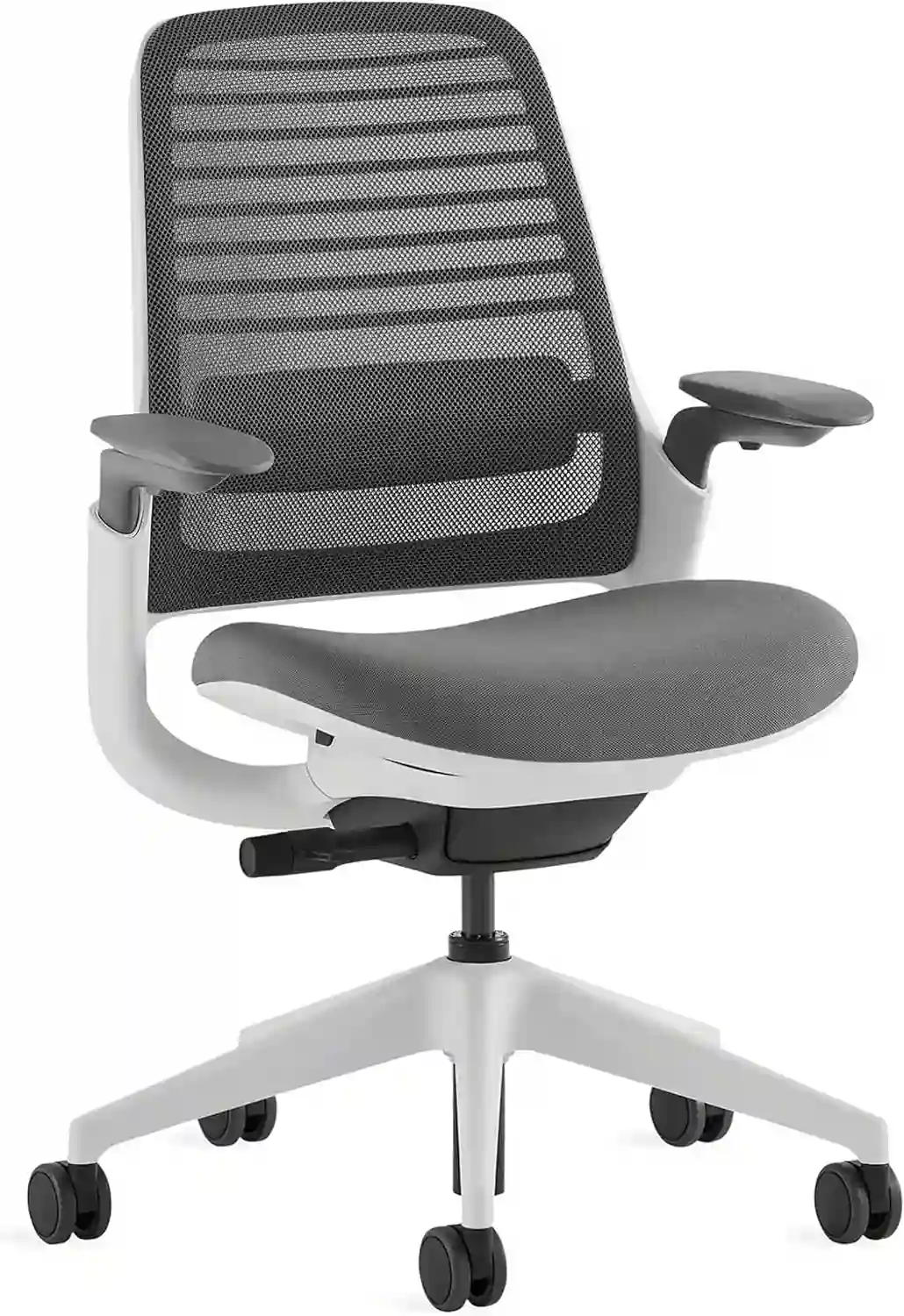
1. Steelcase Series 1
Best For: Overall ergonomic adjustability
Seat: Adjustable height and functional seat depth
Arms: Highly adjustable
Lumbar: Adjustable
Leg Comfort: Excellent adjustability for different users
Price: Mid-range to premium
Check Current Price on Amazon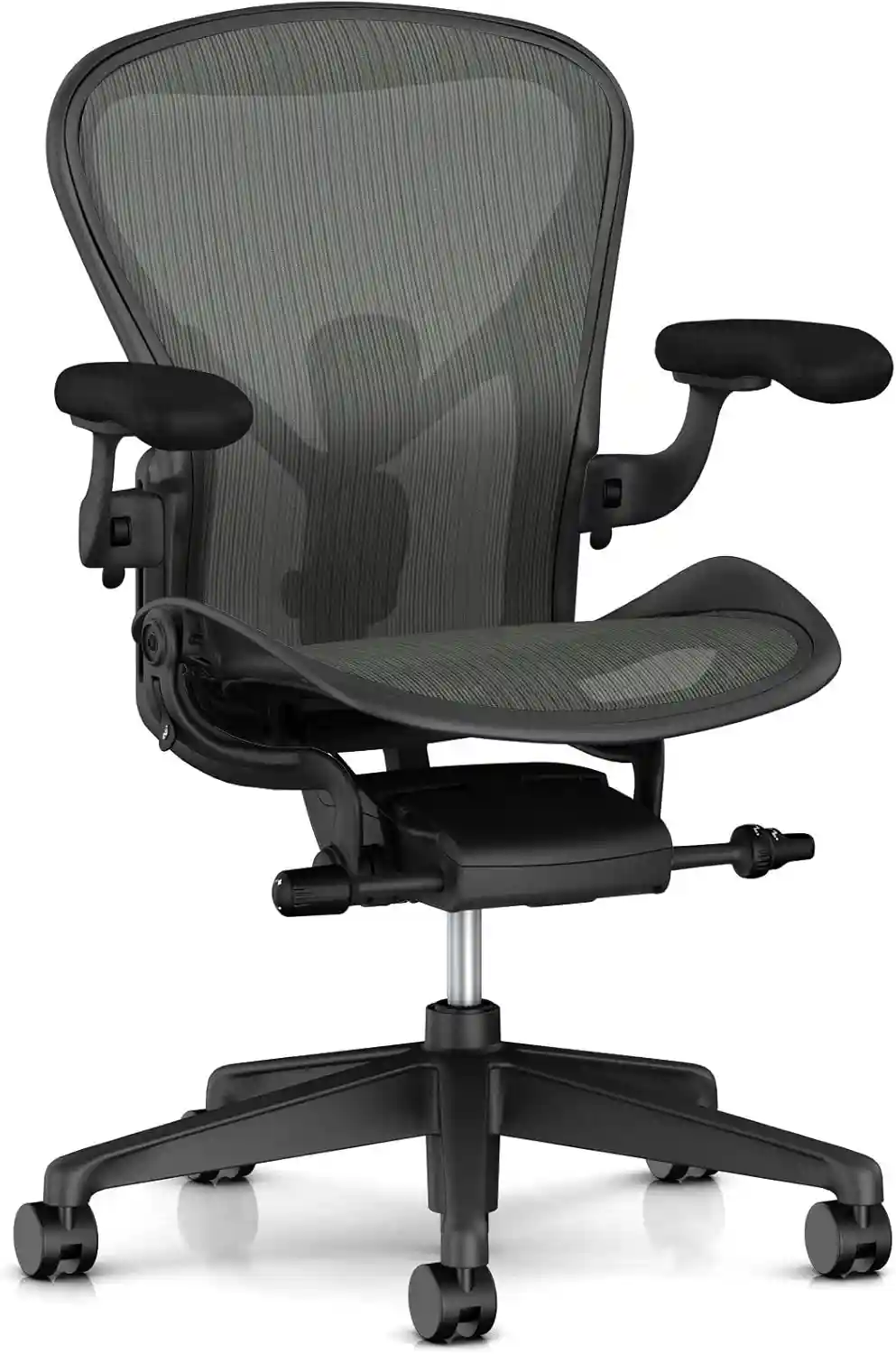
2. Herman Miller Aeron
Best For: Premium ergonomic seating
Seat: Suspension seat with three size options
Arms: Configuration-dependent
Lumbar: Configuration-dependent
Leg Comfort: Multiple chair sizes help with fit
Price: Premium
Check Availability on Amazon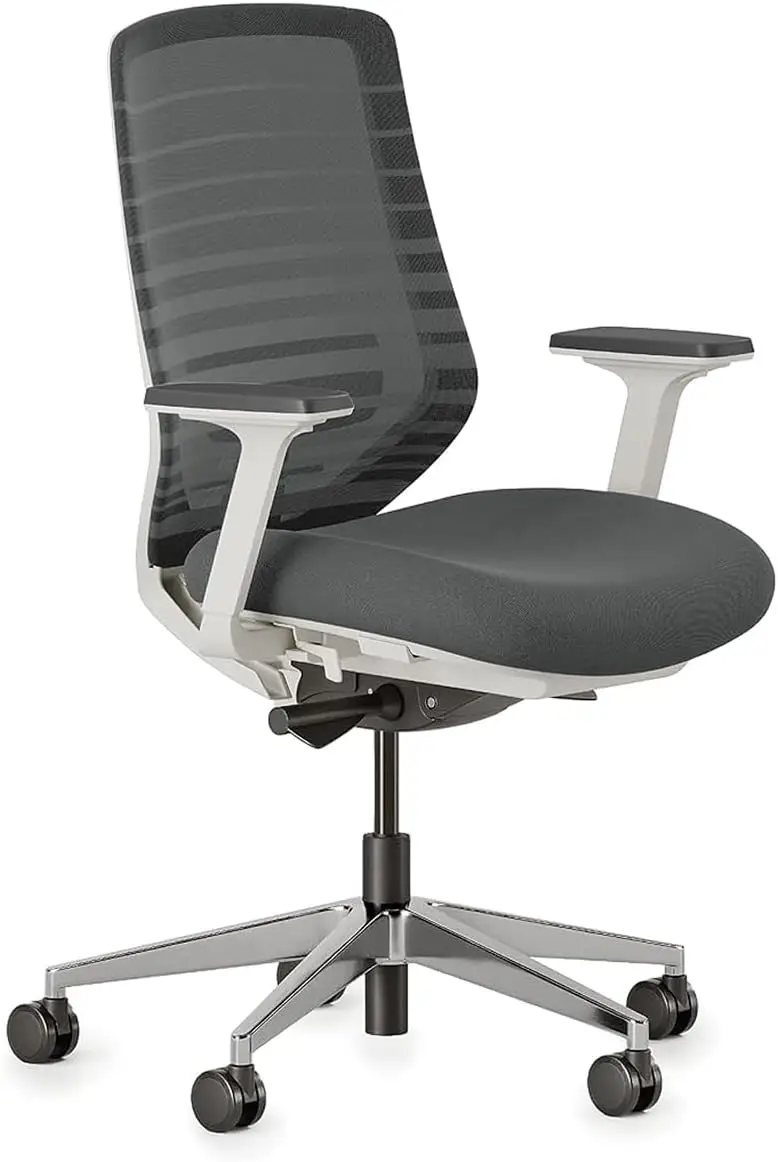
3. Branch Ergonomic Chair
Best For: Work-from-home users
Seat: Adjustable height and seat depth
Arms: Three-way adjustable
Lumbar: Adjustable
Leg Comfort: Very good
Price: Mid-range
Check Current Price on Amazon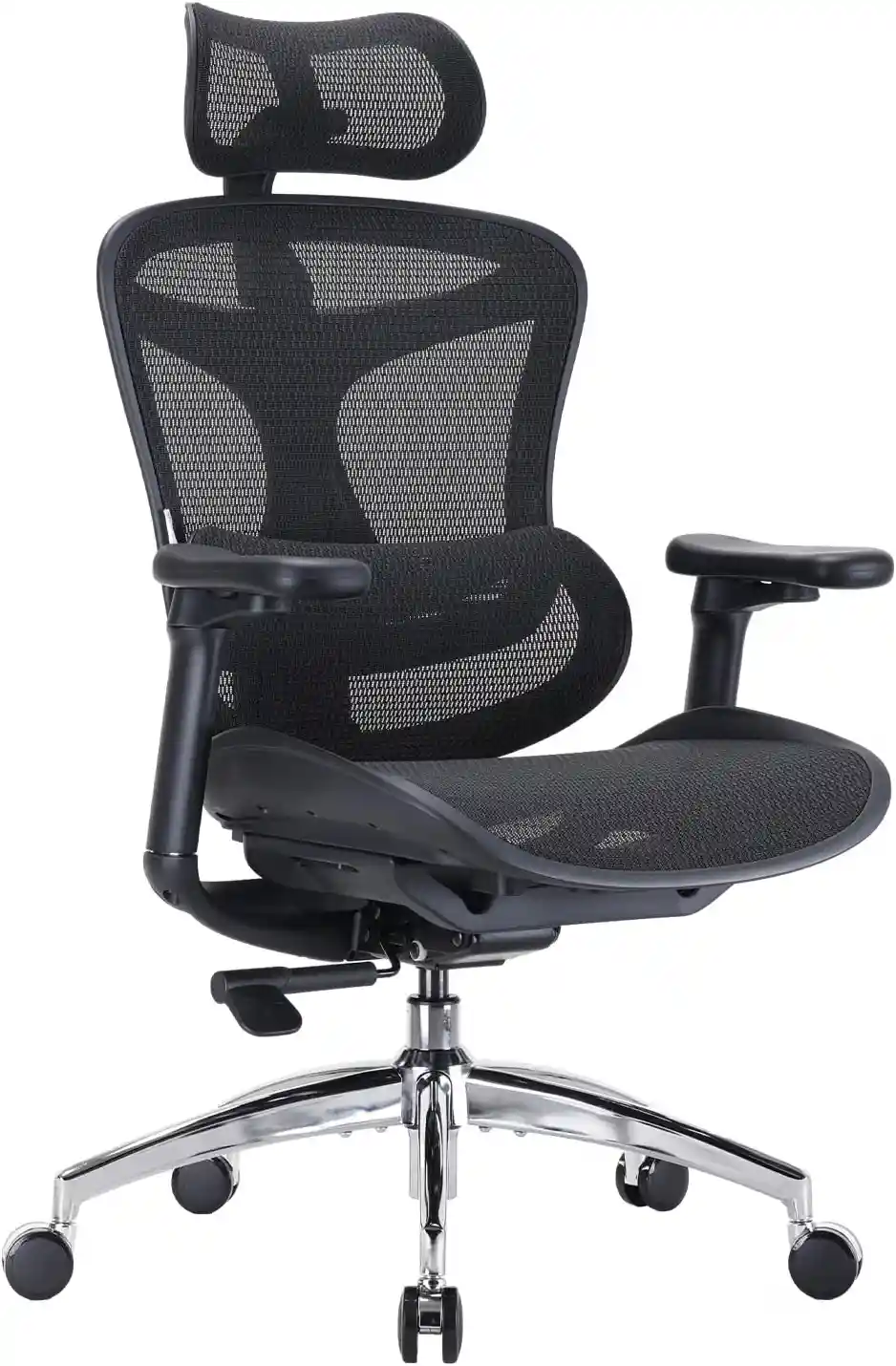
4. SIHOO Doro C300
Best For: Adjustable mesh seating
Seat: Adjustable seat height/depth depending on configuration
Arms: 4D coordinated armrests
Lumbar: Self-adaptive
Leg Comfort: Very good
Price: Mid-range
Check Current Price on Amazon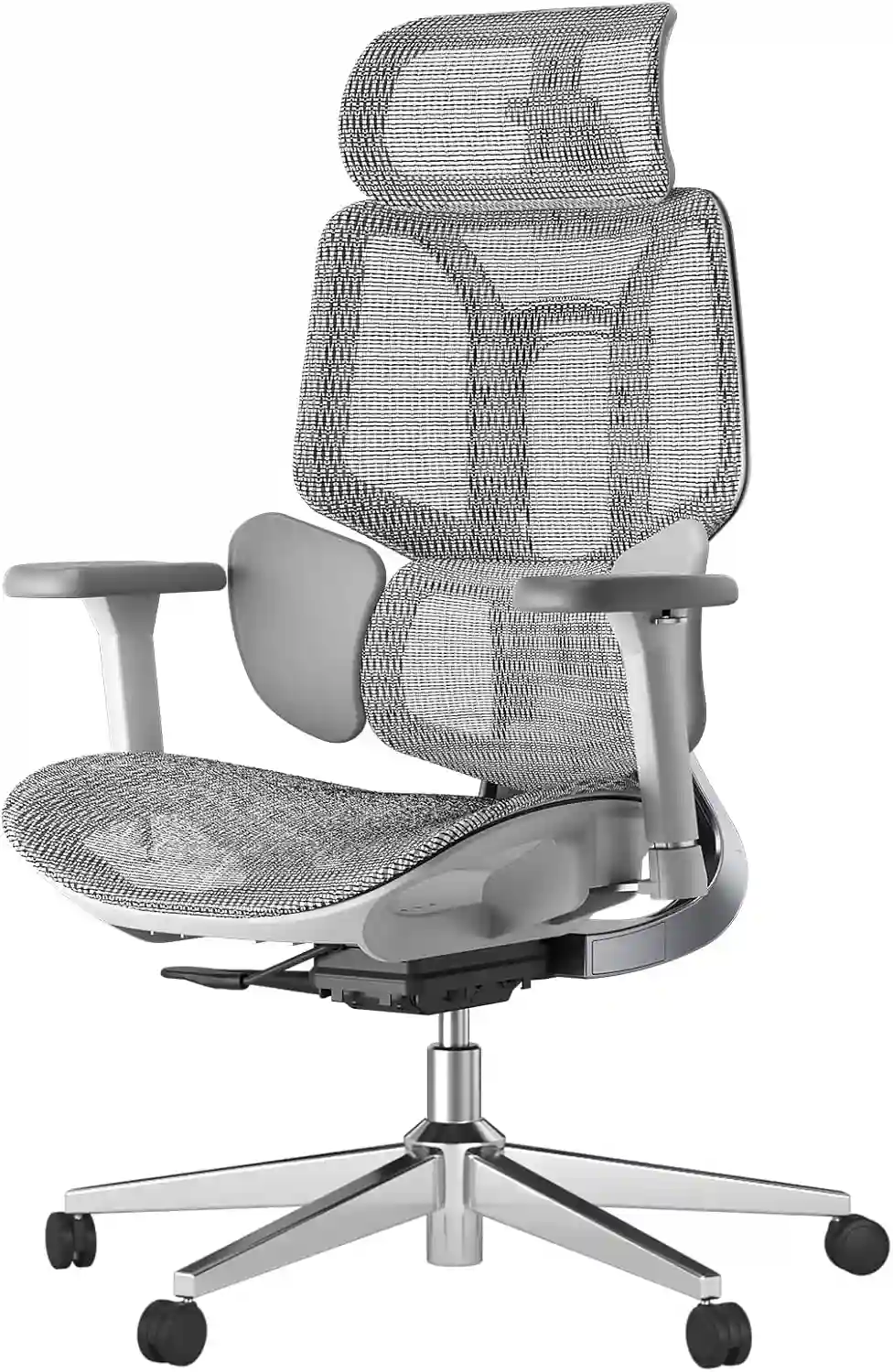
5. HBADA E3 Air
Best For: Feature-focused value
Seat: Adjustable height and depth
Arms: 4D-style adjustment
Lumbar: Adjustable
Leg Comfort: Very good
Price: Mid-range/value
Check Current Price on AmazonAffiliate Disclosure: We may earn a commission from qualifying purchases made through links on this page. Product prices, availability, sellers, and configurations can change, so check the Amazon listing before purchasing.
What Makes an Office Chair Better for Leg Comfort?
The best chair for your legs is not necessarily the chair with the thickest cushion or the largest seat. Fit and adjustability are usually more important.
Adjustable Seat Height
Your chair should allow you to position your feet comfortably.
For many users, the goal is to have the feet fully supported on the floor while keeping the thighs reasonably supported and the knees in a comfortable position. OSHA also recommends that feet be supported by the floor or a stable footrest.
A chair that is too high can leave your feet dangling or encourage you to slide forward. A chair that is too low can interfere with your desk position.
Adjustable Seat Depth
Seat depth is particularly important for leg comfort.
If the seat is too deep, the front edge may extend too far toward the back of your knees. That can create uncomfortable pressure and make it harder to sit with your back properly supported.
An adjustable seat depth lets you move the seat forward or backward to better match your thigh length.
Waterfall Seat Edge
A waterfall seat has a rounded, downward-curving front edge rather than a sharp horizontal edge.
This design can reduce concentrated contact at the front of the seat. OSHA specifically identifies a rounded or waterfall-style edge as a useful seat feature.
It should not be described as a treatment for circulation problems, but it can be a sensible ergonomic feature for people who experience discomfort from a hard seat edge.
Proper Seat Cushion
The ideal cushion depends on the person.
An extremely soft seat may feel comfortable initially but may not provide the support you prefer during a long work session. A very firm seat can also create pressure points.
Look for balanced cushioning and, where possible, test the chair or choose a model with a good return policy.
Recline and Tilt
A recline mechanism lets you change your sitting position during the day.
You do not need to sit perfectly upright every minute. Being able to move between upright and slightly reclined positions can make a workstation feel more flexible.
Adjustable Armrests
Armrests are mainly an upper-body feature, but they influence your overall sitting position.
When your arms are supported at an appropriate height, you can keep your shoulders more relaxed and avoid leaning forward unnecessarily.
Footrest
A footrest can be useful when the chair needs to be high enough for the desk but your feet cannot comfortably reach the floor.
It provides stable support without forcing you to sit awkwardly just to get your feet down.
Detailed Reviews of the Top 5 Chairs
1. Steelcase Series 1 — Best Overall for Adjustability
The Steelcase Series 1 is a strong option for people who want an office chair with multiple adjustments without moving into the very highest price category.
Its seat height and functional seat depth are adjustable. Steelcase lists a functional seat-depth range of approximately 15.5 to 17.75 inches and a seat-height range of approximately 16.5 to 21.5 inches for the standard chair configuration.
The Series 1 also offers adjustable lumbar support and highly adjustable arms. Its recline system allows users to change the back position and resistance.
Key ergonomic features
- Adjustable seat height
- Adjustable seat depth
- Adjustable lumbar support
- Height, width, depth and pivot adjustments for the arms
- Flexible seat design
- Recline adjustment
- Multiple back options depending on configuration
Leg and foot positioning
The adjustable seat depth is particularly useful if you want to reduce the chance of the seat extending too far behind the knees.
You can also adjust the height so your feet have appropriate support.
Pros
- Excellent adjustability
- Adjustable seat depth
- Good range of arm adjustments
- Adjustable lumbar support
- Flexible recline
Cons
- Configuration can affect available features
- Not the cheapest option
- Seat feel may not suit everyone
Best for
People who want a highly adjustable ergonomic office chair for long work sessions.
Who may want another option?
If you strongly prefer a suspension mesh seat or a simpler design, another chair may be a better fit.
Steelcase Series 1 Ergonomic Office Chair
A highly adjustable ergonomic office chair with adjustable seat height, seat depth, lumbar support and armrests. A good option for people who want more control over their sitting position during long work sessions.
Check Current PriceAs an Amazon Associate, we may earn from qualifying purchases.
2. Herman Miller Aeron — Best Premium Option
The Herman Miller Aeron is one of the most recognizable premium ergonomic office chairs.
One feature that makes it different from many conventional office chairs is its suspension-style Pellicle seat and back. Instead of relying on a thick foam seat, the Aeron uses a woven suspension material.
The Aeron is available in three sizes, which is important when considering leg comfort. The manufacturer lists Size A, B, and C options with different dimensions.
Seat height varies by size and cylinder configuration. Armrest and lumbar configurations also vary depending on the version selected.
Key ergonomic features
- Three chair sizes
- Suspension seat and back
- Adjustable seat height
- Tilt options
- Optional adjustable lumbar support
- Multiple arm configurations
- PostureFit options depending on configuration
Leg and foot positioning
The three-size approach can help users choose a chair that better matches their body dimensions.
However, the Aeron does not provide the same traditional sliding seat-depth adjustment found on chairs such as the Series 1 or Branch Ergonomic Chair.
That means choosing the appropriate Aeron size is particularly important.
Pros
- Premium suspension design
- Multiple sizes
- Strong ergonomic reputation
- Breathable seating surface
- Several configuration choices
Cons
- Premium price
- Seat depth is tied to chair size rather than a sliding seat pan
- Features vary by configuration
Best for
People who want a premium chair and appreciate breathable suspension seating.
Who may want another option?
Users who specifically want a sliding seat-depth adjustment may prefer the Steelcase Series 1 or Branch Ergonomic Chair.
Herman Miller Aeron Chair
A premium ergonomic office chair with breathable suspension seating, multiple size options and several configuration choices. A strong option for users who want premium ergonomic seating for extended desk work.
View Chair DetailsAs an Amazon Associate, we may earn from qualifying purchases.
3. Branch Ergonomic Chair — Best for Home Offices
The Branch Ergonomic Chair is designed for home and office environments and provides a useful combination of adjustability and breathable materials.
Branch lists a seat-height range of 17 to 21 inches and a seat-depth range of 18 to 22 inches.
Its three-way adjustable armrests can be changed for height, width, and depth. The chair also has a 20-degree tilt range.
Key ergonomic features
- Adjustable seat height
- Adjustable seat depth
- Three-way adjustable arms
- Breathable double-layer mesh
- High-density foam cushion
- Adjustable lumbar support
- 20-degree tilt range
- Optional headrest
Leg and foot positioning
The 18–22-inch seat-depth range gives users meaningful adjustment for thigh support.
This is particularly useful for people who find fixed-depth seats either too short or too deep.
Pros
- Adjustable seat depth
- Good height range
- Breathable back
- Adjustable arms
- Suitable for home offices
- Seven-year warranty listed by Branch
Cons
- Maximum capacity is listed at 275 pounds
- Seat cushion preference is subjective
- Some users may want more advanced adjustments
Best for
Work-from-home professionals who want a flexible ergonomic chair without going straight to premium-office-chair pricing.
Who may want another option?
Very tall users or people looking for extensive premium adjustment systems may want to compare larger or more adjustable models.
Branch Ergonomic Chair
A practical ergonomic chair for home offices featuring adjustable seat height and depth, adjustable armrests, lumbar support and a breathable back. A useful choice for everyday desk work.
Check AvailabilityAs an Amazon Associate, we may earn from qualifying purchases.
4. SIHOO Doro C300 — Best Adjustable Mesh Option
The SIHOO Doro C300 is worth considering if you prefer a breathable ergonomic mesh chair with multiple adjustments.
The manufacturer describes the chair as having adjustable seat depth, height adjustment, recline functionality, and 4D coordinated armrests.
This makes it relevant for people who want to fine-tune the relationship between their legs, seat, desk, and back support.
Key ergonomic features
- Adjustable seat height
- Adjustable seat depth
- Reclining back
- Adjustable armrests
- Breathable mesh construction
- Adjustable lumbar support depending on configuration
Leg and foot positioning
The adjustable seat depth is the feature to pay particular attention to.
If you have shorter legs, you generally want to avoid having a seat pan extend too far behind your knees. If you are taller, you may need more thigh support.
Pros
- Adjustable seat depth
- Breathable mesh
- Multiple arm adjustments
- Recline functionality
- Good adjustability for different body sizes
Cons
- Exact specifications can vary by market
- More adjustment does not automatically mean a perfect fit
- Mesh feel is a personal preference
Best for
People looking for an ergonomic mesh chair with a broad set of adjustments.
Who may want another option?
Buyers who prefer a traditional padded premium chair may prefer another design.
SIHOO Doro C300 Ergonomic Office Chair
A breathable ergonomic mesh chair with adjustable seat depth, recline functionality, adjustable armrests and lumbar support. Suitable for users who want multiple adjustments for everyday office work.
Check Current PriceAs an Amazon Associate, we may earn from qualifying purchases.
5. HBADA E3 Air — Best Feature-Focused Value Option
The HBADA E3 Air 2026 Edition offers a large number of ergonomic adjustments.
HBADA lists a seat-depth range of approximately 16.9–18.9 inches and a seat-height adjustment of approximately 18.3–20.7 inches. It also lists 4D-style adjustable armrests and a recline system with multiple positions.
The chair uses a mesh-based seat design and includes adjustable lumbar features.
Key ergonomic features
- Adjustable seat depth
- Adjustable seat height
- 4D armrests
- Adjustable lumbar support
- Breathable mesh
- Multiple recline positions
- Adjustable headrest
Leg and foot positioning
The relatively compact seat-depth range can be useful for users who do not want an overly deep office chair.
If you are shorter, check the minimum seat height and seat depth carefully before purchasing.
Pros
- Lots of adjustments
- Adjustable seat depth
- Breathable design
- Multiple recline positions
- Useful for home-office setups
Cons
- More adjustment controls can take time to learn
- Exact features can vary between HBADA models
- The seat dimensions should be checked against your body measurements
Best for
Home-office users who want many ergonomic adjustment options without immediately moving into premium-chair pricing.
Who may want another option?
If you prefer a simpler chair with fewer controls, the Branch chair may be easier to evaluate.
HBADA E3 Air Ergonomic Office Chair
A feature-focused ergonomic office chair with adjustable seat depth, adjustable height, 4D armrests, lumbar adjustment and reclining functionality. Designed for flexible home-office seating.
Check Current PriceAs an Amazon Associate, we may earn from qualifying purchases.
Best Office Chair Features for People Who Sit All Day
When shopping for an ergonomic office chair for long sitting, use this checklist:
- Adjustable seat height: Lets you position your feet properly.
- Adjustable seat depth: Helps match the seat to your thigh length.
- Supportive backrest: Keeps your back supported while working.
- Comfortable seat edge: A rounded or waterfall edge can reduce concentrated pressure.
- Adjustable armrests: Help keep your shoulders and arms relaxed.
- Recline: Allows you to change sitting positions.
- Breathable material: Useful in warm offices.
- Suitable seat width: Make sure you have enough room without excessive side-to-side movement.
- Appropriate weight capacity: Check the manufacturer’s stated capacity.
- Stable five-star base: Provides a stable working platform.
- Foot support: Feet should rest comfortably on the floor or a stable footrest.
OSHA emphasizes adjustability because people need to change positions rather than remain locked into one posture throughout the workday.
How to Set Up Your Office Chair for Better Leg Comfort
1. Adjust the seat height
Raise or lower the chair until your feet can rest comfortably.
2. Place both feet comfortably
Avoid letting your feet hang unsupported.
3. Check your knee position
Your knees should feel comfortable rather than being forced into an extreme position.
4. Adjust seat depth
Leave comfortable space between the back of your knees and the front edge of the seat.
5. Position the lumbar support
Adjust the lumbar support so it supports your lower back without forcing you into an unnatural position.
6. Adjust the armrests
Position them so your shoulders can remain relaxed.
7. Set recline tension
Choose a resistance level that allows you to recline and return to your normal working position comfortably.
8. Position the desk and keyboard
Your chair and desk should work together. A chair that fits perfectly may still feel wrong if the desk is too high.
9. Check monitor height
Your monitor should allow you to work without constantly bending your neck forward or backward.
10. Change position regularly
Do not treat one sitting position as the perfect position for the entire day. Stand, walk, stretch, or change your posture periodically.
For more guidance, see our How to Adjust Your Office Chair for Perfect Posture and How to Choose an Ergonomic Chair guides.
Why Does Sitting Make My Legs Uncomfortable?
Several ergonomic problems can contribute to uncomfortable legs while working.
Common examples include:
- Chair is too high
- Chair is too low
- Seat is excessively deep
- Hard front seat edge
- Feet are unsupported
- Desk is too high
- Legs remain in one position for too long
- Poor relationship between chair and desk
A chair can also feel uncomfortable simply because its dimensions do not match your body.
For example, a shorter person may struggle with a deep seat, while a taller person may find a shallow seat insufficient for comfortable thigh support.
OSHA notes that an excessively high seat can leave the feet unsupported, while an inappropriately sized seat can create pressure around the knee area and interfere with comfortable positioning.
Persistent symptoms should not automatically be blamed on your office chair.
Best Office Chair for Leg Comfort for Different Users
Shorter Users
Focus on:
- Low minimum seat height
- Adjustable seat depth
- Footrest compatibility
- Adjustable arms
A deep seat can be especially problematic if you cannot sit back while keeping the back of your knees comfortable.
Taller Users
Look for:
- Greater seat-depth adjustment
- Suitable seat height
- Adequate seat width
- Backrest dimensions that fit your body
The Steelcase Series 1 and Branch Ergonomic Chair are worth comparing because both provide adjustable seat depth.
Work-from-Home Users
For home offices, prioritize adjustability over appearance alone.
A chair with adjustable height, seat depth, arms, lumbar support, and recline gives you more opportunities to find a comfortable configuration.
You may also want to compare our Best Chair for Long Hours and Home Office Setup Ideas guides.
People Using Standing Desks
A sit-stand desk gives you another way to change your working position.
In this setup, an easily adjustable chair is useful because you can move between sitting and standing without permanently changing your workstation.
Users in Small Home Offices
Look at:
- Overall chair depth
- Base size
- Armrest design
- Ability to move the chair under the desk
- Essential adjustment features
You do not necessarily need the largest chair.
Is a Footrest Useful With an Office Chair?
Yes, a footrest can be useful for some people.
It is particularly helpful when the chair needs to be raised to work comfortably with a desk, but your feet no longer reach the floor comfortably.
A stable footrest can give both feet a consistent support surface.
However, a footrest should not be used to compensate for a chair that is dramatically the wrong size.
Ideally, adjust the chair, desk, and foot support together.
OSHA recommends using a stable footrest when the work surface cannot be adjusted enough to allow appropriate foot support.
Mesh vs Cushioned Office Chair for Leg Comfort
| Feature | Mesh Chair | Cushioned Chair |
|---|---|---|
| Breathability | Usually excellent | Depends on material |
| Seat comfort | Depends heavily on mesh design | Often feels softer initially |
| Long-session comfort | Can be very good | Can be very good |
| Maintenance | Usually easy to clean | Fabric may retain more dust |
| Hot environments | Often a good choice | Depends on upholstery |
| Pressure feel | Firm/supportive feel may be preferred | Softer feel may be preferred |
| Best for | People who prefer airflow | People who prefer traditional cushioning |
Material alone should not determine your purchase.
A well-adjusted cushioned chair can be more comfortable for one person, while another may prefer a mesh seat. Seat depth, height, shape, adjustability, and personal fit generally matter more than simply choosing “mesh” or “cushion.”
How Often Should You Move While Working?
There is no single chair position that should be maintained all day.
OSHA recommends changing working positions, making small chair or backrest adjustments, standing and walking periodically, and incorporating opportunities to alternate between sitting and standing.
Practical options include:
- Stand while taking a phone call
- Walk briefly after finishing a task
- Change your backrest angle
- Stretch your legs
- Alternate between sitting and standing when possible
- Avoid staying completely still for very long periods
Think of your office chair as a tool that allows movement, not a device that keeps you in one fixed position.
Buying Guide: What to Check Before You Buy
Before ordering an ergonomic office chair online, check:
Minimum and Maximum Seat Height
Make sure the adjustment range works with your height and desk.
Seat Depth
This is especially important if you are short or tall.
Seat Width
Make sure the seat provides enough room without restricting your movement.
Lumbar Adjustment
Check whether lumbar support is adjustable and whether the adjustment range suits your preferences.
Armrest Adjustment
More adjustment can help you match the chair to your desk and working position.
Recline
Check the available recline range and whether the chair allows you to lock or limit recline.
Footrest Compatibility
If your feet cannot comfortably reach the floor at the correct desk height, consider whether a footrest can be used.
Weight Capacity
Always compare your weight with the manufacturer’s stated capacity.
Warranty
A longer warranty can be useful for an expensive office chair.
Return Policy
This is particularly important when purchasing online.
An ergonomic chair can have excellent specifications but still feel uncomfortable for your body. A reasonable return period gives you an opportunity to determine whether the seat height, depth, cushion, and back support actually work for you.
FAQs
What type of office chair is best for leg comfort?
Look for a chair with adjustable seat height, appropriate seat depth, a comfortable seat edge, stable foot support, and a recline mechanism. The best choice depends on your body dimensions and workstation.
Can an office chair affect leg comfort?
Yes. Chair height, seat depth, and the front edge of the seat can affect how your legs are positioned and where pressure is applied.
Should my feet touch the floor when sitting?
Ideally, your feet should have stable support from the floor. If the correct chair and desk height prevents this, a stable footrest can provide support.
Is a footrest useful for an office chair?
Yes, particularly for shorter users or situations where the desk requires the chair to be higher than your feet can comfortably accommodate.
How high should an office chair be?
Set it so you can work comfortably while keeping your feet supported and your legs in a natural position. The correct height varies between people.
Can a chair that is too high cause leg discomfort?
It can contribute to discomfort because your feet may lose proper support. Lowering the chair or using a stable footrest may help.
Is a waterfall seat better for long hours?
A rounded waterfall-style edge can reduce concentrated contact at the front of the seat. It is an ergonomic feature, not a treatment for a medical circulation condition.
Should I see a doctor for persistent leg swelling or pain?
Yes. Persistent or unexplained swelling, pain, numbness, unusual skin-color changes, or other concerning symptoms should be discussed with a healthcare professional rather than being treated as a chair-adjustment problem.
Conclusion
The best office chair for leg circulation is not necessarily one specific chair.
For comfortable desk work, look for a chair that fits your body and gives you enough control over your sitting position.
The most important features are usually:
- Adjustable seat height
- Appropriate seat depth
- Comfortable seat edge
- Supportive backrest
- Adjustable armrests
- Recline
- Stable foot support
- Suitable seat width
- Appropriate weight capacity
Best Overall
Steelcase Series 1 — a strong choice if adjustability is your priority.
Best Premium
Herman Miller Aeron — a premium option with suspension seating and three size choices.
Best Budget/Mid-Range
Branch Ergonomic Chair — a practical home-office option with adjustable seat depth and arms.
Best for Adjustable Mesh Seating
SIHOO Doro C300 — useful for people who want multiple ergonomic adjustments.
Best Feature-Focused Value Option
HBADA E3 Air — offers a wide range of adjustments and a relatively compact adjustable seat.
The most important thing is to choose a chair that fits your body.
Your feet should have comfortable support, the seat should not press unnecessarily behind your knees, and you should be able to change position during the day.
A good chair is only one part of the solution. Regular movement, an appropriate desk height, a properly positioned monitor, and a workstation that allows you to vary your posture all contribute to a more comfortable workday.