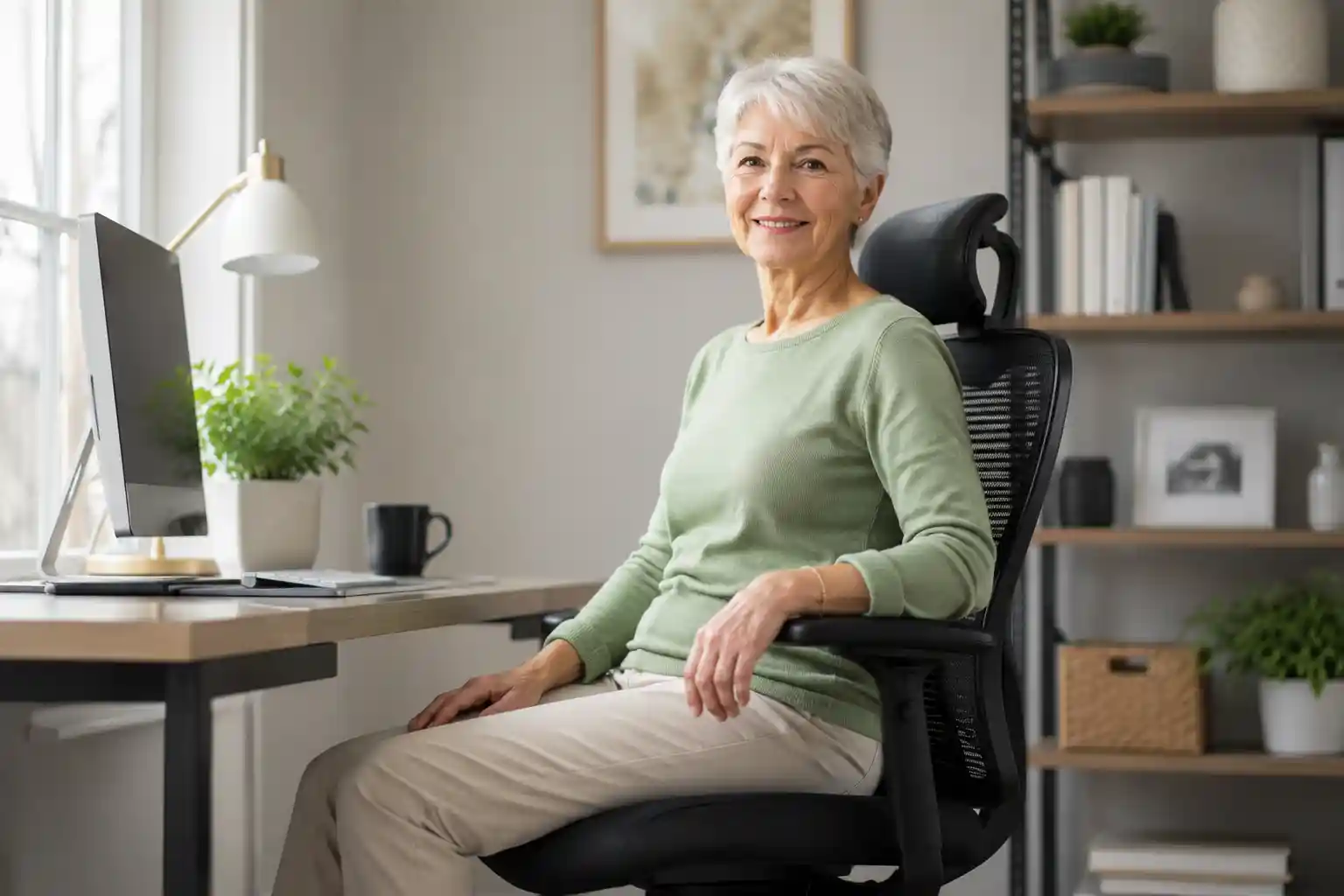
Choosing an office chair can become more complicated as we get older. A chair may look plush and comfortable in a photo, but that does not necessarily mean it will be easy to get into, get out of, adjust, or use for several hours at a desk.
For seniors, retirees working from home, and older adults who regularly use a computer, small details can make a big difference. Seat height, back support, armrest positioning, seat depth, stability, and simple adjustment controls all deserve attention.
The best office chair for seniors is not necessarily the most expensive model. It is the chair that fits the user’s body, desk, preferences, and everyday routine.
In this guide, we compare five popular office chairs based on practical factors such as comfort, adjustability, seat height, lumbar support, armrests, stability, materials, and overall value. Individual comfort and mobility needs vary, so use the specifications as a starting point rather than assuming one chair will work perfectly for everyone.
Affiliate disclosure: This article may contain affiliate links. If you purchase through a qualifying link, we may earn a commission at no additional cost to you.
Quick Comparison: 5 Best Office Chairs for Seniors
| Chair | Best For | Seat Height | Lumbar Support | Armrests | Key Advantage | Check Price |
|---|---|---|---|---|---|---|
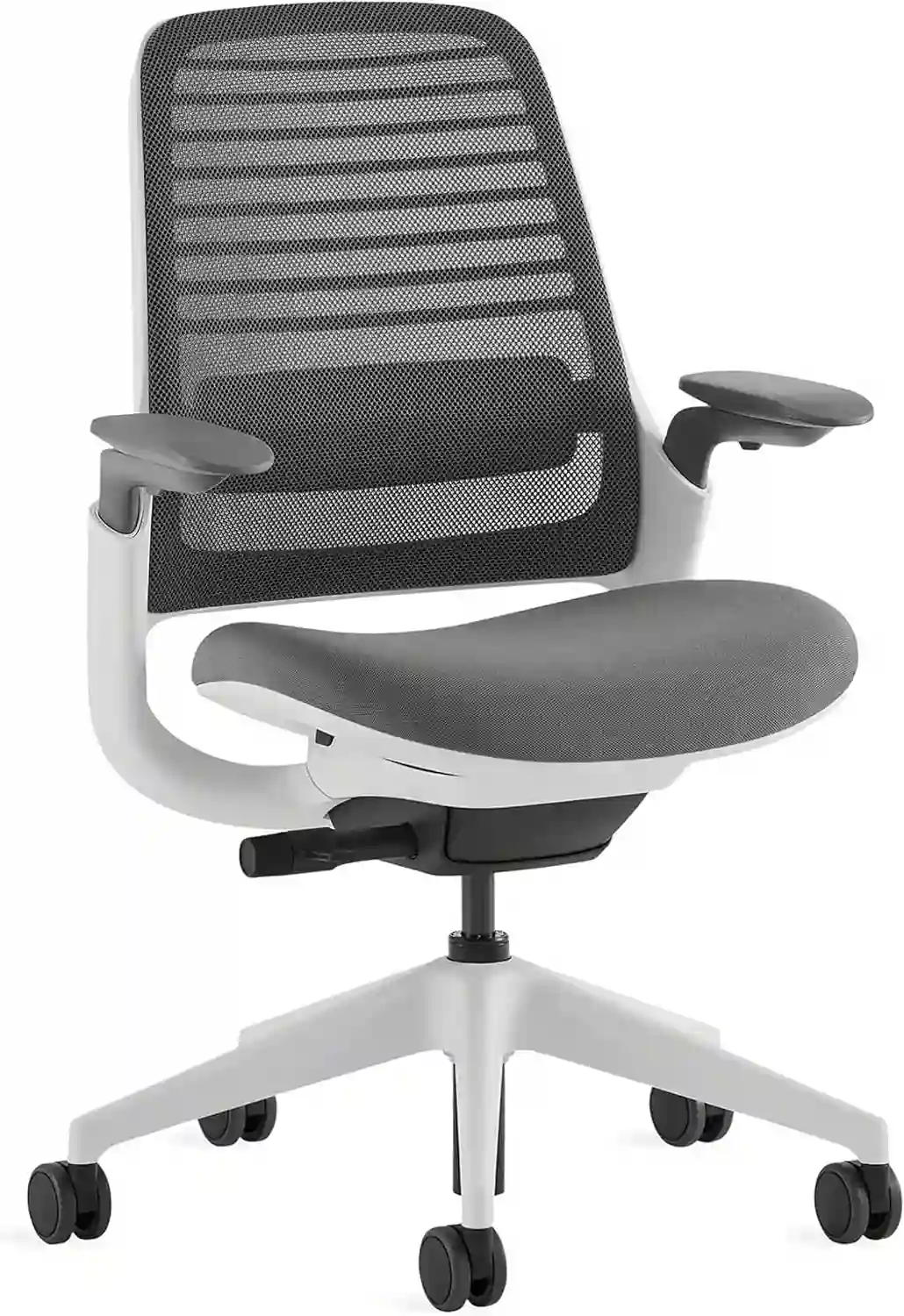 Steelcase Series 1
|
Best Overall | Adjustable | Adjustable lumbar | 4D adjustable | Excellent balance of comfort, support and adjustability | Check Price on Amazon |
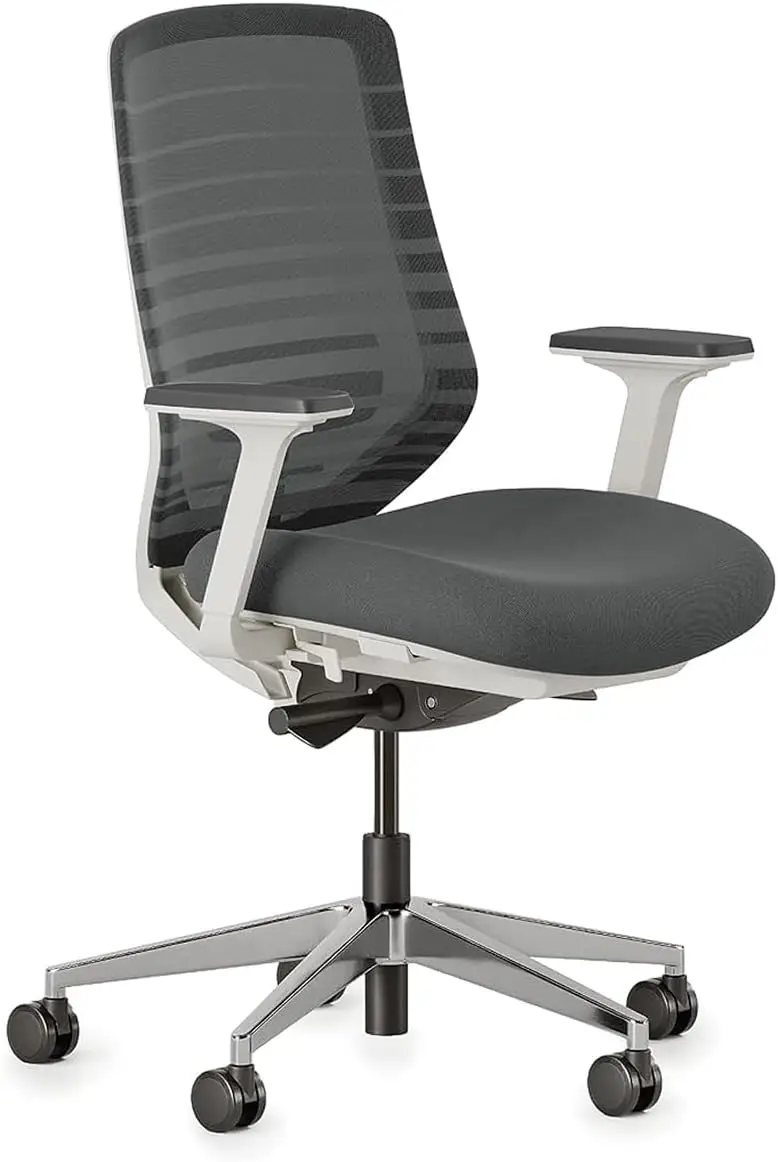 Branch Ergonomic Chair
|
Easy Adjustability | 17–21 in. | Adjustable lumbar | Adjustable/removable | Eight adjustment points and straightforward controls | Check Price on Amazon |
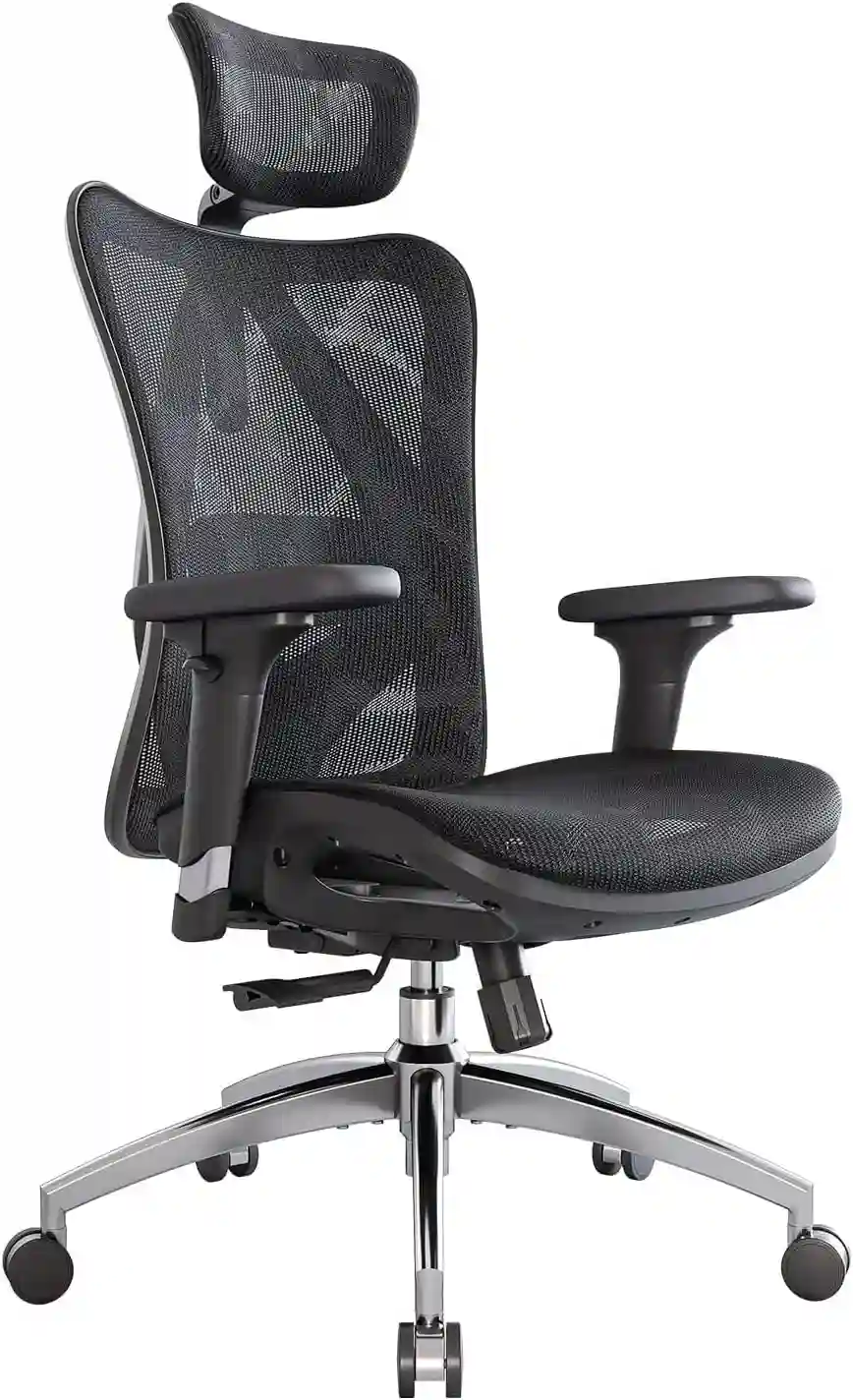 SIHOO M57
|
Budget-Friendly | Adjustable | Height/depth adjustable | 3D adjustable | Breathable mesh and useful ergonomic features | Check Price on Amazon |
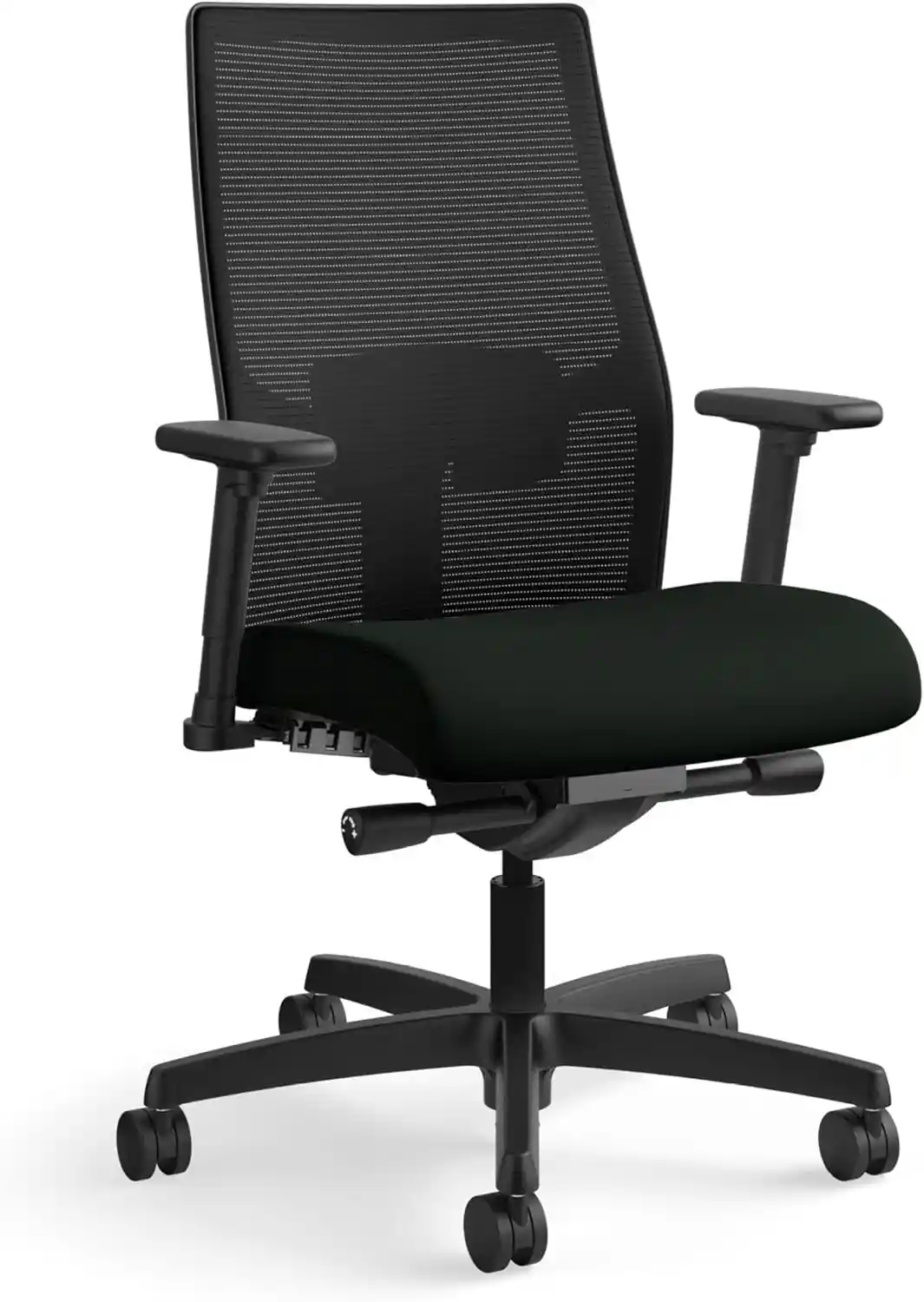 HON Ignition 2.0
|
Long Hours | Adjustable | Adjustable | Configuration dependent | Practical task-chair design for extended desk use | Check Price on Amazon |
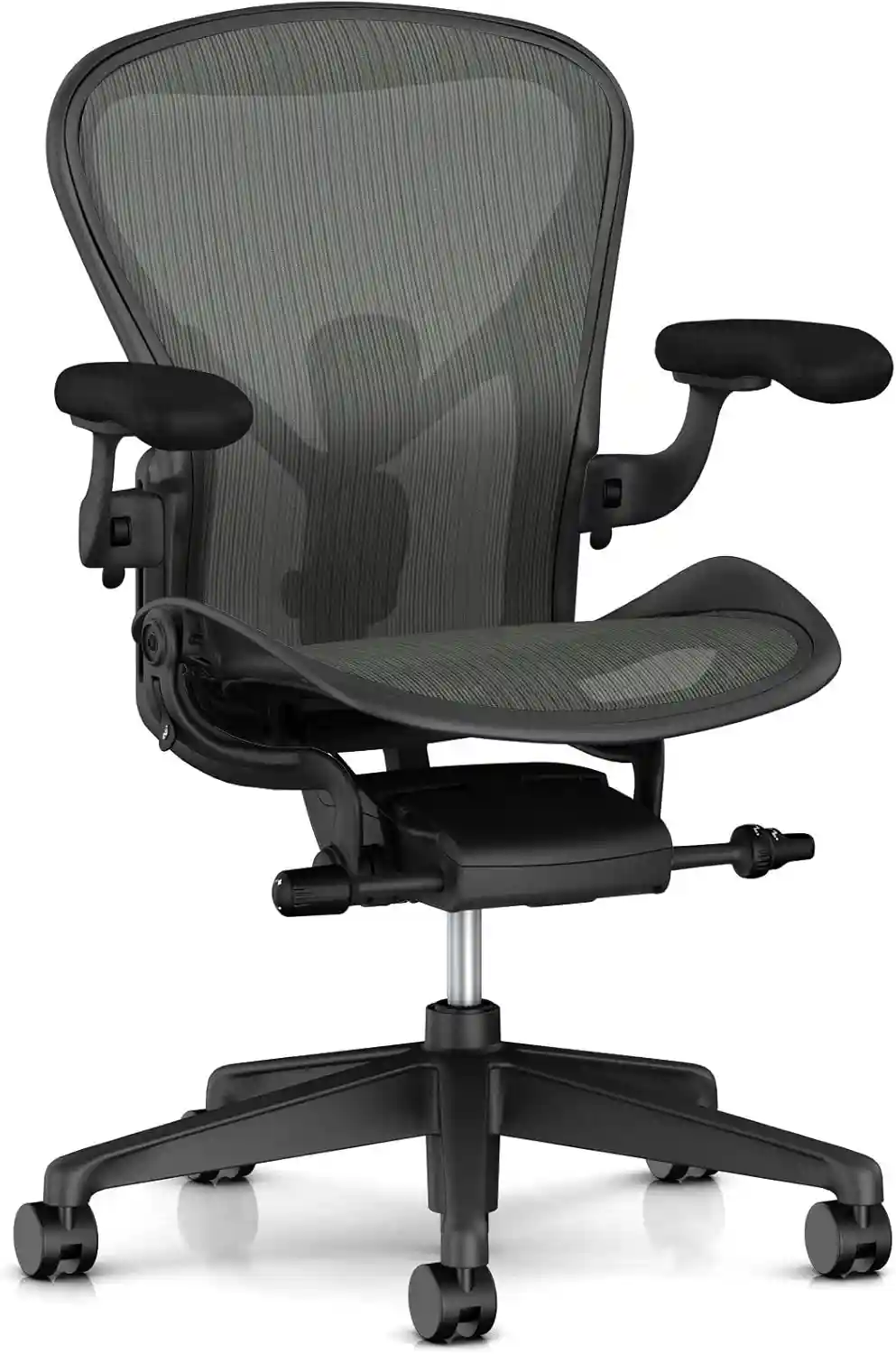 Herman Miller Aeron
|
Premium |
14.4–22.8 in. Depending on size |
Adjustable options | Adjustable options | Three sizes and extensive ergonomic options | Check Price on Amazon |
Note: Product specifications, configurations, prices, and availability can change. Check the current product listing before purchasing.
Important: Specifications can vary by configuration, size, and retailer. Check the current product page before ordering.
1. Steelcase Series 1 — Best Overall
The Steelcase Series 1 is our best overall choice for seniors because it combines a relatively approachable design with a strong range of adjustments.
Steelcase lists height- and depth-adjustable seating, standard adjustable lumbar support, and fully adjustable 4D arms. The chair also has recline adjustments and a five-star base with caster options. Steelcase says Series 1 supports users up to 400 pounds and is backed by a limited lifetime warranty.
For an older adult, the biggest advantage is the ability to fine-tune the chair rather than being stuck with one fixed sitting position.
The adjustable seat can help users find a comfortable height for their desk, while the adjustable armrests allow the forearms to be positioned more naturally during computer work. The backrest also offers recline adjustment, which can be useful when switching between typing, reading, and video calls.
The chair’s stability and commercial-oriented construction are additional positives. However, the large number of adjustments can take some time to learn.
Steelcase Series 1
Premium ergonomic office chair designed with excellent adjustability, lumbar support, and seat depth adjustment. Perfect for short women and petite users who work long hours.
- ✔ Adjustable Seat Depth
- ✔ Flexible Lumbar Support
- ✔ Height Adjustable Armrests
- ✔ Breathable Mesh Back
- ✔ Ideal for Women Under 5’4″
Pros
- Adjustable seat height and depth
- Adjustable lumbar support included
- Fully adjustable 4D armrests
- Strong weight capacity
- Limited lifetime warranty
Cons
- More expensive than basic office chairs
- Multiple controls may take time to learn
- The firmer ergonomic feel may not suit everyone
Best For
Seniors who want a supportive office chair with extensive adjustability and expect to use it regularly for work, email, browsing, or other desk activities.
Check the latest price and availability on Amazon.
2. Branch Ergonomic Chair — Best for Easy Adjustability
If ease of adjustment is especially important, the Branch Ergonomic Chair is worth considering.
Branch lists eight adjustment points, including seat height, seat depth, tilt, tilt tension, and removable lumbar support. Its armrests are removable and adjustable, while the chair uses a five-star aluminum base. The current specifications list a 17–21-inch seat-height range, 18–22-inch seat depth, and a 275-pound weight capacity. Branch also lists a seven-year warranty.
For older users, the combination of straightforward controls and adjustable seating is useful. Rather than relying on a fixed seat position, users can change the chair to suit their height and desk.
The breathable mesh back can also be appealing for people who dislike a warm chair during long computer sessions.
One limitation is the seat-height range. A 17-inch minimum may not be ideal for every shorter senior, so dimensions should be checked carefully before purchase.
Branch Ergonomic Chair
One of the best home office chairs for petite women. Offers excellent lumbar support and all-day comfort.
- ✔ Adjustable Lumbar Support
- ✔ Premium Cushion
- ✔ Modern Design
- ✔ Long-Hour Comfort
- ✔ Home Office Favorite
Pros
- Eight adjustment points
- Adjustable seat height and depth
- Removable lumbar support
- Adjustable/removable armrests
- Seven-year warranty
Cons
- Minimum seat height may be high for some shorter users
- Requires assembly
- 275-pound capacity is lower than some premium alternatives
Best For
Older adults who want a comfortable office chair for older adults with useful adjustments without an overly complicated design.
Check the latest price and availability on Amazon.
3. SIHOO M57 — Best Budget-Friendly Option
The SIHOO M57 is a practical option for shoppers who want ergonomic features without moving immediately into premium-chair pricing.
SIHOO lists a breathable mesh design, adjustable lumbar support, 3D armrests, a recline range up to 126 degrees, and a 330-pound maximum load. The product page also lists an 18.11-inch seat depth, a three-year warranty, and 30-day free returns.
The lumbar system can be adjusted vertically and horizontally, giving users more control over where support sits. The 3D armrests can also move up/down, left/right, and forward/backward.
For a senior shopping on a budget, these features provide a good starting point. However, the M57 has a more technical ergonomic appearance than a traditional executive-style office chair, and its seat depth may not suit every body type.
SIHOO M57 Ergonomic Chair
Comfortable and breathable ergonomic office chair with adjustable lumbar support and strong value for money.
- Breathable mesh back
- Adjustable headrest
- Great for home offices
- Budget-friendly ergonomic option
Pros
- Budget-friendly ergonomic feature set
- Breathable mesh construction
- Adjustable lumbar support
- 3D adjustable armrests
- 330-pound maximum load
Cons
- Requires assembly
- Mesh may feel firmer than a thick padded seat
- Seat dimensions should be checked carefully
- More adjustment features can mean a learning curve
Best For
Seniors looking for a supportive office chair for seniors on a more moderate budget, particularly those who prefer breathable mesh.
Check the latest price and availability on Amazon.
4. HON Ignition 2.0 — Best for Long Hours
The HON Ignition 2.0 is a traditional task-chair choice for users who want a practical office chair for regular desk work.
Current product information describes features including a mesh back, adjustable lumbar support, synchro-tilt, a contoured seat, and adjustable arms depending on configuration. Independent current product coverage also notes that the chair’s minimum seat height can be relatively high for shorter users, so checking dimensions before purchasing is especially important.
The Ignition 2.0’s main appeal is its straightforward office-chair design. It is less focused on flashy extras and more focused on providing the core features needed for desk work.
The mesh back can help with airflow, while the contoured seat provides more traditional cushioning than a full mesh seat.
For seniors who spend several hours at a computer, the combination of adjustable lumbar support, recline, and seat adjustment makes it worth considering. However, it may not offer the same degree of fine-tuning as higher-priced chairs.
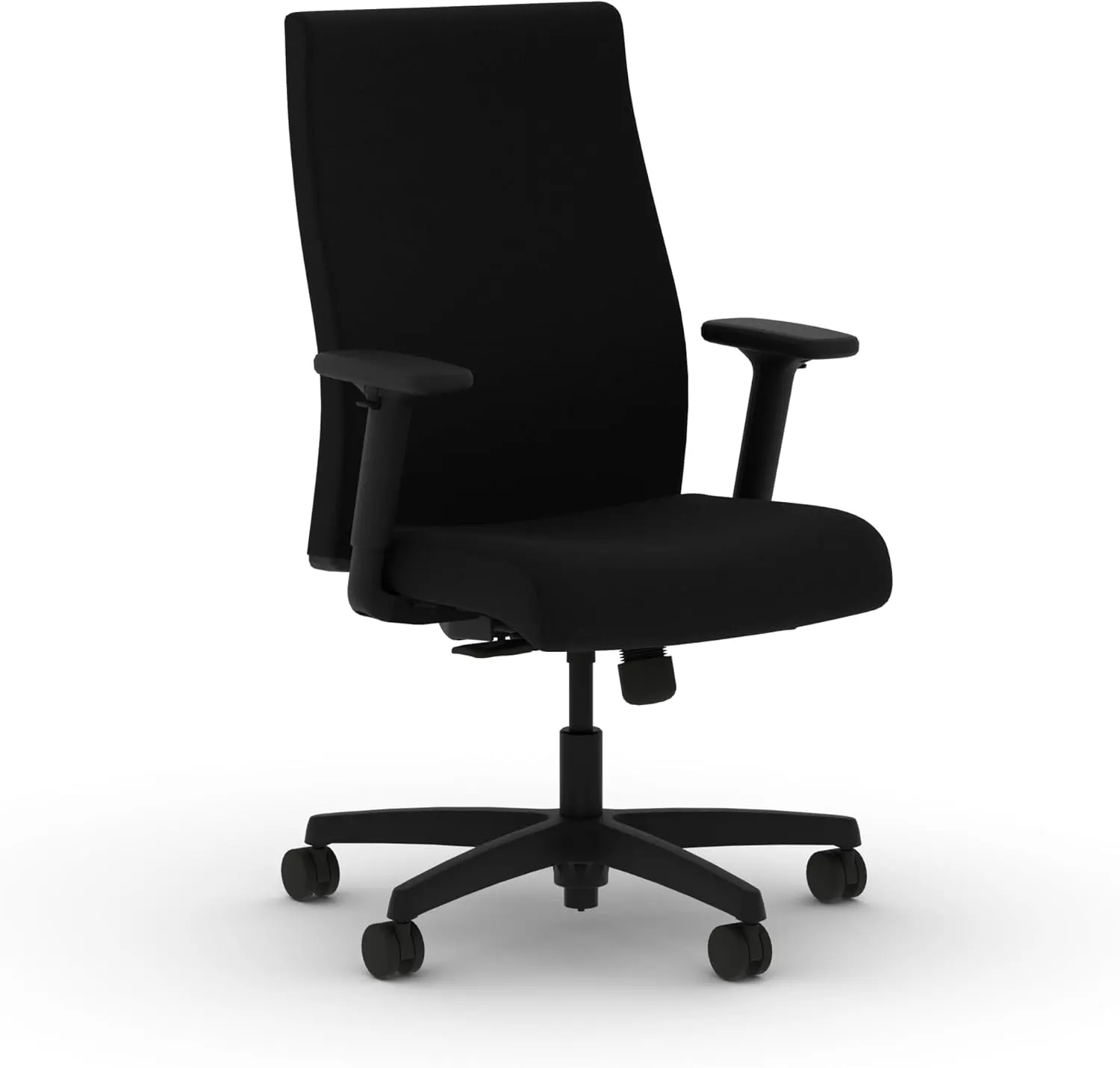
HON Ignition 2.0
A versatile ergonomic office chair with adjustable lumbar support, comfortable cushioning, and multiple adjustment options for everyday home-office and workplace use.
- ✔ Adjustable Lumbar Support
- ✔ Adjustable Seat Depth
- ✔ Adjustable Armrests
- ✔ Comfortable for Long Work Sessions
- ✔ Great Home Office Option
Pros
- Adjustable lumbar support
- Synchro-tilt reclining mechanism
- Contoured seat
- Breathable mesh-back configuration
- Practical office-focused design
Cons
- Minimum seat height may be too high for some shorter users
- Armrest adjustability depends on configuration
- Less premium finish than higher-priced chairs
Best For
Older adults who need a comfortable chair for long hours and prefer a traditional office-chair design.
Check the latest price and availability on Amazon.
5. Herman Miller Aeron — Best Premium Option
The Herman Miller Aeron is the premium choice in this guide, particularly for shoppers who value fit and long-term adjustability.
One of its biggest advantages is that it comes in three sizes: A, B, and C. Herman Miller lists different seat heights and depths for each size, making proper sizing a central part of the buying decision. Size A has a 14.4–19.3-inch seat-height range, while B and C go higher depending on configuration.
The Aeron is also available with height-adjustable or fully adjustable arms. Buyers can choose configurations with adjustable lumbar support or PostureFit options, while the suspension seat and back provide a distinctly different feel from a traditional foam office chair.
The main drawback is price. It is a substantial investment, and not every senior will prefer a mesh suspension seat.
Herman Miller Aeron
Premium ergonomic chair featuring advanced support technology and excellent adjustability for petite users seeking long-term comfort.
- ✔ Premium Ergonomics
- ✔ Adjustable Seat Depth
- ✔ Outstanding Build Quality
- ✔ Long-Term Investment
- ✔ Ideal for Daily Office Use
Pros
- Three chair sizes
- Wide range of seat-height options
- Adjustable lumbar options
- Multiple armrest configurations
- 12-year warranty
Cons
- Premium price
- Mesh feel is not for everyone
- Correct size selection is important
- Some useful features are configuration-dependent
Best For
Seniors who want a premium ergonomic office chair for seniors and are willing to spend more for sizing options, adjustability, materials, and long-term ownership.
Check the latest price and availability on Amazon.
What Makes a Good Office Chair for Seniors?
1. Easy Seat Height Adjustment
Seat height is one of the most important features when selecting an office chair for elderly users.
The chair should allow the user to sit with their feet comfortably supported on the floor. The desk, chair, and keyboard should work together rather than forcing the user to choose between comfortable leg positioning and comfortable arm positioning.
Adjustable seat height is particularly useful because people have different body proportions.
2. Easy Entry and Exit
A chair should not be unnecessarily difficult to sit down in or stand up from.
Avoid choosing a chair simply because it looks extremely low and soft. A stable five-star base, sensible seat height, and supportive armrests can make the chair feel easier to use.
An office chair is not a replacement for a medical mobility aid, so users with significant mobility concerns should choose equipment based on their individual needs.
3. Supportive Backrest
Look for a backrest that supports the user’s back without forcing an uncomfortable position.
Adjustable lumbar support is helpful because the ideal support position varies from person to person. Recline adjustment can also provide flexibility when moving between focused computer work and more relaxed activities.
4. Comfortable Seat Cushion
The ideal seat should feel supportive without being excessively hard or excessively soft.
Seat depth matters too. A seat that is too deep can make it difficult for shorter users to sit comfortably against the backrest, while a seat that is too shallow may not provide enough thigh support.
If you’re also comparing chairs for extended sitting, see our guide to the Best Chair for Long Hours.
5. Adjustable Armrests
Adjustable armrests allow users to position their arms more comfortably while typing or using a mouse.
The goal is simple: shoulders should remain relaxed, while the forearms have comfortable support. Armrests should also work with the desk rather than preventing the chair from moving close enough to the work surface.
6. Stable Base and Casters
A stable five-star base is a useful feature for everyday office use.
Casters should roll smoothly across the intended flooring without making the chair feel unstable. If the chair is being used on hard flooring, check whether the included casters are appropriate or whether a floor mat is needed.
7. Breathable Materials
Mesh, fabric, and leather all have advantages.
Mesh tends to provide better airflow, fabric can provide a softer traditional feel, and leather or leather-like materials can be easy to wipe clean.
There is no universally best material. Consider room temperature, cleaning preferences, and personal comfort.
For more options, read our guide to the Best Mesh Office Chair.
8. Simple Controls
More adjustment does not always mean a better experience.
A chair with clearly labeled or intuitive controls may be easier for some seniors to use. If the controls are difficult to understand, even excellent ergonomic features can go unused.
Best Office Chair Features for Older Adults
Use this checklist before buying:
- ☐ Adjustable seat height
- ☐ Comfortable seat cushion
- ☐ Supportive backrest
- ☐ Adjustable lumbar support
- ☐ Adjustable armrests
- ☐ Stable five-star base
- ☐ Smooth casters
- ☐ Appropriate seat depth
- ☐ Easy-to-use controls
- ☐ Good warranty
If you’re new to ergonomic seating, our guide on How to Choose an Ergonomic Chair covers the fundamentals in more detail.
How to Choose the Right Office Chair for a Senior
Step 1: Measure the Desk Height
Know how much space exists underneath the desk before choosing a chair. A chair with tall arms may not slide underneath comfortably.
Step 2: Measure the User’s Height
Height is only a starting point, but it helps narrow down suitable seat-height and seat-depth ranges.
Step 3: Check Whether Feet Can Rest Comfortably on the Floor
The chair should be adjustable enough to provide comfortable foot support. If the chair is too tall, a suitable footrest may be worth considering.
Step 4: Check Seat Depth
The seat should provide useful thigh support without feeling excessively deep.
Step 5: Evaluate Lumbar Support
Look for lumbar support that can be positioned comfortably rather than assuming stronger support is always better.
Step 6: Check Armrest Position
Make sure the armrests can support the arms without pushing the shoulders upward or interfering with the desk.
Step 7: Consider Material and Temperature
Mesh is often appealing in warm rooms, while fabric or padded seats may appeal to users who prefer a softer feel.
Step 8: Check Weight Capacity
Always compare the manufacturer’s stated weight capacity with the user’s needs.
Step 9: Look at Warranty and Return Policy
A generous return window can be especially valuable because chair comfort is highly personal.
Step 10: Consider How Easy the Controls Are to Operate
Do not pay extra for adjustments that the intended user is unlikely to understand or use.
Mesh vs Leather vs Fabric: Which Is Better for Seniors?
| Feature | Mesh | Leather | Fabric |
|---|---|---|---|
| Breathability | Excellent | Low to moderate | Moderate |
| Cushioning | Usually firmer | Can be padded | Usually soft to moderate |
| Cleaning | Easy | Usually easy | Can be harder |
| Warm-weather comfort | Excellent | Can feel warm | Moderate |
| Appearance | Modern | Traditional/premium | Versatile |
| Best For | Hot rooms and airflow | Easy cleaning and classic appearance | Soft, familiar feel |
For many older adults, mesh is a strong choice for warm environments, while fabric can be preferable for users who want a softer, more traditional seat.
Leather may make sense for users who value easy cleaning and a classic appearance. The best option ultimately depends on personal preference.
For a deeper comparison, see Mesh vs Leather Office Chair.
What Seat Height Is Best for Seniors?
There is no single seat-height number that works for every older adult.
The general ergonomic principle is to adjust the chair so the feet can rest comfortably on the floor and the knees and hips are positioned naturally. The desk height also matters because raising a chair to match a tall desk can sometimes make the feet lose contact with the floor.
The goal is to make the chair and desk work together, not to chase one universal measurement.
If you’re comparing chairs for smaller users, our guide to the Best Chair for Short Person may also help.
Is a High-Back Office Chair Better for Seniors?
Not automatically.
A high-back chair can provide more upper-back coverage and may feel reassuring to users who prefer a more substantial backrest. It can also create a more traditional executive-chair feel.
However, a mid-back chair can be perfectly suitable for desk work and may feel less bulky.
The better choice depends on the user’s height, preferred sitting position, desk setup, and personal comfort.
Office Chair vs Recliner for Older Adults
An office chair and a recliner are designed for different purposes.
An office chair is designed around desk tasks such as typing, using a mouse, reading, and video calls. It generally offers seat-height adjustment, casters, armrests, and a posture-oriented backrest.
A recliner prioritizes relaxation and lounging. It may be excellent for watching television or resting but is not necessarily designed for efficient keyboard and mouse use.
For regular computer work, a properly fitted office chair is usually the more practical choice.
Common Mistakes to Avoid
Avoid these mistakes when shopping for an office chair for elderly users:
- Buying based only on appearance
- Choosing a chair that is too low
- Ignoring seat depth
- Ignoring armrest height
- Choosing complicated controls
- Buying without checking dimensions
- Ignoring warranty and return policy
- Choosing a chair only because it has a headrest
- Assuming a more expensive chair automatically means more comfort
- Focusing on lumbar support while ignoring the seat and overall fit
Remember that a headrest is optional for many users. A chair with excellent seat height, depth, armrests, and back support can be more useful than one with a large headrest but poor overall fit.
For setup advice, see How to Adjust Your Office Chair for Perfect Posture and Best Sitting Position for Work.
FAQs
What is the best office chair for seniors?
For many users, the Steelcase Series 1 is a strong overall choice because it combines adjustable seating, lumbar support, adjustable arms, recline options, and a strong warranty. However, the right chair depends on height, desk setup, budget, and personal comfort.
Is a mesh office chair good for older adults?
Yes, mesh can be an excellent choice for seniors who prefer airflow and a firmer, more structured seat and back. However, some users prefer the softer feel of fabric or padded seating.
Should seniors choose a high-back office chair?
Not necessarily. A high-back chair can provide more back coverage, but a mid-back chair can also work well for desk tasks. Choose based on body size, desk setup, and personal preference.
What seat height is best for an elderly person?
There is no universal ideal height. The chair should allow the user’s feet to rest comfortably on the floor while working with the desk at a practical height.
Are office chairs with armrests better for seniors?
Adjustable armrests can be useful because they provide a place to rest the arms and can make desk work more comfortable. However, the armrests need to fit the user’s body and desk rather than simply being present.
Is an ergonomic chair worth it for seniors?
It can be worthwhile for seniors who spend significant time working at a desk because adjustable features allow the chair to be fitted more closely to the individual. The benefits depend on the specific chair and how well it is adjusted.
What should I look for when buying an office chair for an older adult?
Prioritize adjustable seat height, appropriate seat depth, comfortable cushioning, supportive back design, adjustable armrests, stable construction, simple controls, suitable weight capacity, and a good return policy.
Final Verdict
The best office chair for seniors is the one that fits the individual user rather than the chair with the longest feature list.
Our top choices are:
- Best Overall: Steelcase Series 1
- Best Easy Adjustability: Branch Ergonomic Chair
- Best Budget-Friendly: SIHOO M57
- Best for Long Hours: HON Ignition 2.0
- Best Premium: Herman Miller Aeron
For most older adults, start by checking seat height, ease of entry and exit, seat depth, back support, armrest positioning, stability, and control simplicity.
A chair does not have to be extremely expensive to be comfortable. At the same time, paying more can make sense when it provides better sizing, stronger adjustability, longer warranty coverage, or a construction quality that suits frequent use.
Before purchasing, compare the current dimensions, configuration, warranty, return policy, and price. Most importantly, consider the actual user’s height, desk, sitting habits, and comfort preferences.
If you’re building a complete home-office setup, you can also explore our Home Office Setup Ideas guide for ways to make the chair, desk, monitor, and accessories work together.