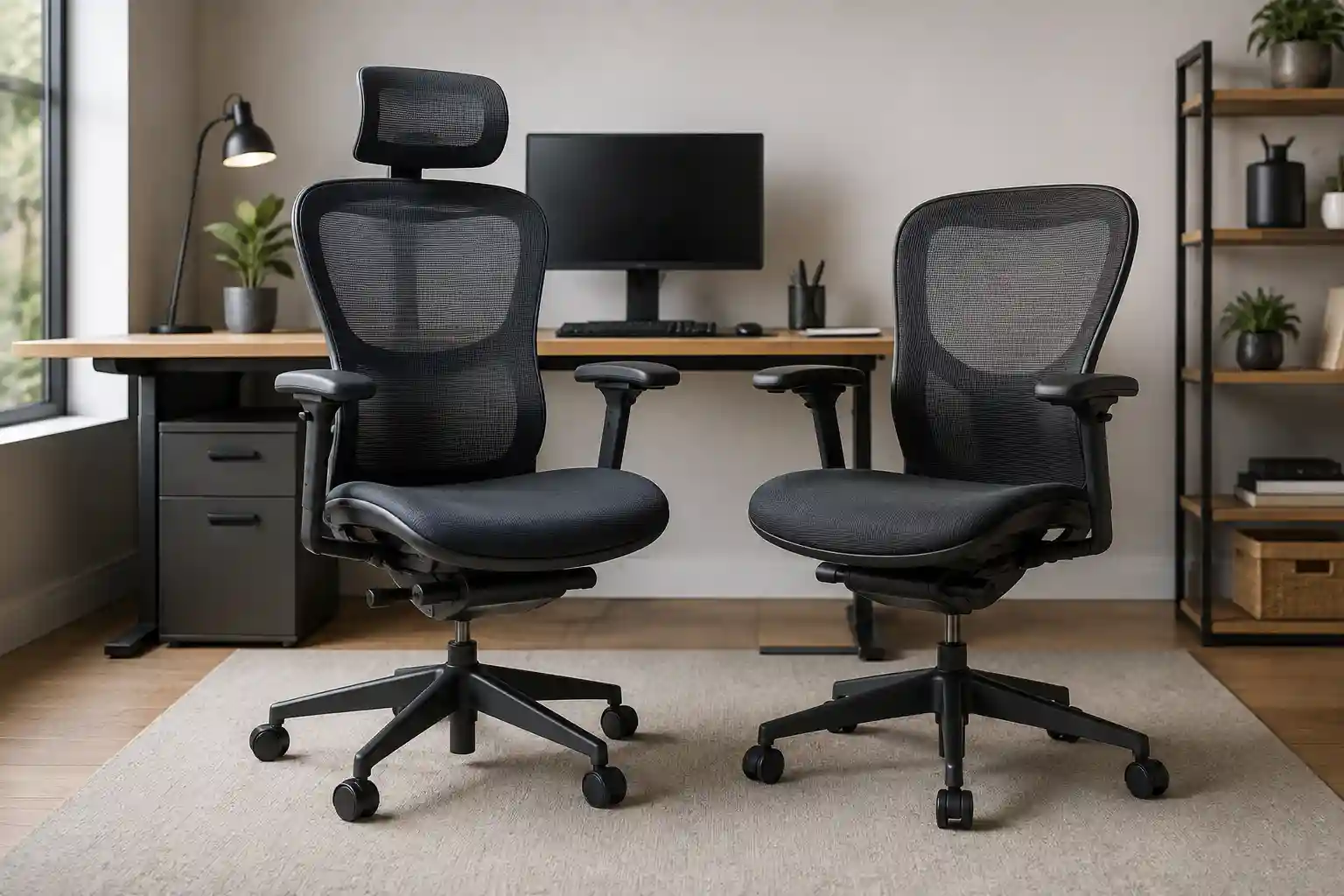
Choosing an office chair sounds simple until you start comparing features. One of the most common questions buyers face is headrest vs no headrest office chair.
Some people love the extra support of a headrest, especially when reclining during long meetings or taking a break. Others prefer an office chair without a headrest because it feels less bulky and allows more freedom of movement while working.
So, which option is actually better?
The answer depends on how you sit, how often you recline, your desk setup, and what feels comfortable for your body. A headrest is not automatically a sign that a chair is more ergonomic, and a chair without one is not automatically better for posture.
This guide compares both options so you can choose the right office chair for your work style in 2026.
Headrest vs No Headrest: Quick Comparison
| Feature | With Headrest | Without Headrest |
|---|---|---|
| Neck support | More support when reclining | Less direct head support |
| Upper-back support | Depends mainly on backrest design | Depends mainly on backrest design |
| Upright computer work | Can be useful, but not essential | Often works well for active upright work |
| Reclining | Excellent for head and neck support | Less support when leaning back |
| Long sitting | Useful if properly adjusted | Can be comfortable with a well-designed backrest |
| Space/appearance | Usually larger and more noticeable | Simpler and less bulky |
| Adjustability | Can offer additional adjustment | Fewer components to adjust |
| Best for | Frequent recliners and users wanting head support | Upright workers and people who prefer freedom of movement |
There is no universal winner. The better chair is the one that fits your sitting habits and can be adjusted properly.
What Is an Office Chair Headrest?
An office chair headrest is a padded or mesh support attached to the upper portion of a chair’s backrest. Its main purpose is to provide a place for your head to rest, particularly when you lean backward.
It’s important to understand the difference between head support and neck support.
A headrest primarily supports the back of your head. Depending on its shape and position, it may also provide some support around the neck area. However, it should not be treated as a replacement for good lumbar support, correct monitor height, or proper sitting technique.
Headrests can be:
- Fixed: The position cannot be changed.
- Height adjustable: The headrest can move up or down.
- Tilt adjustable: The angle can change.
- Depth adjustable: The headrest can move closer to or farther from your head.
- Multi-adjustable: Several of these features are available.
Position matters enormously. A headrest that sits too far forward may encourage your head to move forward. One that is too high may provide little useful support.
That’s why simply buying an ergonomic chair with headrest does not guarantee better comfort.
Benefits of an Office Chair With a Headrest
1. Better Support While Reclining
The biggest advantage of a headrest is what happens when you lean back.
During a reclined position, your head no longer needs to remain unsupported. A properly positioned headrest can provide a comfortable place to rest your head while you read, think, watch a presentation, or take a short break.
If you frequently use your chair’s recline function, this can be a meaningful benefit.
2. Comfortable During Breaks
Many people don’t sit in exactly the same position for eight hours.
You may work upright for an hour, lean back during a phone call, recline during a meeting, and then return to an upright position.
A headrest can make these relaxed positions more comfortable.
3. Useful During Long Meetings
Remote workers often spend significant time in video meetings.
If your meeting allows you to lean back occasionally, a headrest can provide additional support. Instead of continuously holding your head upright, you have the option of resting against the chair.
This doesn’t mean you should remain reclined all day. Changing positions is still important.
4. Additional Head and Neck Support
Some users simply prefer having something behind their head.
For these people, an adjustable headrest may make the chair feel more supportive, particularly during relaxed sitting.
However, comfort is highly individual. A feature that feels excellent to one person can feel intrusive to another.
5. Useful for People Who Frequently Recline
If your sitting style involves frequent reclining, a headrest makes more sense.
For example, someone who works for several hours, regularly reclines to read documents, and takes phone calls away from the keyboard may appreciate the additional support.
Drawbacks of an Office Chair With a Headrest
A headrest isn’t automatically beneficial. There are several reasons some people prefer chairs without one.
1. Poor Positioning Can Be Uncomfortable
A poorly positioned headrest can interfere with natural head movement.
If it pushes your head forward while you’re trying to work at your computer, it may feel distracting or uncomfortable.
This is one reason adjustability matters more than simply having a headrest.
2. Limited Adjustment
Some chairs include a headrest but offer little or no adjustment.
If the headrest doesn’t match your height and sitting position, it may not provide useful support.
A tall user and a shorter user may need very different headrest positions.
3. Extra Bulk
A large headrest can make an office chair look and feel more substantial.
If you have a compact home office, a simpler chair without a headrest may fit your space better.
4. Additional Cost
Headrests can increase the price of an office chair.
If you rarely recline, spending extra money for a headrest may not provide much value.
Instead, you may get more benefit from investing in features such as adjustable lumbar support, seat-depth adjustment, or better armrests.
5. It May Not Help Your Upright Working Position
When you’re typing or using a mouse, your head generally needs to remain positioned so you can comfortably view your monitor.
In this situation, you may not actually use the headrest.
For someone who spends most of the day actively working upright, the headrest may simply sit behind the head without providing much practical benefit.
Benefits of an Office Chair Without a Headrest
An office chair without a headrest can be an excellent choice for many computer users.
1. Greater Freedom of Movement
Without a headrest behind your head, you have more freedom to move your head and neck.
This can be appealing to people who naturally change positions while working.
2. Simple Design
A chair without a headrest generally has a cleaner, simpler appearance.
For minimalist home offices, this can be an advantage.
3. Good for Upright Computer Work
If you spend most of your day typing, reading, coding, designing, or browsing the web in an upright position, you may not need head support.
In fact, many users prefer to keep their head naturally positioned rather than resting against a headrest.
4. Potentially Lower Cost
Removing a headrest can reduce the number of components and adjustments included in a chair.
That may allow you to spend more of your budget on other ergonomic features that you actually use.
5. Less Bulk
For smaller workspaces, a chair without a headrest can be easier to fit under or around a desk.
If you frequently move your chair, the simpler design may also be convenient.
Drawbacks of an Office Chair Without a Headrest
The main disadvantage becomes noticeable when you want to recline.
Without a headrest, your head remains unsupported when you lean back. Depending on the chair and your preferences, this may be less comfortable.
An office chair without a headrest may also be less appealing to people who spend long periods in meetings, read while reclining, or simply enjoy having head support during breaks.
If you frequently use a chair in a relaxed reclined position, a headrest may provide more value.
Headrest vs No Headrest for Long Hours
What about people who sit for 6–8+ hours per day?
This is where the comparison becomes more complicated.
Long periods at a desk aren’t solved by adding one feature to a chair. Your overall setup matters much more.
For example, a chair can have an excellent headrest but still be uncomfortable if the seat is too deep, the desk is too high, or the monitor is poorly positioned.
For long working sessions, look for:
- Adjustable seat height
- Appropriate seat depth
- Good lumbar support
- Comfortable backrest
- Adjustable armrests
- Stable base
- Suitable recline
- A headrest that can be positioned correctly, if you want one
Movement also matters. Instead of trying to maintain one “perfect” posture all day, change positions regularly and take standing or walking breaks.
Which Is Better for 6–8 Hours?
If you work mostly upright at a computer, a chair without a headrest can be perfectly suitable.
If you regularly alternate between upright work and reclining, a chair with an adjustable headrest may be more versatile.
The important point is that long sitting doesn’t automatically mean you need a headrest.
Still Deciding? Compare These Two Options
Your ideal office chair depends on how you sit and how often you recline. Compare a headrest option with a simpler chair design.
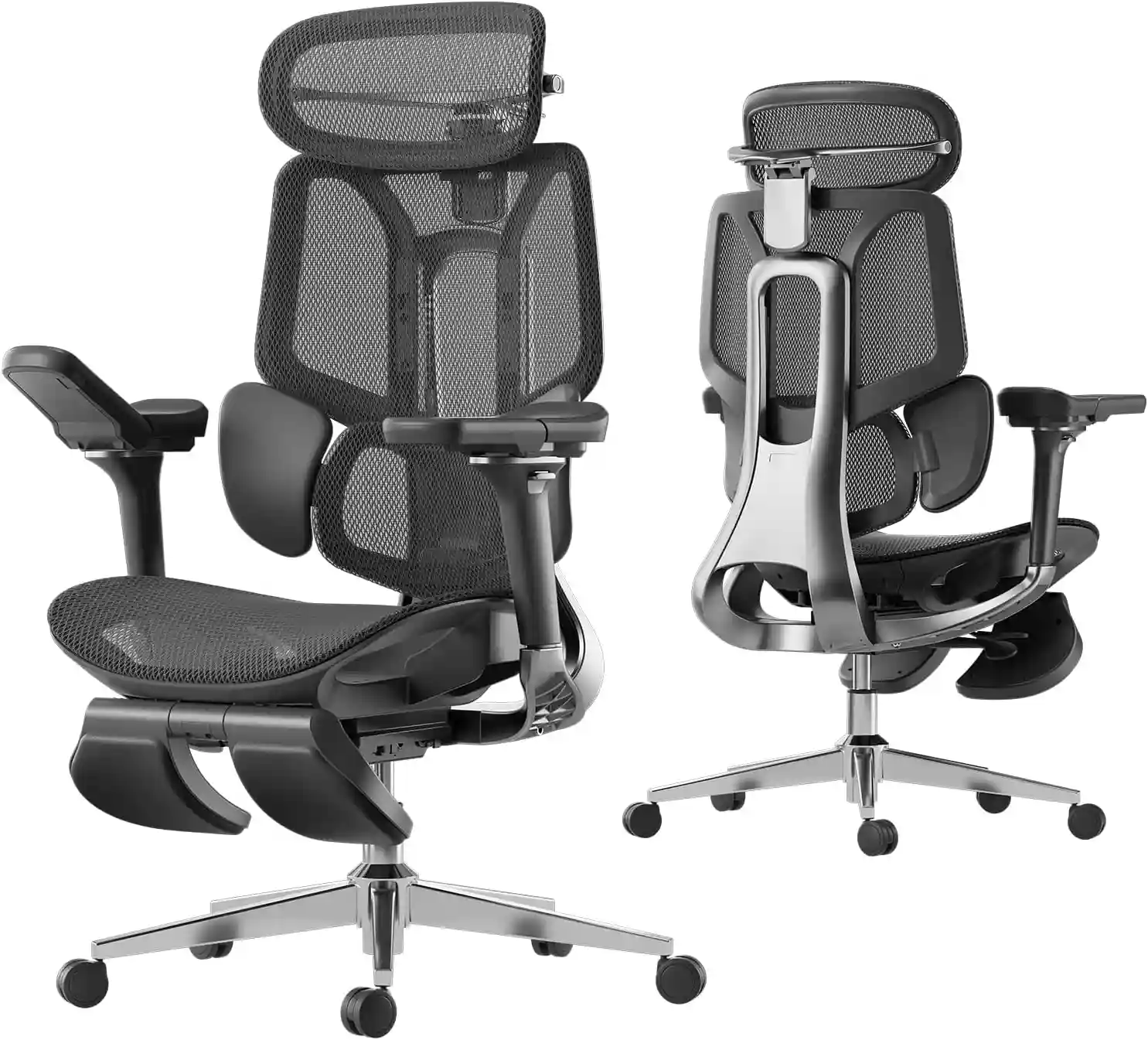
Hbada E3 Pro
A good option to consider if you want an ergonomic chair with adjustable head support and frequently enjoy reclining during work breaks or meetings.
Check Hbada E3 Pro on Amazon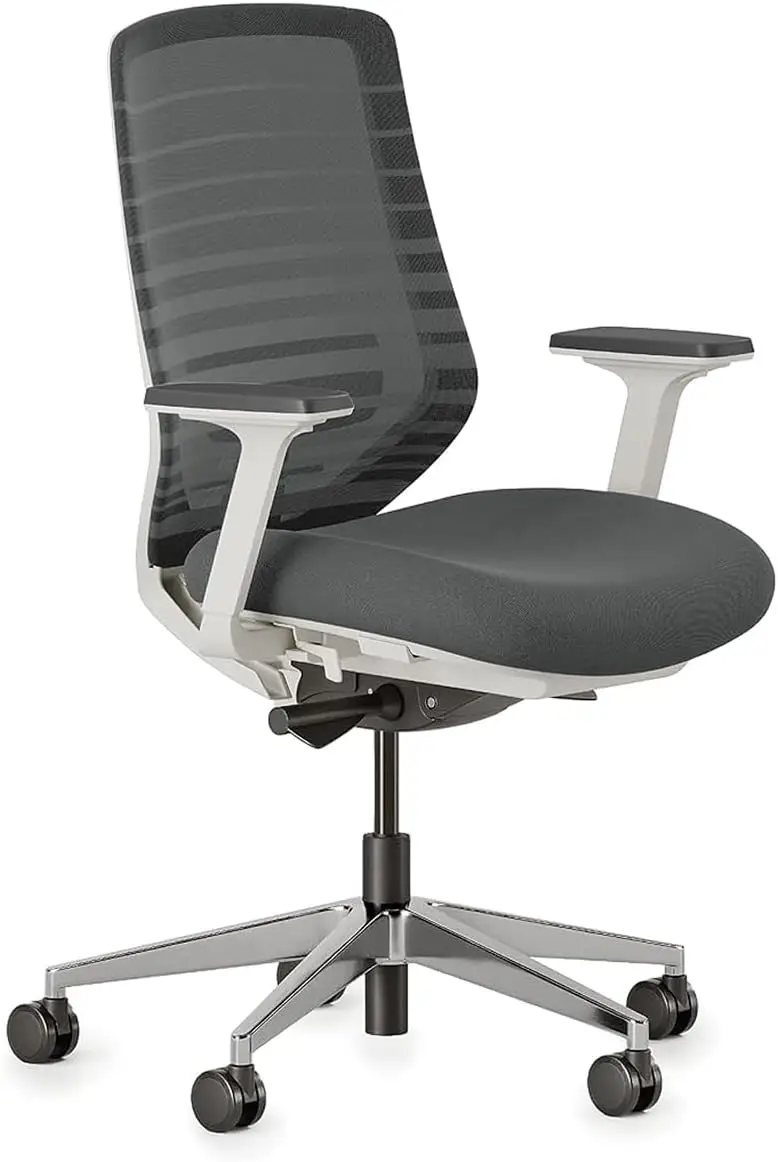
Branch Ergonomic Chair
Worth considering if you mainly work upright and prefer a simpler chair design without a headrest while keeping useful ergonomic adjustments.
Check Branch Chair on AmazonAs an Amazon Associate, we may earn from qualifying purchases. Prices and availability may change.
Headrest vs No Headrest for Back and Neck Comfort
When people search for the best office chair for neck support, they sometimes focus almost entirely on the headrest.
That’s a mistake.
Your headrest is only one part of the ergonomic setup.
Consider these features as well:
Lumbar Support
Your lower back needs appropriate support. A headrest cannot compensate for poor lumbar support.
Seat Height
Your feet should be able to rest comfortably while your chair and desk work together.
Seat Depth
If the seat is too deep or too shallow for you, maintaining a comfortable position can become difficult.
Armrests
Armrests should allow your arms to rest comfortably without forcing your shoulders upward.
Monitor Height
A poorly positioned monitor can affect how you position your head while working.
Desk Height
Your desk should allow you to work without constantly reaching upward or bending forward.
Foot Position
Your feet should have stable support rather than constantly hanging or stretching for the floor.
If you’re experiencing persistent discomfort, changing your chair alone may not address the underlying issue.
For more chair-selection advice, see our Ergonomic Chair Guide and Best Chair for Back Pain guides.
Who Should Choose a Chair With a Headrest?
An office chair with headrest may be a good choice if you:
- Frequently recline while working
- Like to lean back during breaks
- Spend significant time in video meetings
- Want additional head support while relaxing
- Frequently switch between upright and reclined positions
- Prefer a more supportive chair design
- Want head support for reading or phone calls
The key is to choose a headrest that can be adjusted to your body and sitting position.
Who Should Choose a Chair Without a Headrest?
An office chair without a headrest may be better if you:
- Work upright most of the day
- Spend most of your time typing or using a mouse
- Prefer unrestricted neck movement
- Don’t normally recline
- Dislike the feeling of a headrest behind your head
- Want a simpler-looking chair
- Have limited space
- Prefer spending your budget on other ergonomic adjustments
For these users, a well-designed chair without a headrest can be a very practical option.
What to Look for in an Adjustable Headrest
If you decide you want a headrest, don’t focus only on whether the chair has one.
Look for useful adjustment options.
Height Adjustment
The headrest should be able to move up and down so the support aligns appropriately with your head.
Tilt Adjustment
A tilting headrest can be useful because your head position changes when you recline.
Depth Adjustment
Being able to move the headrest forward or backward can make a major difference in how it feels.
Firmness
Some people prefer firm support while others prefer softer cushioning or flexible mesh.
Width
A headrest should provide useful support without feeling restrictive.
Independent Movement
A headrest that can be adjusted separately from the backrest gives you more control over your sitting position.
When comparing chairs, adjustability is often more valuable than simply having more features.
Headrest Buying Guide: What Should You Consider?
Before buying, think about your actual working habits.
1. Your Height
Headrest placement is particularly important for people who are significantly shorter or taller than average.
2. Your Sitting Style
Do you sit upright all day, or do you frequently lean backward?
Your answer can quickly narrow down your options.
3. How Often You Recline
If you rarely recline, you may not need a headrest.
If reclining is part of your normal routine, head support becomes more useful.
4. Your Desk Setup
A chair should work with your desk and monitor rather than being considered separately.
5. Monitor Position
Your monitor should be positioned so you can work comfortably without constantly leaning your head forward.
6. Seat Depth
Don’t sacrifice seat-depth adjustment just to get a headrest.
7. Lumbar Support
For an ergonomic office chair, lumbar support is generally a more fundamental consideration than having a headrest.
8. Armrests
Adjustable armrests can help you find a comfortable working position and should be evaluated before decorative extras.
If you’re comparing materials as well as chair features, our guide to Mesh vs Leather Office Chair can help you decide which style better fits your workspace.
Common Mistakes When Using a Headrest
Even a good headrest can become uncomfortable when used incorrectly.
Setting It Too High
If the headrest is positioned too high, it may not provide useful support.
Pushing Your Head Forward
The headrest shouldn’t force your head toward your monitor.
If it does, check its depth and tilt adjustment.
Using It as a Replacement for Good Posture
A headrest isn’t a substitute for a properly adjusted chair and desk.
Ignoring Monitor Height
If your monitor is poorly positioned, adjusting the headrest alone won’t solve the problem.
Buying a Chair Just Because It Has a Headrest
This is one of the most common buying mistakes.
A chair with a headrest can still have poor seat adjustment, inadequate lumbar support, or uncomfortable armrests.
Instead, evaluate the complete chair.
FAQs
1. Is a headrest necessary on an office chair?
No. A headrest is not necessary for everyone. It is most useful for people who frequently recline or want additional head support during breaks and meetings.
2. Are office chairs with headrests better?
Not necessarily. A chair with a headrest may be better for one person and less comfortable for another. Overall adjustability and fit are more important than the presence of a headrest.
3. Is a headrest good for neck support?
It can provide comfortable support when positioned correctly, particularly while reclining. However, it should not be viewed as a solution for poor desk setup or ongoing discomfort.
4. Should your head touch the office chair headrest?
It depends on your sitting position and the chair’s design. You shouldn’t feel forced to keep your head against it while actively working. A headrest is often most useful when relaxing or reclining.
5. Is an office chair without a headrest better for posture?
Not automatically. Some people prefer the freedom of a chair without a headrest when working upright, but posture depends on the entire workstation and how you sit.
6. Do you need a headrest for sitting all day?
No. Sitting for long periods doesn’t automatically mean you need a headrest. A properly adjusted chair, suitable desk setup, and regular movement are more important.
7. Can a headrest cause neck discomfort?
It can feel uncomfortable if it is positioned incorrectly or doesn’t fit your body. A headrest that pushes your head forward or sits at an awkward height may be particularly distracting.
Final Verdict: Headrest or No Headrest?
So, which wins the headrest vs no headrest office chair comparison?
There isn’t one answer for everyone.
Choose a headrest if you frequently recline, enjoy leaning back during breaks, spend a lot of time in meetings, or want additional head and neck support when relaxing.
Choose no headrest if you primarily work upright, prefer unrestricted head movement, rarely recline, or want a simpler and potentially less expensive chair.
For most buyers, the smartest approach is to evaluate the entire chair rather than choosing based on one feature.
Prioritize seat height, seat depth, lumbar support, armrest adjustment, backrest comfort, recline function, and overall fit. Then decide whether a headrest adds meaningful value for your specific sitting habits.
If you’re ready to compare options, check the latest chair prices, compare features and prices, and view current options on Amazon before making your final decision.
A headrest can be a useful feature—but it shouldn’t be the reason you choose an otherwise unsuitable chair.
Related Guides
- Best Mesh Office Chair — Compare comfortable mesh chairs for home and office use.
- Best Chair for Back Pain — Explore chair features worth considering when comfort is a priority.
- Ergonomic Chair Guide — Learn what to look for when choosing an ergonomic office chair.
- How to Adjust Your Office Chair for Perfect Posture — Learn how to properly configure your chair and workstation.
- Mesh vs Leather Office Chair — Compare the advantages and disadvantages of both materials.