Sitting for hours at your desk shouldn’t leave you with a sore, stiff back. But for many people, it does.
You start your day feeling fine, but after a few hours, your lower back begins to ache. You shift positions, stretch a little, maybe even stand up—but the discomfort keeps coming back.
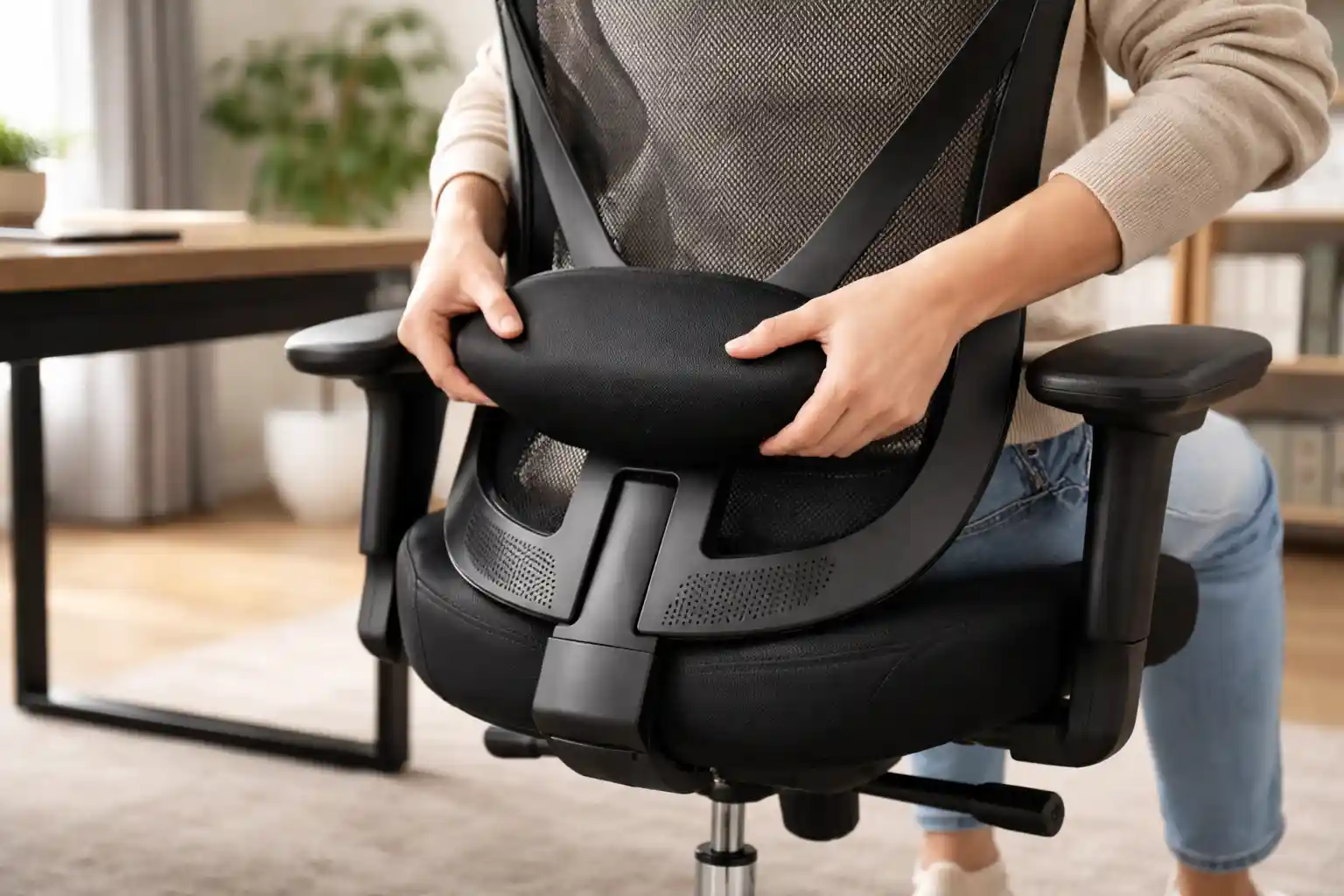
The problem is often simple: your lumbar support is not adjusted correctly.
Even the best office chair won’t help if it’s not set up properly.
In this guide, you’ll learn how to adjust lumbar support on your office chair, plus the best ergonomic chairs in 2026 that make back support easy and effective.
🪑 Quick Comparison Table (Top 5 Chairs with Lumbar Support)
| Chair | Best For | Lumbar Support | Check Price |
|---|---|---|---|
| SIHOO M57 | Best Budget | Adjustable | Check Price |
| Hbada Ergonomic Chair | Best for Small Spaces | Basic | Check Price |
| Nouhaus Ergo3D | Long sitting hours | Dynamic | Check Price |
| Steelcase Series 1 | Premium comfort | Adaptive | Check Price |
| Herman Miller Aeron | Best Overall | PostureFit SL | Check Price |
🤔 Why Lumbar Support Matters
Your lower back (lumbar spine) naturally curves inward. When you sit without proper support, that curve flattens, causing:
- Lower back pain
- Muscle fatigue
- Poor posture
- Long-term spinal issues
A properly adjusted lumbar support helps maintain that natural curve.
Not sure about back support? Learn what is lumbar support in an office chair
✅ How to Adjust Lumbar Support on Office Chair
Let’s break it down step by step:
1. Sit All the Way Back
Always sit with your back fully touching the chair. If you sit forward, lumbar support won’t work properly.
2. Adjust Height of Lumbar Support
Most ergonomic chairs allow vertical adjustment.
👉 Position it:
- Right at your lower back curve (just above your waist)
If it’s too high or low, it won’t support your spine correctly.
3. Adjust Depth (If Available)
Some chairs let you move lumbar support forward or backward.
👉 Ideal setting:
- It should gently press your lower back
- Not too hard, not too soft
4. Adjust Backrest Angle
A slight recline (100–110°) reduces pressure on your spine.
Avoid sitting completely straight for long hours.
👉 If you’re dealing with discomfort, check out our guide on best ergonomic chair for back pain for better support and posture.
5. Check Seat Height
- Feet flat on the ground
- Knees at 90°
This supports proper posture along with lumbar support.
6. Test and Fine-Tune
Sit for 10–15 minutes and adjust slightly if needed.
👉 Comfort is personal—small adjustments make a big difference.
🏆 Best Office Chairs with Adjustable Lumbar Support (2026)
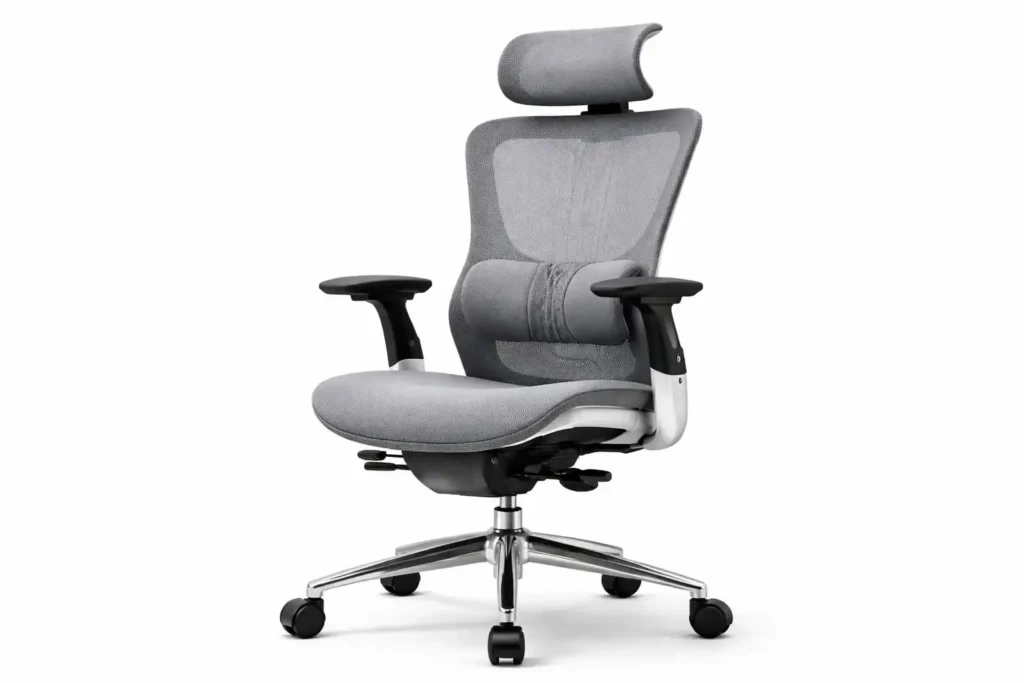
1. SIHOO M57 Ergonomic Chair
Best for: Overall value
SIHOO M57 Ergonomic Mesh Office Chair
- ✔ Breathable full mesh design keeps you cool
- ✔ 3D adjustable armrests and adjustable headrest
- ✔ Dual lumbar support adjusts height & depth
- ✔ Supports up to ~330 lbs with solid build quality
Key Features:
- Adjustable lumbar support
- 3D armrests
- Breathable mesh
- Recline function
Pros:
- Great back support
- Affordable price
- Highly adjustable
Cons:
- Assembly required
- Cushion could be thicker
👉 Verdict: Best mix of price and ergonomic features.
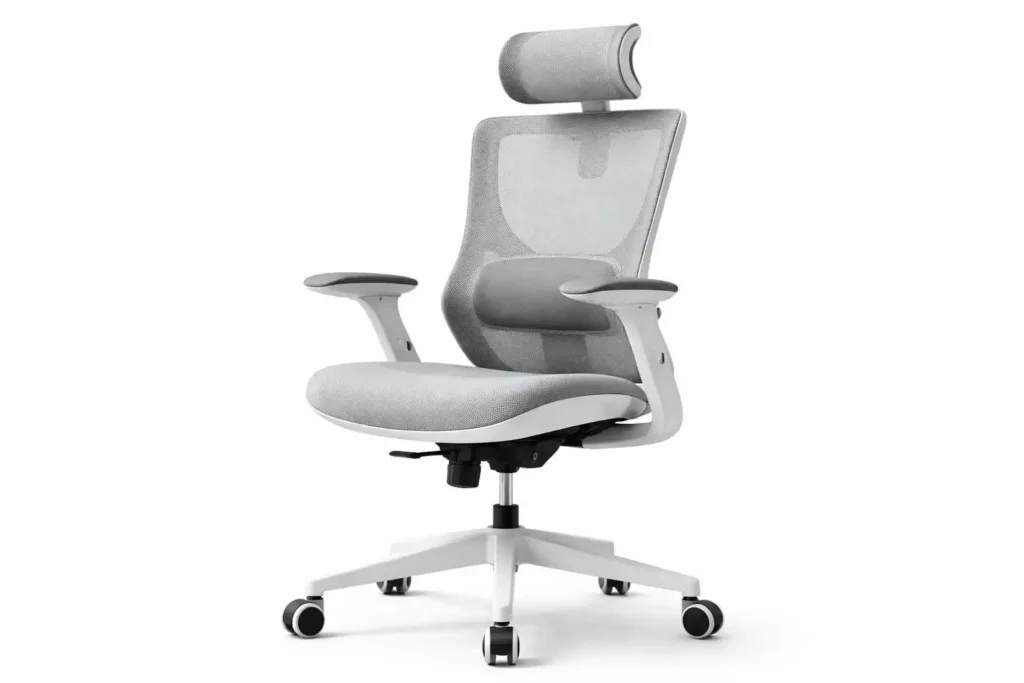
2. Hbada Ergonomic Office Chair
Best for: Budget users
HBADA Ergonomic Office Chair
- ✔ Compact ergonomic design
- ✔ Breathable mesh back
- ✔ Space-saving structure
- ✔ Budget-friendly price
Key Features:
- Basic lumbar support
- Compact design
- Flip-up armrests
Pros:
- Budget-friendly
- Space-saving
- Easy setup
Cons:
- Limited adjustability
- Not for long hours
👉 Verdict: Good entry-level option.
3. Nouhaus Ergo3D Chair
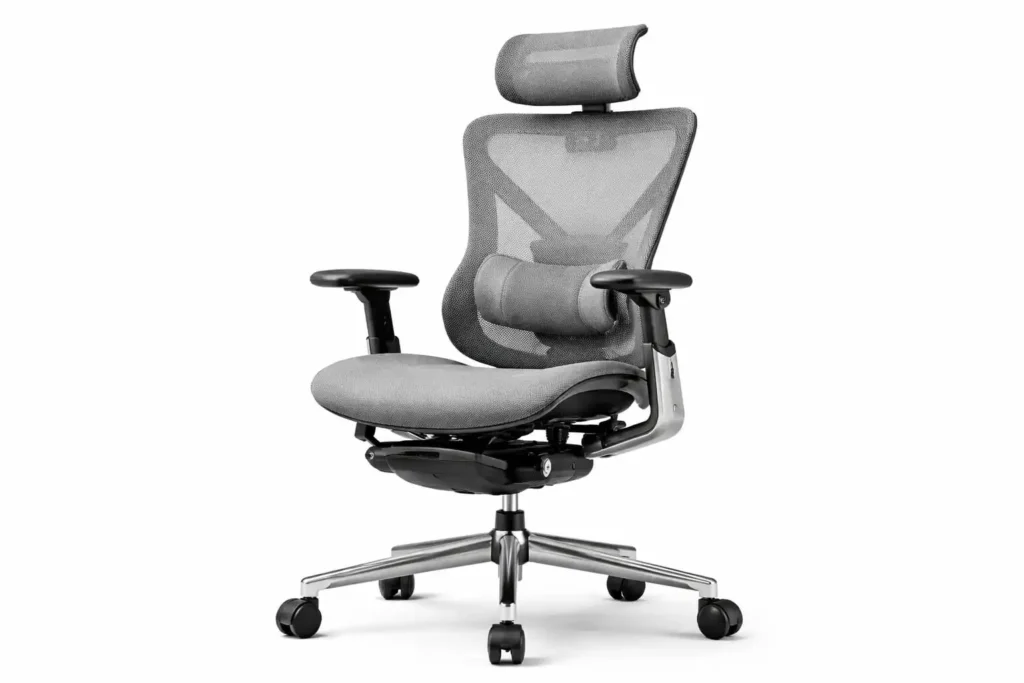
Best for: Long sitting hours
NOUHAUS Ergo3D Ergonomic Office Chair
- ✔ 4D adjustable armrests
- ✔ Dynamic lumbar support
- ✔ Breathable mesh backrest
- ✔ Smooth blade wheels for easy movement
Best For: People who want strong ergonomic features at a mid-range price.
Check Price on Amazon →Key Features:
- Dynamic lumbar support
- 4D armrests
- ElastoMesh design
Pros:
- Very comfortable
- Great airflow
- High adjustability
Cons:
- Expensive
- Bulky
👉 Verdict: Ideal for 8–10 hour use.
4. Steelcase Series 1
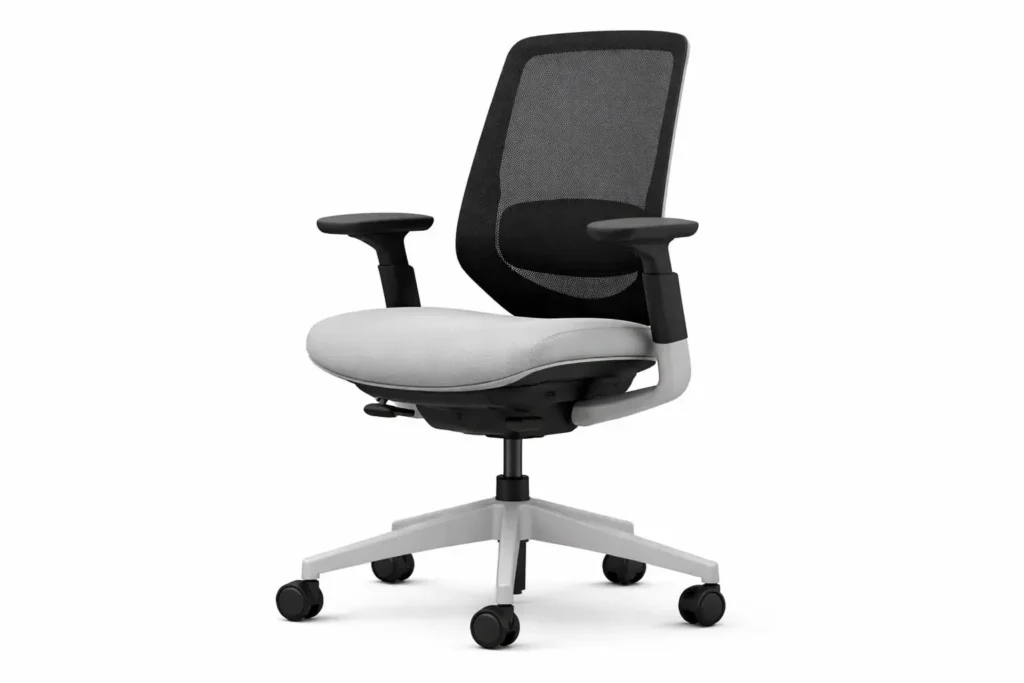
Best for: Premium comfort
Steelcase Series 1 – Best Balanced Office Chair
- ✔ Adjustable lumbar system
- ✔ Comfortable seat cushioning
- ✔ Professional design
Key Features:
- Adaptive lumbar support
- Weight-activated recline
- Durable build
Pros:
- Excellent posture support
- Long-lasting
- Trusted brand
Cons:
- High price
- Limited headrest
👉 Verdict: Great for professionals.
5. Herman Miller Aeron Chair
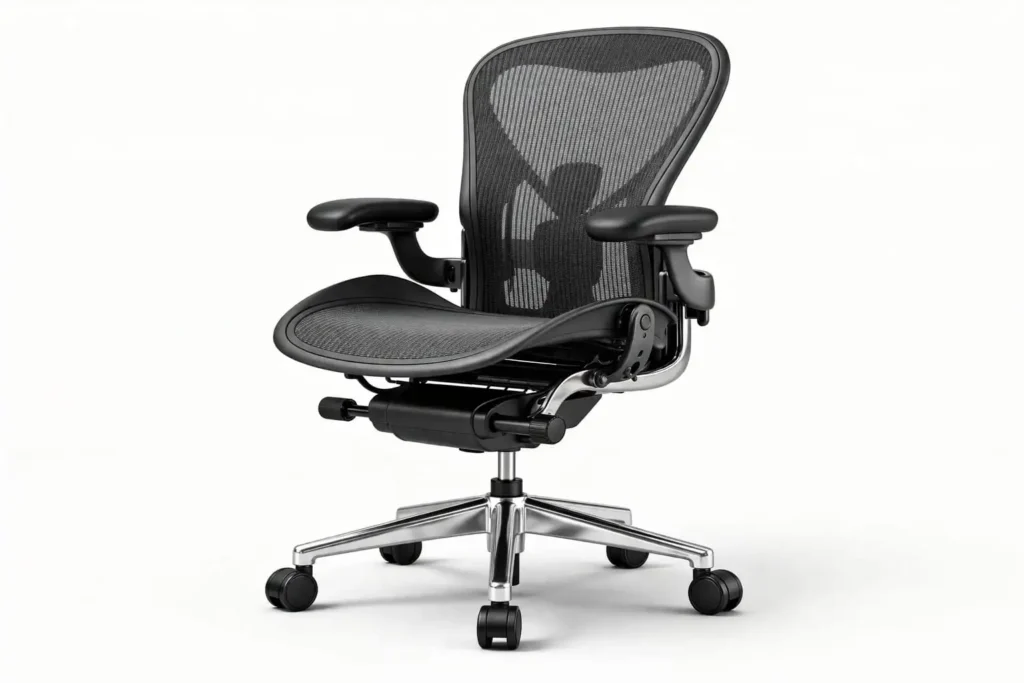
Best for: Best overall premium
Herman Miller Aeron – Premium Office Chair
Industry-leading ergonomic chair designed for long hours with exceptional back support and breathable mesh comfort.
- ✔ Advanced lumbar support
- ✔ Multiple size options
- ✔ Ideal for 8–12 hour workdays
Key Features:
- PostureFit SL lumbar system
- Fully adjustable
- Breathable mesh
Pros:
- Industry-leading comfort
- Perfect spinal support
- Extremely durable
Cons:
- Very expensive
👉 Verdict: The ultimate ergonomic chair.
🛒 Buying Guide: Choose the Right Lumbar Support Chair
1. Adjustable Lumbar Support
Always choose a chair with adjustable height and depth.
2. Backrest Design
Look for chairs that follow the natural curve of your spine.
3. Recline Function
A reclining backrest reduces spinal pressure.
4. Material
- Mesh = breathable
- Cushion = more comfort
5. Build Quality
Strong frame and smooth wheels improve durability.
💡 Extra Tips for Better Back Support
- Take breaks every 30–60 minutes
- Stretch your back regularly
- Keep your monitor at eye level
- Avoid slouching
❓ FAQs
1. Where should lumbar support sit?
It should sit at the natural curve of your lower back.
2. Can wrong lumbar support cause pain?
Yes, incorrect positioning can increase discomfort.
3. Is built-in lumbar support enough?
Adjustable support is always better for proper fit.
4. Should lumbar support feel hard?
No, it should feel firm but comfortable—not painful.
5. How often should I adjust my chair?
Adjust whenever you feel discomfort or change posture.
🏁 Final Verdict: Which Chair Should You Choose?
If your lumbar support is not adjusted properly, even the best chair won’t help.
But once you set it correctly, you’ll notice:
- Less pain
- Better posture
- More comfort
👉 Top Picks:
- Best Value: SIHOO M57
- Budget: Hbada Chair
- Long Hours: Nouhaus Ergo3D
- Premium: Herman Miller Aeron
👉 Top Recommendation: SIHOO M57 — best balance of comfort, adjustability, and price.
💬 Final Thoughts
Learning how to adjust lumbar support is one of the easiest ways to improve your daily comfort.
It takes just a few minutes—but can save you from years of back pain.
👉 Don’t ignore your posture. Adjust your chair today and feel the difference.
👉 Improve your posture with the best office chair for posture support