Buying a cheap office chair can seem like a smart way to save money, especially when you only need a basic chair for your home office. But after several hours of sitting, you may start noticing problems: a hard seat, poor lower-back support, uncomfortable armrests, pressure under your thighs, or feet that don’t sit properly on the floor.
Before replacing the chair, there are several simple things you can try.
In many cases, the problem isn’t necessarily that the chair is cheap. It may be incorrectly adjusted or poorly matched to your body and desk. A few inexpensive changes can make a noticeable difference in everyday comfort.
If you’re wondering how to make a cheap office chair more comfortable, start with the chair adjustments before spending money on accessories. Then add targeted support—such as a lumbar cushion, seat cushion, or footrest—only where you actually need it.
This guide explains practical, low-cost ways to make a cheap office chair more comfortable without turning your workspace into an expensive project.
Quick Answer: How Can You Make a Cheap Office Chair More Comfortable?
The easiest ways to improve cheap office chair comfort include:
- Adjust the seat height correctly.
- Adjust the seat depth if your chair allows it.
- Position the backrest and lumbar support properly.
- Add a suitable office chair cushion if the seat is too firm.
- Adjust the armrests so your shoulders can stay relaxed.
- Use a footrest if your feet don’t reach the floor comfortably.
- Set the recline angle to a comfortable position.
- Move your monitor, keyboard, and mouse into better positions.
- Avoid staying in exactly the same sitting position for hours.
- Add inexpensive ergonomic accessories only when they solve a specific problem.
The best solution depends on why your chair feels uncomfortable. A hard seat may benefit from a cushion, while poor lower-back support may be better addressed with lumbar support. If your feet are dangling, a footrest may help more than either accessory.
1. First, Adjust Your Chair Correctly
Before buying anything, spend a few minutes checking your office chair adjustments.
A chair that feels uncomfortable can sometimes become much more usable simply by changing its height, backrest, armrests, or seat depth.
Adjust Seat Height
Your chair should allow your feet to rest comfortably on the floor or on a stable footrest.
When seated:
- Your feet should have solid support.
- Your knees should be in a comfortable position.
- Your shoulders should remain relaxed.
- Your elbows should be able to stay reasonably close to your body.
- You shouldn’t have to reach upward to use your keyboard.
A common mistake is raising the chair to match a desk that is too high. This may help your arms reach the desk, but it can leave your feet unsupported.
If lowering the chair makes the desk feel too high, don’t automatically raise the chair again. Instead, consider whether your desk setup needs adjustment or whether a footrest can provide the missing support.
Adjust the Backrest
If your chair has a reclining backrest, experiment with the angle rather than locking yourself into a rigid upright position.
The backrest should provide comfortable support while allowing you to change positions.
Avoid forcing your back into an exaggerated posture simply because you think “perfect posture” means sitting completely straight. A comfortable, supported position that you can maintain naturally is generally more practical.
Adjust the Armrests
If the armrests are adjustable, position them so your arms can rest comfortably without pushing your shoulders upward.
Your elbows should stay relatively close to your body, while your shoulders remain relaxed.
If you notice your shoulders rising when you use the armrests, they may be too high.
Adjust Seat Depth
Some inexpensive chairs don’t offer seat-depth adjustment, but if yours does, use it.
You want enough seat support without the front edge pressing uncomfortably against the area behind your knees.
If your chair doesn’t have this adjustment, don’t try to modify the seat with homemade extensions or unstable materials. Instead, focus on adjusting the chair height and choosing accessories that don’t create additional problems.
2. Add Lumbar Support
Poor lower-back support is one of the most common complaints with inexpensive office chairs.
A chair may have a backrest, but that doesn’t necessarily mean it provides useful lumbar support.
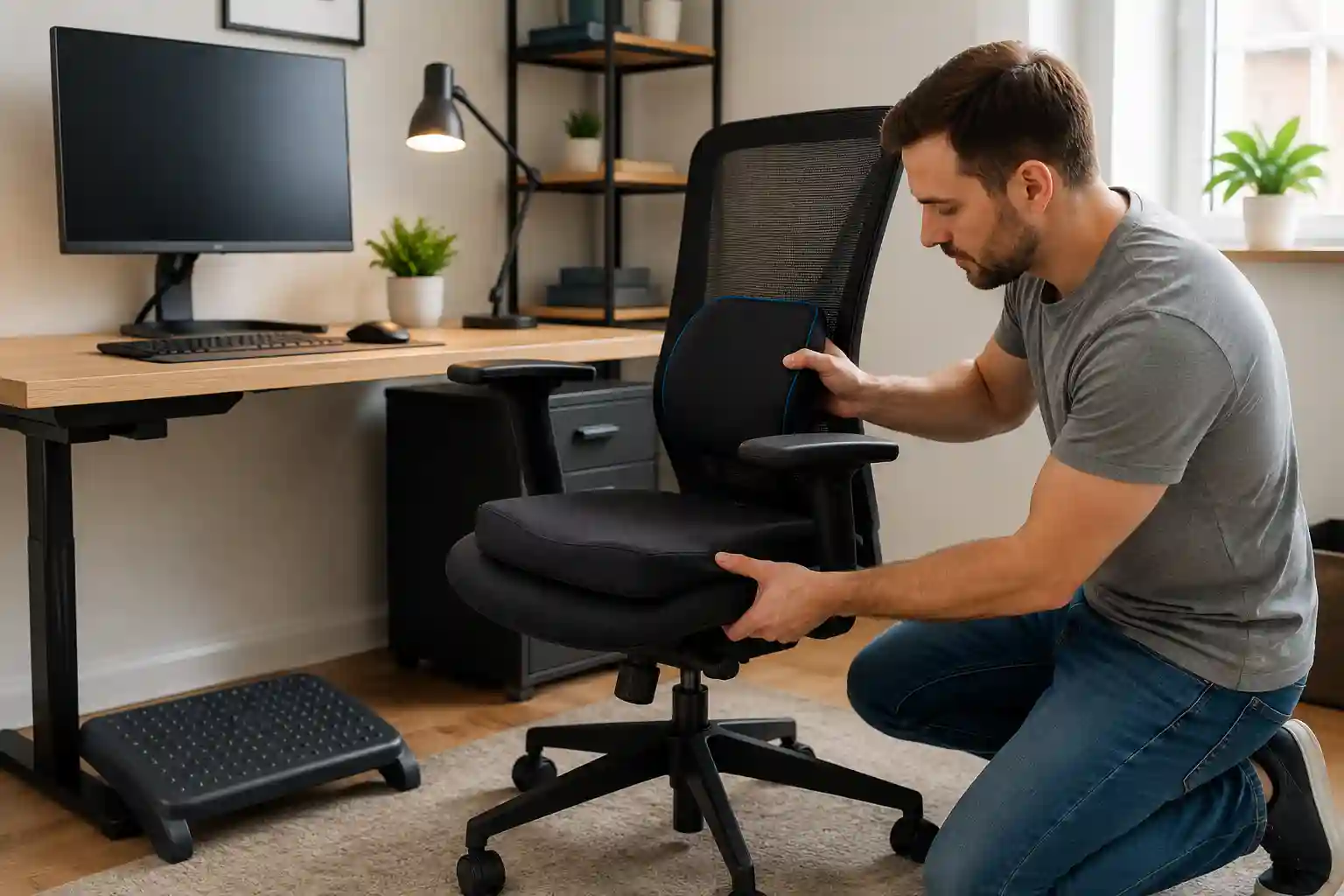
A detachable office chair lumbar support cushion can be an inexpensive way to add support where the chair is lacking.
Where Should a Lumbar Cushion Go?
The lumbar support should sit around the natural curve of your lower back rather than being placed too high.
Start with the cushion positioned low enough to support your lower back comfortably. Then make small adjustments.
More support isn’t automatically better.
If a lumbar pillow pushes your back too far forward or makes you feel as though you’re being forced into one position, it’s probably too large, too firm, or incorrectly positioned.
The goal is comfortable support, not maximum pressure.
A detachable lumbar cushion is particularly useful if the chair itself has a flat backrest and doesn’t provide enough contour.
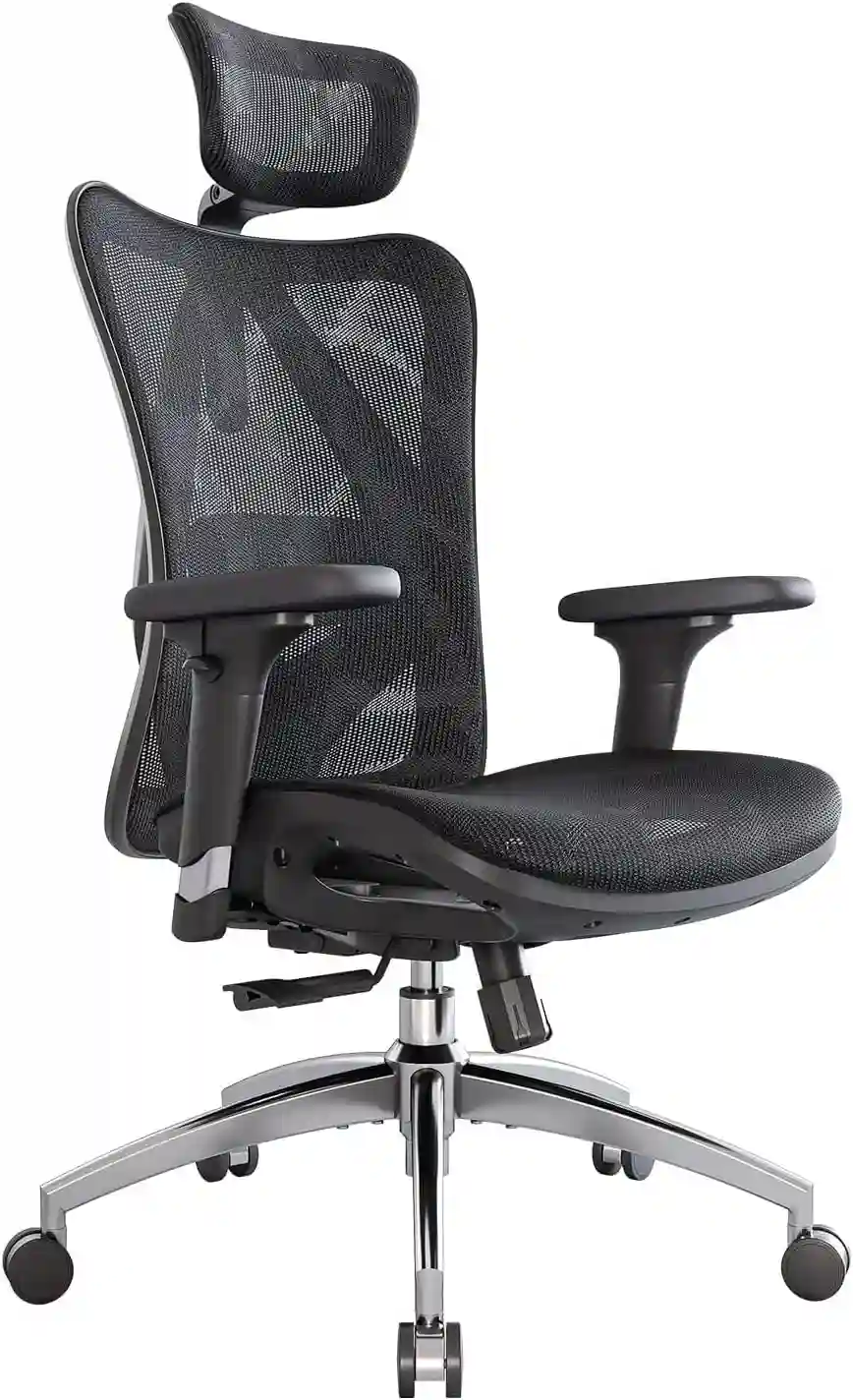
Add Comfortable Lumbar Support to Your Office Chair
If your budget office chair doesn’t provide enough lower-back support, a properly sized lumbar cushion can be a simple and affordable upgrade.
Check Current Price on AmazonAs an Amazon Associate, we may earn from qualifying purchases.
3. Use a Good Seat Cushion
If the chair’s seat feels hard or uncomfortable, a quality office chair cushion may be one of the simplest upgrades.
Seat cushions are available in different materials and shapes, including memory foam, high-density foam, coccyx-style designs, and breathable options.
What Should You Look For?
When choosing a cushion, consider:
- Appropriate firmness
- Reasonable thickness
- A non-slip bottom
- A washable or removable cover
- A size that fits your chair
- Enough stability for your normal sitting position
Don’t automatically choose the softest cushion available.
A very soft cushion can compress significantly and may leave you feeling less supported. A cushion that is too thick can also raise your sitting height and create problems with your desk and arm position.
When Can a Cushion Make Things Worse?
If your chair already has a thick seat, adding another thick layer may raise you too high.
For example, you might start with a chair height that works well. Then you add a thick cushion and suddenly your knees, elbows, and desk position all change.
That’s why it’s better to make one change at a time.
Sit on the cushion for a while, check your feet and arm position, and see whether overall comfort actually improves.
4. Add a Footrest If Your Feet Don’t Reach the Floor
A footrest can be surprisingly useful when your chair and desk don’t work well together.
This is especially relevant for shorter users or anyone using a desk that is relatively high.
If your chair needs to be raised for comfortable keyboard and mouse positioning but your feet no longer reach the floor properly, a stable footrest can provide the missing support.
A good footrest should be stable and large enough for you to comfortably reposition your feet.
Avoid using unstable boxes, stacks of books, or objects that can slide unexpectedly.
Foot support can also help prevent you from constantly searching for a comfortable position under your desk.
5. Improve Your Arm Support
Hard or poorly positioned armrests can make a cheap office chair feel much worse than it needs to.
Start by checking whether your elbows can remain comfortably close to your body.
Your shoulders shouldn’t have to shrug upward to rest your arms.
Your wrists should also be able to remain in a comfortable position when using your keyboard and mouse.
What If the Armrests Aren’t Adjustable?
Many inexpensive chairs have fixed armrests.
If they’re too high or too low, first check whether changing your chair height improves the relationship between the armrests and desk.
You can also consider padded armrest covers if the problem is mainly hardness or pressure.
However, avoid attaching bulky or unstable DIY modifications that could interfere with movement or make the armrests unreliable.
6. Make the Seat More Comfortable
Sometimes the problem isn’t the overall chair—it is simply the seat surface.
A few inexpensive changes can improve the experience.
A seat cushion is the most obvious option, but you can also consider a breathable seat cover if heat or surface texture is the main problem.
Your clothing can matter, too. Thick seams, restrictive clothing, or clothing that bunches up can make long periods of sitting less comfortable.
Keep the seat surface flat and stable.
One thing to avoid is creating a stack of multiple cushions. Adding cushion after cushion may seem logical, but it can change your sitting height and make the chair less stable or less supportive.
The goal is to solve the specific comfort problem—not add as much padding as possible.
7. Improve Your Desk Setup
Your uncomfortable office chair may not be the only problem.
Your desk, monitor, keyboard, and mouse all affect how you use the chair.
Monitor Height
Position your monitor so you can view the screen comfortably without constantly bending your neck downward or reaching your head forward.
If the monitor is too low, a monitor stand or simple height adjustment may improve the workstation without changing the chair.
Keyboard and Mouse
Keep the keyboard and mouse close enough that you don’t have to constantly reach forward.
Your arms should be able to work comfortably without your shoulders staying tense.
If you use a laptop for long periods, consider whether the screen and keyboard position are forcing you into an awkward compromise. Raising the screen while using a separate keyboard and mouse can sometimes make the entire setup easier to arrange.
Desk Height
Desk height and chair height need to work together.
If your desk is too high, you may raise the chair and lose foot support. If you lower the chair, your arms may not reach the keyboard comfortably.
This is why ergonomic setup is about the whole workstation, not just the chair.
Distance From the Desk
Avoid sitting so far away that you constantly reach forward.
At the same time, don’t push yourself so close that your legs and arms feel restricted.
Move the chair and desk into a position that allows you to work without excessive reaching.
For more detailed guidance, see our guide on How to Choose an Ergonomic Chair.
8. Take Regular Movement Breaks
Even the most comfortable chair isn’t designed to make sitting completely motionless for an entire workday feel good.
Changing positions and getting up periodically can make your workspace feel more comfortable.
Practical habits include:
- Standing up periodically
- Walking around briefly
- Changing your sitting position
- Stretching during natural breaks
- Alternating between sitting and standing when possible
You don’t need a complicated routine.
The important idea is to avoid treating one sitting position as the only position you’re allowed to use.
If you’re trying to make an office chair better for long hours, movement should be part of the overall strategy.
9. Cheap Office Chair Accessories That Can Help
You don’t need to buy every ergonomic accessory available. Choose based on the problem you’re actually experiencing.
| Accessory | What It Helps With | Best For | Approximate Cost |
|---|---|---|---|
| Lumbar cushion | Lower-back support | Chairs with poor lumbar contour | Budget |
| Seat cushion | Seat firmness and comfort | Hard or uncomfortable seats | Budget |
| Footrest | Foot positioning | Short users or high desks | Budget |
| Armrest pads | Arm comfort | Hard armrests | Budget |
| Chair mat | Chair movement | Carpet or hard floors | Budget |
These accessories can be useful because they address individual weaknesses in an inexpensive chair.
For example, there’s little reason to buy a footrest if your feet already sit comfortably on the floor. Likewise, a lumbar pillow won’t necessarily solve a problem caused by a desk that is too high.
Soft affiliate tip: If you decide to purchase an accessory, compare its dimensions and adjustment requirements with your current chair before ordering. Check Current Price or View Product Details rather than choosing based solely on appearance.
10. What NOT to Do
When trying to improve office chair comfort, some fixes can create new problems.
Don’t Stack Too Many Cushions
One appropriately sized cushion may help. Several cushions can raise you too high and alter your entire workstation.
Don’t Use Unstable Objects as Footrests
A footrest should be stable and capable of supporting normal foot movement.
Avoid objects that can slide, collapse, or tip.
Don’t Force an Uncomfortable Posture
Ergonomics isn’t about forcing your body into one rigid position.
If an accessory feels uncomfortable, adjust it or remove it.
Don’t Raise the Chair So High That Your Feet Dangle
Your feet need reliable support.
If you need the chair at a higher position to work comfortably at the desk, consider whether a footrest can bridge the gap.
Don’t Make Unsafe DIY Modifications
Avoid drilling into the chair, altering its structural components, attaching unstable supports, or making modifications that could affect the chair’s stability.
Don’t Assume More Padding Means More Comfort
A thick cushion isn’t automatically better.
Good support depends on fit, firmness, stability, and how the cushion interacts with the rest of your workstation.
11. When a Cheap Office Chair Is No Longer Worth Upgrading
Accessories can improve a budget chair, but they can’t fix every problem.
A replacement may make more sense if your chair has:
- Broken adjustment mechanisms
- A damaged or severely sagging seat
- An unstable base
- Failing or damaged wheels
- Inadequate weight capacity for the intended user
- Almost no useful ergonomic adjustments
- A poor fit that accessories cannot correct
For example, if the seat is permanently sagging and the backrest no longer provides stable support, adding another cushion may only hide the underlying problem temporarily.
Likewise, if you cannot find a comfortable combination of seat height, desk height, arm position, and foot support, the chair may simply not fit your workstation.
12. Should You Buy a New Ergonomic Office Chair?
Not everyone needs an expensive ergonomic chair.
If your current chair is structurally sound and becomes comfortable after a few inexpensive changes, replacing it may not be necessary.
However, upgrading becomes more reasonable if you regularly spend 6–8 or more hours sitting for work, your chair lacks basic adjustments, or you cannot get the seat and backrest to fit you comfortably.
A better chair may also be worth considering when you need features such as adjustable lumbar support, seat-depth adjustment, adjustable armrests, or a more supportive seat.
If you’re shopping for an upgrade, start with your actual requirements rather than assuming the most expensive model is the best.
For example:
- If you need a chair for extended work sessions, see our guide to the Best Chair for Long Hours.
- If airflow is a priority, check our guide to the Best Mesh Office Chair.
- If you’re working with a limited budget, explore the Best Chair for Home Office Under $200.
- If you want to understand ergonomic features before shopping, read How to Choose an Ergonomic Chair.
- If back comfort is your primary concern, see our guide to the Best Office Chair for Back Pain.
13. Cheap vs. Expensive Office Chair
Price can affect materials, construction, and adjustability, but expensive doesn’t automatically mean better.
The right chair is the one that fits your body, desk, working habits, and budget.
| Feature | Cheap Office Chair | Better Ergonomic Chair |
|---|---|---|
| Adjustability | Often limited | Usually more adjustment options |
| Lumbar support | May be basic or fixed | Often more adjustable |
| Seat comfort | Depends heavily on model | Usually more attention to seat design |
| Armrest adjustment | May be fixed | Often adjustable |
| Seat depth | Frequently unavailable | More likely to be adjustable |
| Recline | Basic on some models | Usually more refined |
| Durability | Varies considerably | Often designed for longer use |
| Best for | Basic or occasional use | Regular, extended workstation use |
The important point is that price alone doesn’t determine comfort.
A properly adjusted budget chair can feel better than an expensive chair that doesn’t fit the user.
14. Step-by-Step Cheap Office Chair Comfort Checklist
Before buying anything, work through this checklist:
☐ Set the correct seat height
☐ Make sure your feet have comfortable support
☐ Position the lumbar support
☐ Adjust seat depth if available
☐ Position the armrests
☐ Set a comfortable recline angle
☐ Check your monitor position
☐ Move the keyboard and mouse into a comfortable position
☐ Check whether the desk height works with the chair
☐ Test the setup before adding accessories
☐ Add a seat cushion only if the seat itself is the problem
☐ Add a footrest if your feet need additional support
☐ Add lumbar support if the backrest lacks useful contour
☐ Change positions regularly
For a more detailed posture setup, see How to Adjust Your Office Chair for Perfect Posture.
15. FAQs
How can I make my cheap office chair more comfortable?
Start by adjusting the seat height, backrest, armrests, and seat depth if available. Then identify the specific problem. A lumbar cushion can help with insufficient lower-back support, while a seat cushion may help if the seat is too firm. A footrest can help when your feet don’t reach the floor comfortably.
Does a seat cushion really help an office chair?
It can, especially when the original seat is too firm or uncomfortable. However, the cushion should have suitable firmness and thickness. A cushion that is too thick or soft can change your sitting height and may make the workstation less comfortable.
Should I use a lumbar pillow on a cheap office chair?
A lumbar pillow can be useful when the chair doesn’t provide enough lower-back contour. Position it around the natural curve of your lower back and adjust it until it feels supportive without forcing your body into an unnatural position.
How can I make an office chair more comfortable for long hours?
Start with proper chair adjustment and workstation setup. Make sure your feet are supported, your arms can work comfortably, and your monitor is positioned appropriately. You can then add targeted accessories such as lumbar support or a seat cushion if needed. Also change positions and move regularly rather than remaining completely still.
Why does my office chair feel uncomfortable even after adjusting it?
The chair may not be the only issue. Your desk height, monitor position, keyboard placement, or lack of foot support can affect how the chair feels. If you’ve optimized the entire workstation and the chair still doesn’t fit your body, the chair itself may be the limiting factor.
Is it better to buy a new chair or upgrade a cheap one?
If the chair is structurally sound and only has one or two comfort problems, inexpensive upgrades can be worthwhile. If it is damaged, unstable, lacks useful adjustments, or simply doesn’t fit your body despite reasonable adjustments, replacing it may be the better long-term option.
Can a footrest make an office chair more comfortable?
Yes, when your feet don’t reach the floor comfortably or when your chair needs to be raised to work properly with your desk. A stable footrest can provide the missing foot support without requiring you to lower the chair and compromise your arm position.
16. Conclusion
You don’t necessarily need to replace a cheap office chair the moment it becomes uncomfortable.
Start with the basics: adjust the chair correctly, improve lumbar support, add a suitable seat cushion if necessary, provide foot support when needed, and optimize your desk setup.
Most importantly, identify the actual problem before buying an accessory.
If your seat is too hard, look at a suitable cushion. If your lower back isn’t supported, consider lumbar support. If your feet don’t reach the floor, try a stable footrest. If your arms or neck feel uncomfortable, examine your desk, monitor, keyboard, and mouse positions.
These small changes can often improve office chair comfort without requiring a major purchase.
However, accessories have limits. If your chair is damaged, unstable, impossible to adjust properly, or simply doesn’t fit your body, upgrading may be the smarter choice.
Before replacing your chair, try these simple adjustments. If your current chair still doesn’t fit your body or working style, explore our guide to the best ergonomic office chairs.
Affiliate Disclosure
This article may contain affiliate links. If you purchase a product through one of these links, we may earn a commission at no additional cost to you. Recommendations are intended to be helpful and are not influenced by commissions.