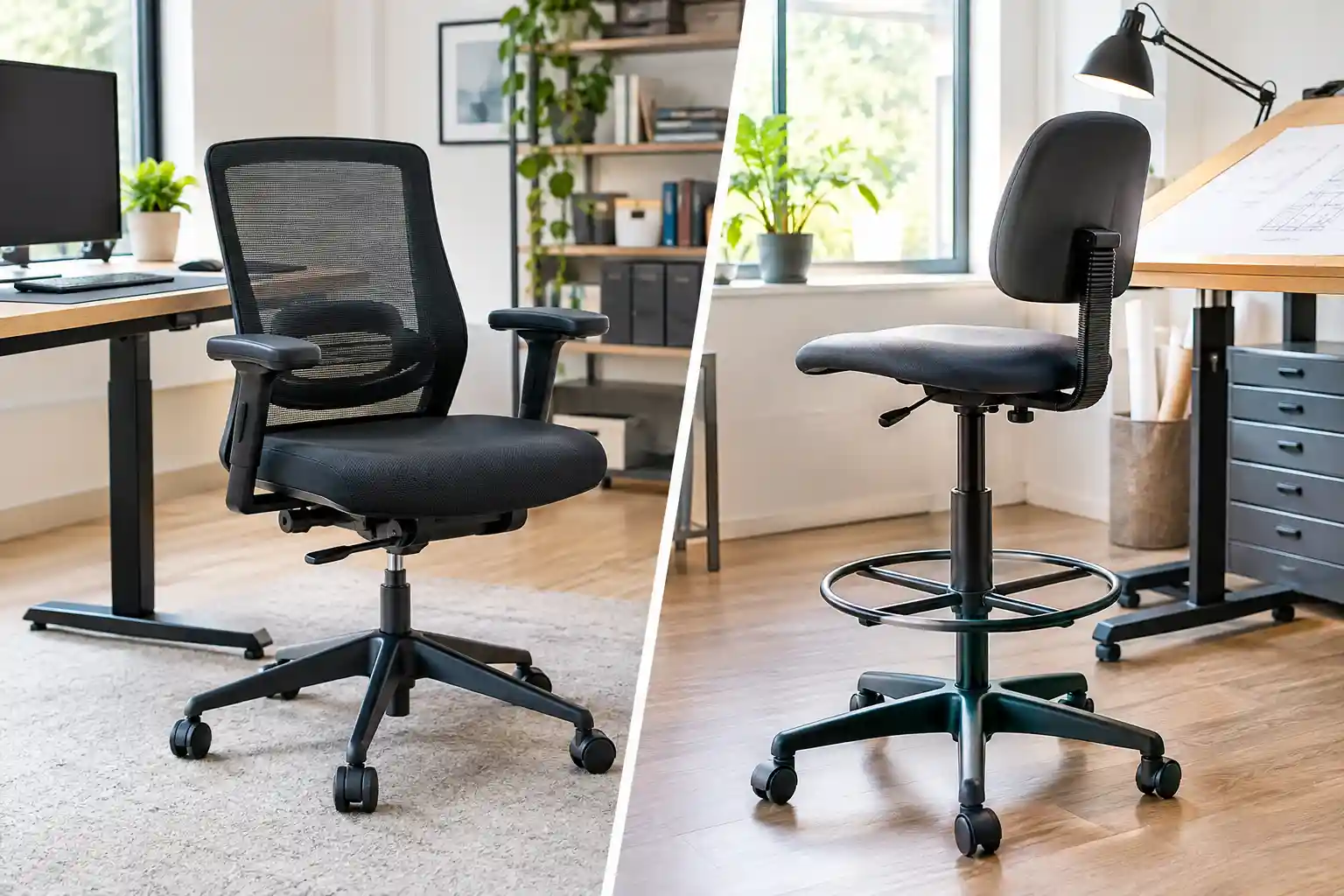
Choosing the right office chair can be confusing, especially when your desk is higher than normal. A standard office chair may work perfectly for a traditional desk, but it might not provide enough height for a drafting table or elevated workstation.
That is where a drafting chair can be useful.
When comparing office chair vs drafting chair, the biggest differences are seat height, foot support, desk compatibility, and intended use. Both chair types can be comfortable, but they are designed for different working environments.
In this guide, we’ll explain how standard office chairs and drafting chairs compare, their advantages and disadvantages, and what to consider before buying one for your home office.
1. Office Chair vs Drafting Chair: Quick Comparison
| Feature | Standard Office Chair | Drafting Chair |
|---|---|---|
| Typical seat height | Designed for conventional desks | Offers a higher seat-height range |
| Height adjustment | Usually adjustable within a standard range | Often extends higher |
| Foot ring | Uncommon | Available on many models |
| Desk compatibility | Standard desks | Tall desks and drafting tables |
| Back support | Varies by model | Varies by model |
| Armrests | Fixed or adjustable | Fixed, adjustable, or absent |
| Long work sessions | Suitable when properly fitted | Can be suitable when properly fitted |
| Space requirements | Usually fits conventional workspaces | May need extra clearance for its taller base |
| Main advantage | Fits many everyday desk setups | Accommodates elevated work surfaces |
| Typical users | Remote workers and office employees | Artists, designers, architects, and tall-desk users |
| Price range | Budget to premium | Budget to premium |
Dimensions, features, and prices vary by manufacturer and model. A drafting chair is not automatically more ergonomic than a standard office chair.
You may also want to compare our Best Chair for Long Hours and Home Office Setup Ideas guides.
2. What Is a Standard Office Chair?
A standard office chair is designed primarily for conventional desks and everyday computer work. It typically has a padded seat, a backrest, and a height-adjustment mechanism.
Depending on the model, it may also include adjustable armrests, lumbar support, reclining functions, and seat-depth adjustment.
Common features
- Seat-height adjustment: Helps you position yourself appropriately in relation to your desk.
- Backrest: Supports your back while working.
- Lumbar support: May be built in or adjustable.
- Armrests: Can help position your arms comfortably.
- Seat cushioning: Often made with foam and covered in fabric, mesh, or synthetic upholstery.
- Recline: Allows you to change your sitting position.
Most standard office chairs are intended for conventional desk heights. They are a practical option for people working at computers, attending online meetings, studying, or handling everyday office tasks.
If you work from home at a regular desk, a standard ergonomic office chair is often the simplest starting point.
However, not every standard chair includes all the adjustments you may need. Check its dimensions and features before purchasing.
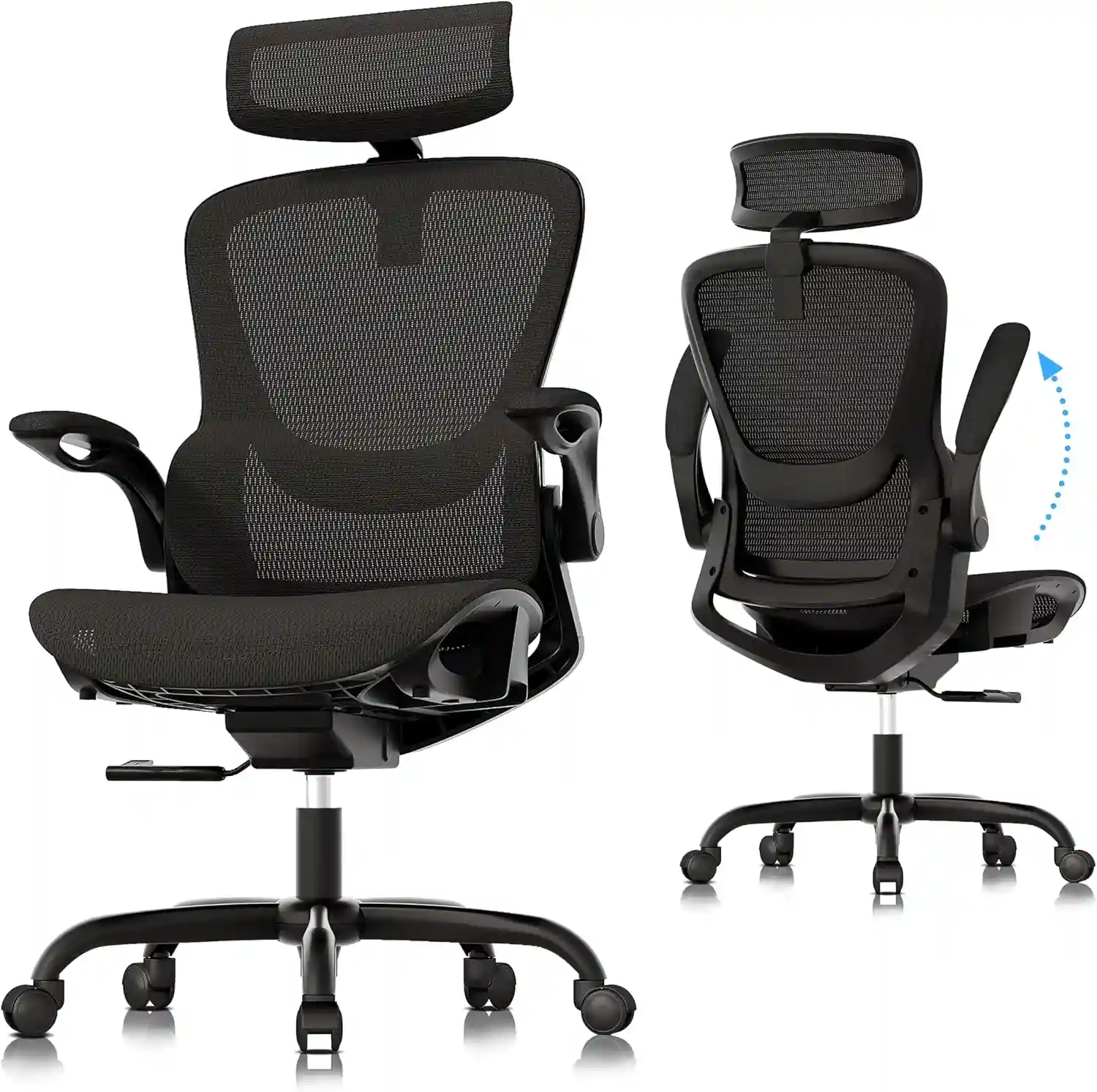
Standard Ergonomic Office Chair
Best For: Home office workers, remote professionals, and everyday computer use.
Looking for a comfortable chair for your regular desk? A standard ergonomic office chair is a practical option for everyday home office work.
- Adjustable seat height for desk compatibility
- Supportive backrest for everyday sitting
- Padded seat for a comfortable sitting feel
- Suitable for many conventional desk setups
One limitation: Standard models may not provide enough seat height for elevated desks or drafting tables.
Check Current Price on Amazon → As an Amazon Associate, we earn from qualifying purchases.3. What Is a Drafting Chair?
A drafting chair is a taller chair designed for elevated work surfaces, such as drafting tables, standing-height desks, studio counters, and certain workshop stations.
The main difference is its extended seat-height adjustment range. Many drafting chairs also feature a foot ring or footrest to support the feet when the seat is raised.
Common features
Extended height adjustment: Helps users sit at work surfaces that are too tall for many conventional office chairs.
Foot ring: Provides a place to rest the feet when they cannot comfortably reach the floor.
Adjustable backrest: Some models include lumbar support or adjustable backrests.
Tall base: The base and gas lift are designed to accommodate a higher seating position.
Different seat designs: Drafting chairs may have padded, mesh, or other seat constructions.
Not every drafting chair has a foot ring, adjustable armrests, or advanced ergonomic features. Always check the specifications.
A drafting chair for a home office can be especially useful when you use a high counter or drafting table for several hours a day.
4. Main Differences Between Office Chairs and Drafting Chairs
Seat Height and Adjustability
Seat height is the most important difference.
A standard office chair generally works with a conventional desk. A drafting chair can often be raised considerably higher, making it useful for elevated work surfaces.
However, the highest advertised seat position is not necessarily the correct position for you. You need to compare the chair’s actual seat-height range with your desk and body dimensions.
Foot Support
At a higher seat position, your feet may no longer reach the floor comfortably.
A drafting chair with a foot ring can provide a place to rest them. This is particularly useful when the desk height requires you to sit higher than you would in a standard office chair.
If you choose a chair without a foot ring, consider whether another suitable footrest can provide stable support.
Your feet should not dangle unsupported while you work.
Back Support and Ergonomics
Both chair types can offer back support, but the available features vary.
Look for appropriate lumbar support, a backrest that fits your body, useful recline, and a seat that allows you to sit comfortably.
A drafting chair with a tall seat and a foot ring may still be unsuitable if the backrest is poorly positioned or the seat dimensions do not fit you.
Likewise, a standard office chair can be uncomfortable if its adjustments do not suit your body.
Desk Compatibility
A standard office chair is usually the better match for a conventional computer desk.
A drafting chair may be more appropriate for a drafting table, elevated workstation, or standing desk used at its raised height.
Before buying, check that the chair can reach the required working position and fit beneath or around the desk.
Comfort During Long Work Sessions
Neither chair type guarantees all-day comfort.
The seat design, cushioning, seat depth, backrest, foot support, adjustability, and your working habits all influence the experience.
For long work sessions, consider how easily you can change positions, adjust the chair, and maintain a comfortable relationship with your desk.
Space and Mobility
Both chair types commonly have wheeled bases, but their designs vary.
A drafting chair may require more vertical clearance and can have a taller base. Check the available space beneath your desk, especially if you use a foot ring or armrests.
For a compact home office, also measure the chair’s base and overall width.
Price and Value
Both types are available at different price points.
Instead of choosing based on price alone, compare the adjustments, construction, warranty, dimensions, and return policy.
A reasonably priced chair that fits your workstation may be more useful than a more expensive model that cannot reach the correct height.
If you are working with a limited budget, you do not necessarily need to spend several hundred dollars on a compact office chair. Some affordable models can provide useful features such as adjustable height, mesh backrests, lumbar support, and rolling mobility. For more budget-friendly options, see our guide to the Best Office Chair Under $100 for Adults.
5. Pros and Cons of Standard Office Chairs
Advantages
- Suitable for conventional desks: A practical choice for everyday computer work.
- Wide ergonomic selection: Many models offer lumbar support, reclining, and seat adjustment.
- Armrest options: Adjustable armrests are available on many designs.
- Different seat materials: Buyers can choose padded, mesh, and upholstered options.
- Broad selection: Many sizes, styles, and price points are available.
Disadvantages
- Limited height range: Some models cannot reach elevated work surfaces.
- Foot support may be necessary: Certain users may need a separate footrest.
- Adjustability varies: Budget models may lack useful ergonomic features.
- Desk compatibility matters: A chair that works at one desk may not fit another.
These are general tendencies rather than rules that apply to every model.
6. Pros and Cons of Drafting Chairs
Advantages
- Greater seat-height range: Many models accommodate higher work surfaces.
- Useful for drafting tables: Suitable designs are available for artists, architects, and designers.
- Foot ring options: Can provide support when sitting at an elevated position.
- Versatile workstations: Some models work well at studio counters and raised desks.
- Different ergonomic designs: Certain models include lumbar support, adjustable armrests, and reclining features.
Disadvantages
- May be too tall for regular desks: The extra height can make a conventional desk setup awkward.
- Foot rings vary: Not every model includes one, and ring placement differs.
- Comfort features differ: Some models have basic cushioning or limited adjustments.
- More clearance may be needed: The tall base and foot ring can affect how the chair fits beneath a desk.
- Fit requires careful checking: A high seat is not useful if you cannot position your arms and feet comfortably.
A drafting chair makes the most sense when its height range matches your working surface.
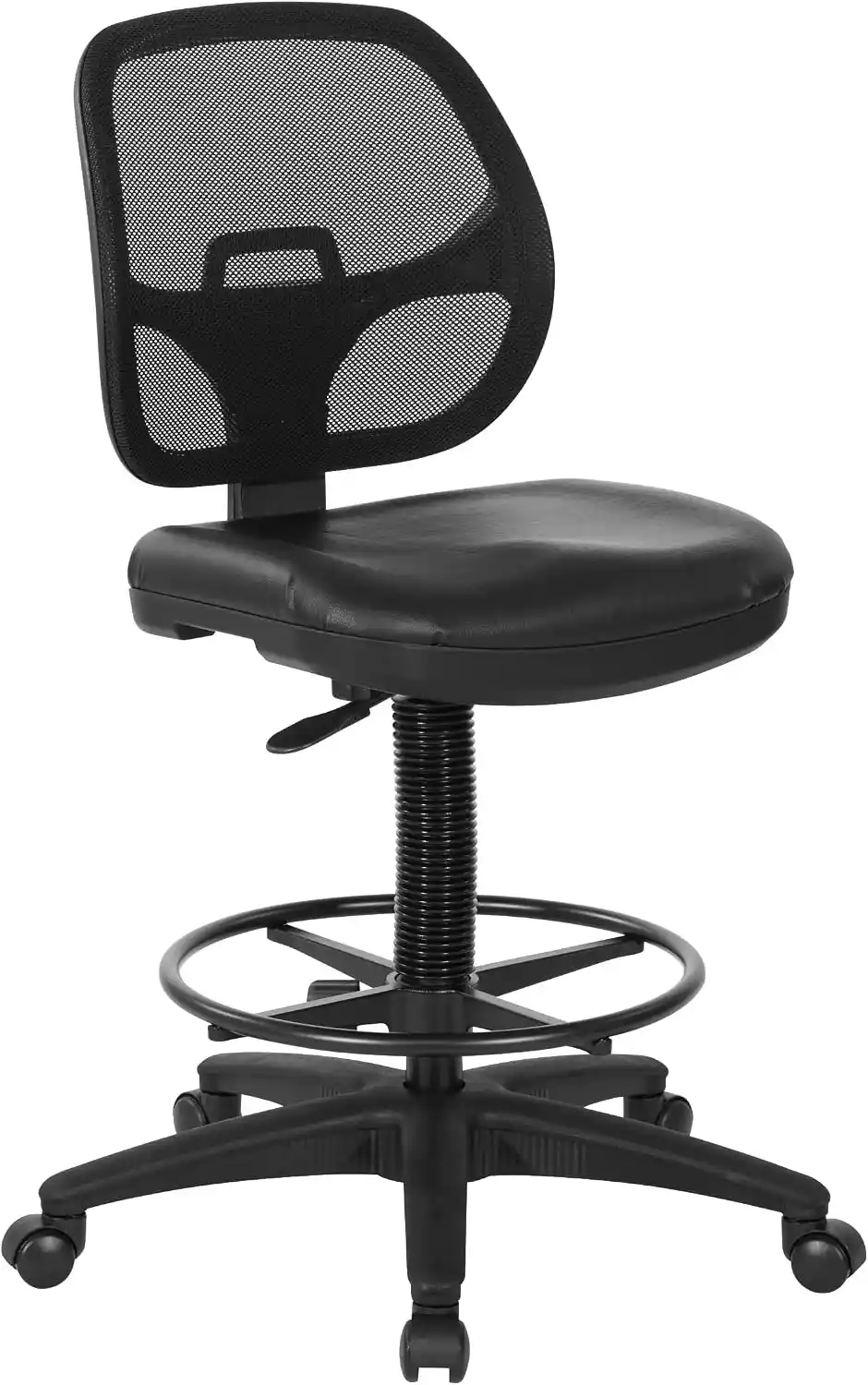
Ergonomic Drafting Chair with Foot Ring
Best For: Standing desks, drafting tables, studios, and elevated workstations.
- Adjustable seat height for taller desks
- Foot ring for additional foot support
- Backrest for comfortable seated work
Check the seat-height range, dimensions, and adjustment features before purchasing.
Check Current Price on Amazon7. Which Chair Is Better for a Standing Desk?
A standing desk is designed to let you work at different heights. You may stand for part of the day and sit for the rest.
The right chair depends on how high the desk is when you sit.
Check the maximum seat height
Measure the desk’s working height in its raised or preferred sitting position. Compare it with the chair’s adjustable seat-height range.
Remember that the top of the seat is not the same as the position of your elbows or shoulders. Your body dimensions also affect the correct setup.
Check foot support
If the chair must be raised so high that your feet cannot reach the floor, a suitable foot ring or separate footrest may be necessary.
Check desk clearance
Make sure the chair can fit under the desk when you are not using it. Armrests may prevent a chair from sliding underneath a desk even when the seat height is suitable.
Make sure you can change positions
A drafting chair can be useful at an elevated workstation, but it does not automatically fit every standing desk.
If you mainly use your desk at conventional seated height, a standard office chair may be more practical. If you frequently sit at a raised workstation, a drafting chair may be worth considering.
8. Which Chair Is Better for Different Users?
| User Type | Potentially Better Choice | Reason |
|---|---|---|
| Remote workers using standard desks | Standard office chair | Designed for conventional desk setups |
| Architects and designers | Drafting chair | May suit elevated drawing surfaces |
| Artists using drafting tables | Drafting chair | Higher seat position can match the table |
| Adjustable-height desk users | Either | Depends on the seated desk height |
| Workshop and laboratory workers | Drafting chair, if suitable | Can accommodate elevated workstations |
| Users who need adjustable armrests | Either | Compare the actual adjustment range |
| Extended-hour computer workers | Either | Fit, support, and adjustability are key |
Think about your actual work rather than your job title. An architect working at a standard computer desk may be better served by a standard office chair, while a remote worker using a raised counter may benefit from a drafting chair.
9. Buying Guide: How to Choose the Right Chair
Before purchasing an ergonomic chair for your home office, use this checklist.
1. Measure Your Desk Height
Measure from the floor to the top of the surface where you work. If you have an adjustable desk, check the height you use when seated.
2. Check the Seat-Height Range
Compare the manufacturer’s minimum and maximum seat heights with your measurements. Consider your leg length and the position of your arms at the desk.
3. Confirm Foot Support
Your feet should rest securely on the floor or a suitable footrest. For a raised seating position, consider a drafting chair with a well-positioned foot ring.
4. Evaluate Lumbar Support
Check whether the backrest supports your lower back comfortably. Adjustable support can help you adapt the chair to your body.
5. Check Armrest Clearance
Armrests should not force you to sit too far from the desk or prevent the chair from fitting underneath it.
6. Compare Seat Width and Depth
Make sure the seat fits your body and allows a comfortable sitting position. A chair that is too deep or too narrow may be unsuitable even if its height is correct.
7. Review Weight Capacity
Check the manufacturer’s stated capacity and follow its recommendations.
8. Check the Warranty
Review what the warranty covers and how long coverage lasts. Do not assume every component has the same warranty.
9. Read the Return Policy
If possible, choose a retailer with a clear return policy. The chair’s real-world fit may differ from what you expect from its product photos.
10. Consider Your Daily Schedule
If you sit for many hours, prioritize suitable dimensions, back support, adjustability, and the ability to change positions.
For more guidance, see our How to Adjust Your Office Chair for Perfect Posture and How to Choose an Ergonomic Chair guides.
10. Common Buying Mistakes
Avoid these mistakes when comparing a standard office chair vs drafting stool:
- Buying without measuring: A chair may not reach the right working height.
- Ignoring foot support: Your feet may dangle when the seat is raised.
- Assuming every drafting chair has a foot ring: Always check the specifications.
- Choosing appearance over fit: A stylish chair can still be unsuitable.
- Ignoring armrest clearance: The chair may not fit beneath the desk.
- Assuming a higher price means better ergonomics: Check the actual features.
- Overlooking seat dimensions: Height alone does not determine comfort.
A few measurements before purchasing can help you avoid an expensive mismatch.
11. Frequently Asked Questions
What is the difference between an office chair and a drafting chair?
A standard office chair is generally designed for conventional desks, while a drafting chair has a higher seat-height range for elevated work surfaces. Drafting chairs may also include foot rings.
Can you use a drafting chair at a regular desk?
Sometimes, but it may be too tall for a conventional desk. Check whether the seat can be lowered enough for a comfortable working position.
Is a drafting chair good for a standing desk?
It can be useful if the desk’s seated working height matches the chair’s adjustment range. Not every drafting chair fits every standing desk.
Do drafting chairs always have foot rings?
No. Many models have foot rings, but others do not. Check the product specifications before purchasing.
Can a drafting chair be comfortable for long hours?
Yes, if the chair fits your body and provides suitable support and adjustments. Seat dimensions, cushioning, foot support, and working habits also matter.
How high should a drafting chair be?
There is no single correct height. Adjust the seat to suit the work surface and your body while maintaining comfortable arm positioning and supported feet.
Is a drafting chair better than an office chair for ergonomics?
Not automatically. Either type can be suitable when its dimensions and adjustments match your body and workstation.
12. Conclusion: Which Chair Should You Choose?
When comparing an office chair vs drafting chair, focus on the height of your work surface first.
A standard office chair is usually the practical choice for conventional desks, everyday computer work, and many home-office setups.
A drafting chair may be more suitable for elevated desks, drafting tables, studio counters, and other workstations that require a higher seating position.
Before buying, measure your desk, compare the seat-height range, check foot support, and evaluate the backrest and armrests.
If you are still comparing options, explore our guides to the best mesh office chair, ergonomic chairs for home offices, and office chairs for long work sessions to understand which features matter most for your setup.
The right chair is the one that fits your workstation, supports a comfortable working position, and meets your everyday needs.