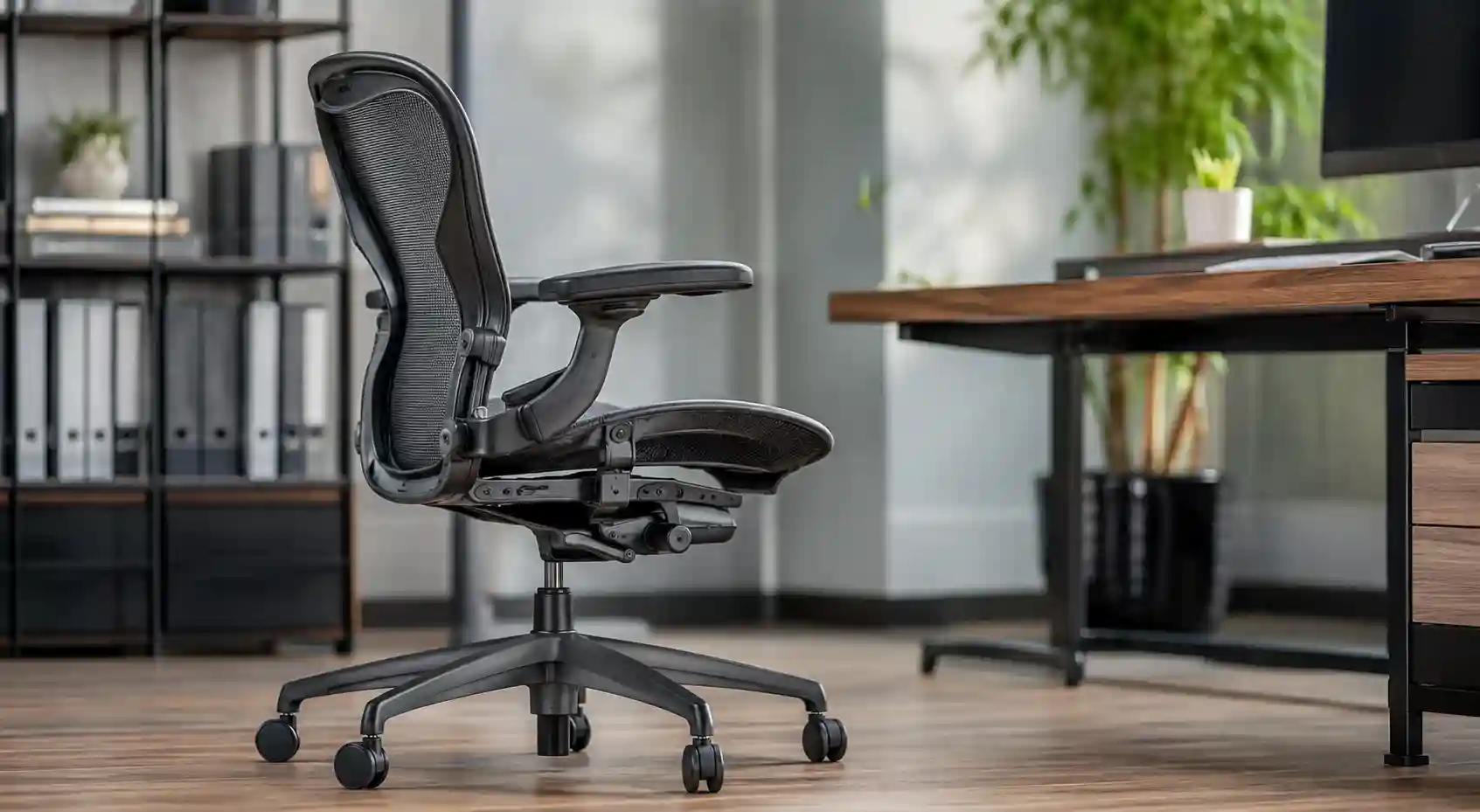
Two people can sit in the same office chair and have completely different experiences. One person may feel properly supported, while another may feel pushed away from the backrest because the seat is too deep.
That difference often comes down to body proportions—especially leg length.
An office chair with adjustable seat depth lets you move the seat pan forward or backward so the chair better matches your legs and sitting position. This can be especially useful for shorter or taller users, shared workspaces, and anyone who has struggled to get comfortable in a fixed-depth chair.
In this guide, we’ll explain what seat depth means, how to adjust it, what to look for when shopping, and five current chair options that genuinely offer meaningful seat-depth adjustment. Product configurations can vary, so always confirm the exact model and options before purchasing.
What Is an Adjustable Seat Depth Office Chair?
Seat depth is the distance from the front edge of the chair seat to the area where the seat meets the backrest. The seat itself is also called the seat pan.
On a fixed-depth chair, that distance stays the same. On an adjustable seat pan office chair, the seat can slide forward or backward.
For example, imagine two coworkers:
- A shorter user may find a deep seat pushes against the backs of the knees before they can sit comfortably against the backrest.
- A taller user may find a shallow seat leaves too much of the thighs unsupported.
Adjustable seat depth allows each person to find a more suitable position.
The goal isn’t to find one magic measurement. It is to create enough thigh support while allowing you to sit back against the backrest without uncomfortable pressure behind the knees.
Quick Comparison: 4 Office Chairs With Adjustable Seat Depth
| Office Chair | Seat Depth | Best For | Key Features | Amazon |
|---|---|---|---|---|
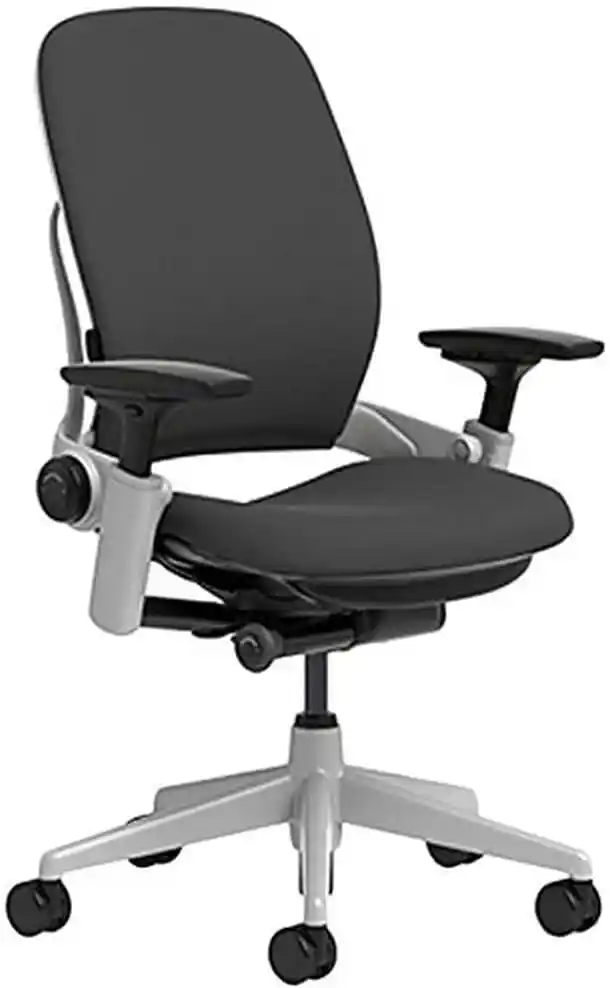
Steelcase Leap
|
✓ Adjustable | Best Overall | Adjustable seat depth, lumbar support, adjustable arms and recline | Check Price |

Steelcase Gesture
|
✓ Adjustable | Active Work | Adjustable seat depth, 360° arms, recline and back-stop adjustment | Check Price |

Haworth Fern
|
✓ Available | Flexible Fit | Flexible back, seat-depth adjustment option and ergonomic controls | Check Price |
HON Ignition 2.0
|
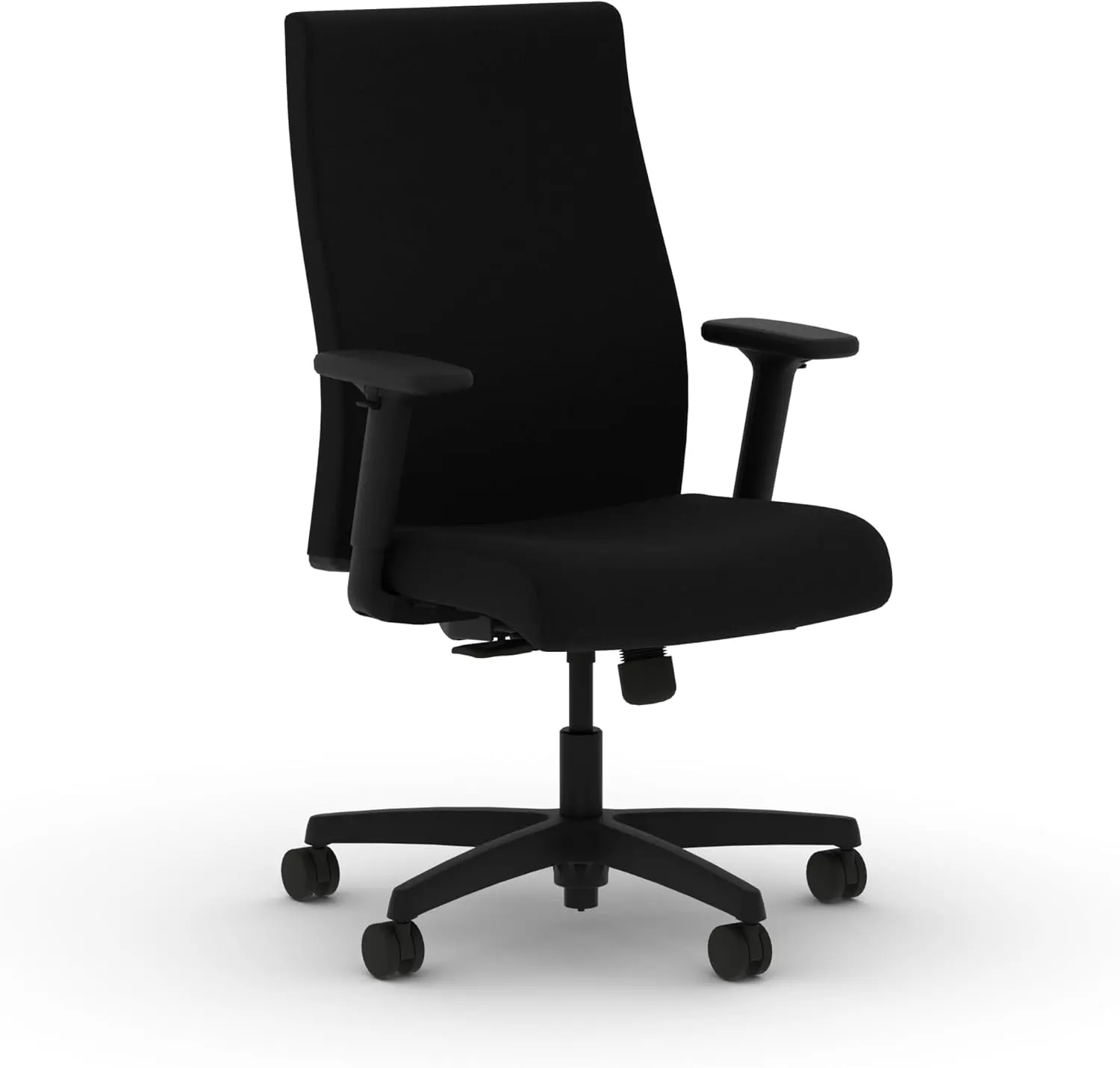
✓ Select Models | Value | Adjustable seat-depth option, lumbar support and ergonomic controls | Check Price |
Note: Chair features and available configurations can vary. Check the exact model and configuration before purchasing. Prices and availability may change.
Important: These chairs are not identical in how they provide seat-depth adjustment. Steelcase describes the Leap and Gesture as having seat-depth adjustment, while Haworth lists seat-depth adjustment as an available configuration on Fern and Zody. HON lists adjustable seat depth as an option on Ignition 2.0.
Steelcase Leap
Looking for a chair that can better match your leg length? The Steelcase Leap offers adjustable seat depth along with multiple ergonomic adjustments for a more personalized workstation setup.
Check Current Price on AmazonBest Office Chairs With Adjustable Seat Depth
Steelcase Leap — Best Overall for Adjustability
The Steelcase Leap is one of the strongest choices if seat fit is a major priority.
Steelcase specifically lists adjustable seat depth, height-adjustable lumbar support, lower-back firmness control, adjustable arms, seat-height adjustment, recline tension, and a five-position recline lock among the Leap’s features.
The seat is designed to move with the user rather than simply acting as a stationary cushion. Steelcase’s published specifications show an adjustable functional seat-depth range of approximately 15.75 to 18.75 inches for the standard Leap chair.
Steelcase Leap
Best Overall for Adjustability
A premium ergonomic office chair with adjustable seat depth, lumbar support, adjustable arms, and flexible recline controls.
Check Current Price on AmazonPros
- Genuine seat-depth adjustment
- Excellent overall adjustability
- Adjustable lumbar support
- Highly adjustable arms
- Strong long-term warranty coverage
Cons
- Premium price
- Upholstered construction may feel warmer than a full-mesh chair
- Many configurations can make shopping confusing
Best for: Users who want a highly customizable ergonomic chair.
Skip it if: You want a simple, inexpensive chair with minimal adjustments.
Verdict: The Leap is a particularly strong choice when getting the seat depth right is more important than buying based on appearance or price alone.
Steelcase Gesture — Best for Active Work
The Steelcase Gesture is designed around frequent movement and a wide range of working positions.
Its seat-depth control lets users extend or retract the seat. Steelcase’s current documentation recommends positioning the seat so there is roughly 50–75 mm between the back of the knee and the seat edge, describing this as a positioning guideline rather than a universal medical rule.
The Gesture also stands out for its 360-degree armrests, variable back stop, seat-height adjustment, and recline controls. Its published usable seat-depth range is approximately 410–475 mm.
Steelcase Gesture
Best for Active Work
Designed for users who frequently change positions, with adjustable seat depth, highly flexible armrests, and multiple recline positions.
Check Current Price on AmazonPros
- Useful seat-depth adjustment
- Excellent armrest flexibility
- Good choice for changing work positions
- Strong recline control
- Premium construction
Cons
- Expensive
- Armrest range can feel excessive for users who prefer simplicity
- Seat feel is personal and worth trying when possible
Best for: People who frequently switch between typing, reading, meetings, and reclined positions.
Skip it if: You are looking for a budget chair.
Verdict: Gesture is a strong premium option for people who want seat depth plus extensive upper-body adjustability.
Haworth Fern — Best Flexible Seat Fit
The Haworth Fern combines a flexible back design with substantial adjustability.
Haworth’s current North American product information lists seat-depth adjustment among the available Fern configurations. Its product documentation specifies a 3-inch seat-depth adjustment option, while other regional configurations may describe the range slightly differently.
Fern also offers a Wave Suspension back, synchronized three-point tilt, forward tilt, multiple back-stop positions, and height-adjustable lumbar support depending on configuration.
Haworth Fern
Best for Flexible Ergonomic Fit
A flexible ergonomic chair that can be configured with seat-depth adjustment, making it useful for users who want a more personalized sitting position.
Check Current Price on AmazonPros
- Flexible backrest
- Genuine seat-depth adjustment option
- 4D arm option
- Forward tilt
- Strong adjustability package
Cons
- Premium pricing
- Some useful features are configuration-dependent
- The flexible back feel isn’t for everyone
Best for: Users who want a responsive chair that accommodates movement.
Skip it if: You prefer a firm, conventional office-chair back.
Verdict: Fern is worth considering if you want seat-depth adjustment combined with a flexible back and a broad range of configuration choices.
HON Ignition 2.0 — Best Value-Oriented Option
The HON Ignition 2.0 is particularly interesting because adjustable seat depth is available as an option rather than being universal across every configuration.
HON’s current product listings identify adjustable seat depth as optional on Ignition 2.0 models, along with optional adjustable arms and lumbar support. The chair series also offers different back and control configurations.
That makes it important to check the exact configuration before buying. A standard Ignition 2.0 listing should not automatically be assumed to include the seat slider.
HON Ignition 2.0
Best Value-Oriented Option
A more value-focused ergonomic chair with multiple configurations. Adjustable seat depth is available on select configurations, so check the exact model before ordering.
Check Current Price on AmazonPros
- More accessible pricing than many premium ergonomic chairs
- Seat-depth adjustment available
- Multiple configurations
- Adjustable lumbar and arms available
- 300-pound weight rating on listed models
Cons
- Seat slider is configuration-dependent
- Less premium than Leap or Gesture
- Feature combinations can be confusing
Best for: Buyers who want meaningful ergonomic adjustment without automatically moving into the highest price category.
Skip it if: You want every premium adjustment included by default.
Verdict: Ignition 2.0 is one of the more interesting choices for shoppers who want adjustable seat depth at a more approachable price, provided they select the correct configuration.
What Is Seat Depth?
Think of seat depth as how far the seat extends underneath your thighs.
A deep seat provides more surface area, which can be useful for someone with longer legs. But too much depth can make it difficult for a shorter user to sit fully against the backrest without the front edge reaching too far under the knees.
A shallow seat has the opposite issue. It may allow a shorter person to sit comfortably against the backrest, but a taller user may feel that the thighs lack adequate support.
This is why the proper office chair seat depth depends more on body proportions than on a single number printed on a product page.
Why Adjustable Seat Depth Matters
The biggest advantage is personalization.
A chair with an adjustable seat pan can help accommodate different leg lengths and make it easier to position yourself close enough to the backrest while maintaining comfortable thigh support.
It can also be valuable when:
- Multiple people share one chair
- You are unusually short or tall
- A fixed seat often feels too deep or too shallow
- You want more control over chair fit
- Your workspace requires frequent position changes
Proper chair fit can improve comfort and ergonomic positioning, but it should not be viewed as a treatment or cure for pain or a medical condition.
For more background, see How to Choose an Ergonomic Chair and compare seat depth with other important adjustments.
How to Adjust Office Chair Seat Depth Correctly
Learning how to adjust office chair seat depth is just as important as buying a chair with the feature.
Step 1: Sit Fully Back
Sit all the way back against the backrest instead of sitting on the front edge of the seat.
Step 2: Support Your Feet
Place your feet flat on the floor or use an appropriate footrest if necessary.
Step 3: Move the Seat Pan
Use the chair’s seat-depth lever, button, or control to slide the seat forward or backward.
Step 4: Check Behind Your Knees
Make sure the front edge of the seat isn’t creating uncomfortable pressure behind your knees.
Step 5: Check Thigh Support
You want enough of your thighs supported without feeling that the seat is forcing you forward.
Step 6: Recheck Everything
After changing seat depth, revisit your seat height, lumbar position, armrests, and desk relationship.
There isn’t one perfect setting for everyone. Your proportions and workstation determine the final position.
How Much Space Should Be Behind Your Knees?
There is no single measurement that works as a universal ergonomic rule.
The basic principle is simple: avoid having the front edge of the seat press uncomfortably into the back of your knees while still maintaining useful thigh support.
Some manufacturers provide their own adjustment guidance. For example, Haworth’s Fern documentation recommends leaving a small gap between the calf and seat edge, while Steelcase provides a 50–75 mm positioning guideline for Gesture.
Treat these figures as practical manufacturer guidance—not as a medical rule that every body must follow.
Fixed vs. Adjustable Seat Depth
| Feature | Fixed Seat Depth | Adjustable Seat Depth |
|---|---|---|
| Customization | Limited | High |
| Short users | Can be difficult if too deep | Easier to fine-tune |
| Tall users | Can be difficult if too shallow | Easier to fine-tune |
| Shared workspace | Less convenient | Very useful |
| Price | Usually lower | Often higher |
| Ease of adjustment | Simple | Requires setup |
| Best for | Users who already fit the chair | Users wanting personalized fit |
A fixed-depth chair can be perfectly comfortable if its dimensions suit you. Adjustable isn’t automatically better; it simply gives you another way to customize the fit.
Adjustable Seat Depth for Short Users
Seat depth can be particularly important for shorter users because a chair designed around a larger body may extend too far beneath the thighs.
Look for:
- A seat pan that can move backward
- A suitable minimum seat depth
- Low enough seat-height adjustment
- Adjustable armrests
- A desk that isn’t excessively high
Don’t assume every short person needs the same chair. Leg length, torso length, foot position, and desk height all influence fit.
Adjustable Seat Depth for Tall Users
Taller users often need more usable seat length to provide comfortable thigh support.
Look for:
- A seat with sufficient maximum depth
- Adjustable seat height
- A backrest that works with your torso
- Adequate desk clearance
- Strong weight capacity appropriate to the user
Again, height alone doesn’t determine the correct chair. Two people of the same height can have different leg and torso proportions.
Do You Really Need Adjustable Seat Depth?
You may benefit from it if:
- You are notably shorter or taller than the average user
- Fixed-depth chairs regularly feel too deep or shallow
- You share a workspace with other people
- You want more ergonomic customization
- You spend many hours working at a desk
- You struggle to sit against the backrest without losing comfortable thigh support
You may not need it if a fixed-depth chair already fits you comfortably and lets you maintain a natural working position.
The goal is good fit, not the maximum number of adjustment levers.
Steelcase Leap
Looking for a chair that can better match your leg length? The Steelcase Leap offers adjustable seat depth along with multiple ergonomic adjustments for a more personalized workstation setup.
Check Current Price on AmazonOther Chair Adjustments That Matter
Seat depth is only one part of an ergonomic chair.
Seat Height
Your chair should work with your desk height while allowing your feet to remain supported.
Lumbar Support
Look for useful adjustability rather than simply choosing a chair because the product description says “ergonomic.”
Armrests
Height and width adjustment can help position your arms without forcing your shoulders into an uncomfortable position.
Recline
A chair that allows controlled movement can be useful for changing positions throughout the workday.
Tilt Tension
This determines how much resistance you feel when reclining.
Headrest
A headrest is optional for many desk users. Its usefulness depends on how you work and whether you regularly recline.
Seat Cushion
Foam, mesh, and suspension designs feel different. Cushion preference is highly personal.
For a broader comparison, see Best Chair for Long Hours and Mesh vs Leather Office Chair.
Common Seat-Depth Mistakes
One of the biggest mistakes is choosing a chair based entirely on appearance.
Other common errors include:
- Buying without checking seat dimensions
- Assuming expensive automatically means ergonomic
- Sitting too far forward
- Using a seat that is too deep
- Adjusting seat depth but ignoring seat height
- Ignoring desk height
- Forgetting to adjust armrests after changing seat position
- Assuming a product name guarantees every adjustment is included
Always check the exact configuration.
Office Chair Buying Guide: What to Check
Check Seat Depth
Confirm whether adjustment is standard or optional and check the usable range.
Check Seat Height
Make sure the chair works with your desk and your leg length.
Check Lumbar Support
Look for meaningful adjustment rather than vague marketing language.
Check Armrests
Consider height, width, depth, and pivot adjustment.
Check Recline
Look at the number and type of recline positions and whether the tension is adjustable.
Check Weight Capacity
Always verify the manufacturer’s current specification for the exact configuration.
Check Return Policy
A chair can look perfect on paper and still feel wrong. A practical return policy can reduce the risk of buying online.
Check Warranty
Long warranties can be particularly valuable for expensive chairs because office seating is a long-term purchase.
How to Choose the Right Chair for Your Body
Shorter Users
Prioritize a suitable minimum seat depth, lower seat-height range, and adjustable armrests.
Average-Height Users
You may have more options, but still check the actual seat depth and seat-height range rather than relying on generic height recommendations.
Taller Users
Prioritize adequate maximum seat depth, sufficient seat height, and a backrest that works with your torso.
Shared Workspaces
Adjustability becomes more valuable because different users can customize the same chair.
Our Top Picks
Steelcase Leap — Best Overall: Choose it for its combination of seat-depth adjustment, lumbar customization, arm adjustment, and long-term durability. The main drawback is its premium cost.
Steelcase Gesture — Best for Active Work: A strong choice if you change positions frequently and want highly adjustable arms and seat depth. Its main drawback is price.
Haworth Fern — Best Flexible Fit: Consider it if you like a flexible back and want seat-depth adjustment as part of a broader ergonomic setup. Check configuration details before ordering.
HON Ignition 2.0 — Best Value-Oriented Pick: Worth considering when price matters but you still want the option of a seat slider. Confirm that your selected configuration includes adjustable seat depth.
Steelcase Leap
Looking for a chair that can better match your leg length? The Steelcase Leap offers adjustable seat depth along with multiple ergonomic adjustments for a more personalized workstation setup.
Check Current Price on AmazonFAQs
What is seat depth on an office chair?
Seat depth is the distance from the front edge of the seat to the backrest area. It determines how much of your thighs are supported and how easily you can sit against the backrest.
Is adjustable seat depth important?
It can be very useful if your body proportions don’t work well with standard fixed-depth chairs. It is also helpful for shared workspaces.
What is the best seat depth for an office chair?
There is no universal best measurement. The correct depth provides comfortable thigh support without creating uncomfortable pressure behind the knees.
Are adjustable seat-depth chairs better for short people?
They can be especially useful for shorter users because the seat can be shortened to make it easier to sit against the backrest.
Are adjustable seat-depth chairs good for tall people?
Yes. Tall users may benefit from extending the seat pan to provide more usable thigh support, provided the rest of the chair fits their body.
How do I know if my office chair is too deep?
If you have to slide forward to avoid pressure behind your knees or cannot comfortably sit against the backrest, the seat may be too deep for your proportions.
Can you adjust the seat depth on any office chair?
No. Seat-depth adjustment requires a chair designed with a sliding or otherwise adjustable seat mechanism. Some models offer it only as an optional configuration.
What other ergonomic adjustments should I look for?
Consider seat height, lumbar support, armrests, recline, tilt tension, seat cushioning, and compatibility with your desk.
Conclusion
An office chair with adjustable seat depth can be a worthwhile upgrade when a standard fixed seat doesn’t match your body proportions.
The feature is especially useful for shorter and taller users, people who share chairs, and anyone who wants more control over their sitting position. But adjustable seat depth shouldn’t be considered in isolation. Seat height, lumbar support, armrests, recline, desk height, return policy, and warranty all contribute to the overall fit.
Among the chairs reviewed here, the Steelcase Leap is a strong all-around choice for maximum adjustability, while Gesture is particularly appealing for active work. Haworth Fern offer compelling alternatives, and HON Ignition 2.0 can make sense for buyers who want a more value-oriented configuration.
Before buying, compare the actual seat-depth range, verify which features are included in the exact configuration, and consider the manufacturer’s warranty and return policy. The best ergonomic chair isn’t necessarily the most expensive one—it is the chair whose dimensions and adjustments fit your body and workstation.