
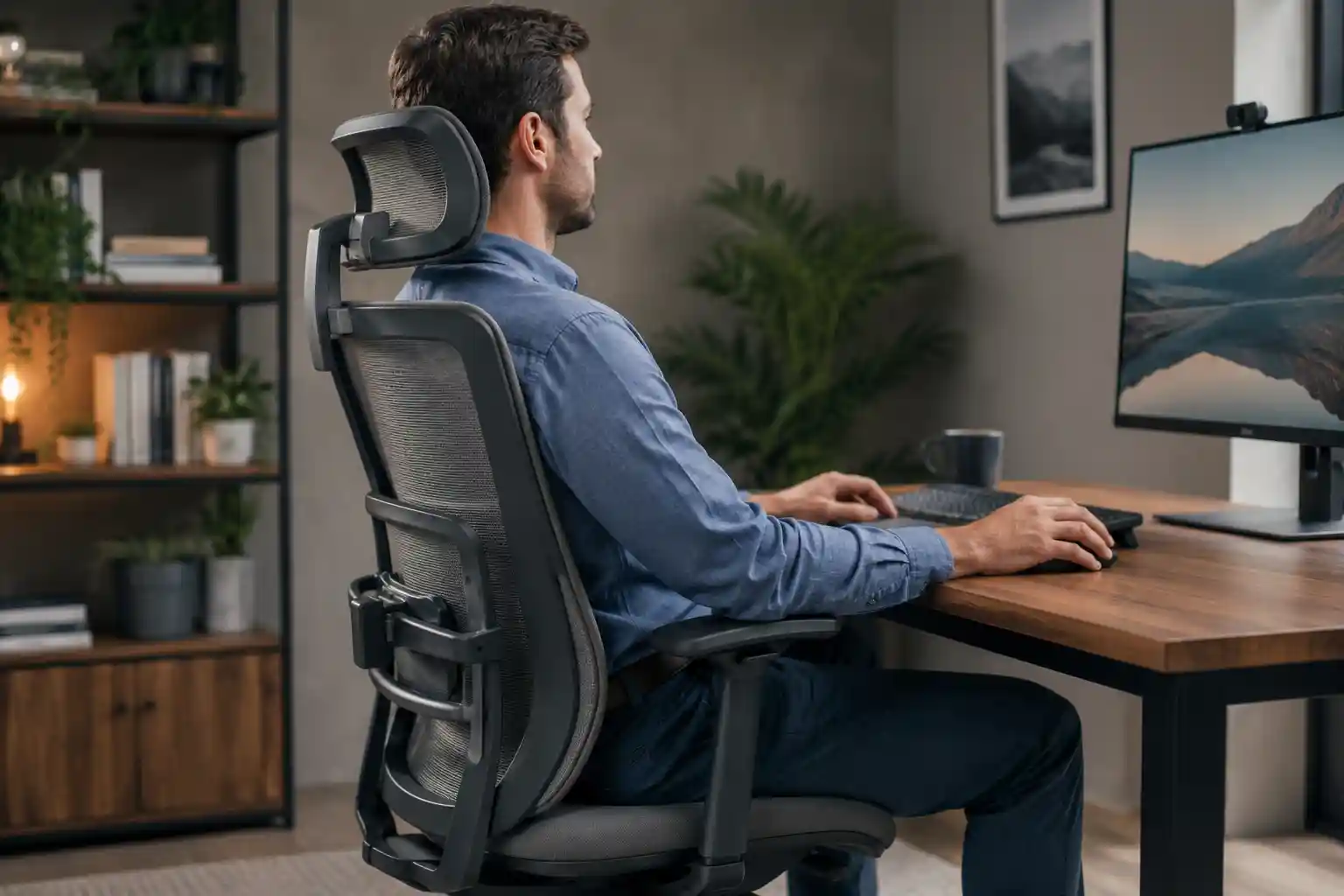
If you spend several hours working at a desk, you probably change your sitting position throughout the day. You may sit upright while typing, lean back during a meeting, shift forward while reading, or recline when taking a break.
That is where a fixed lumbar support can sometimes feel limiting. It stays in one position while your body moves.
Dynamic lumbar support is designed to provide lower-back support that can move, flex, or adjust as you change position. Instead of treating your back as if it will remain in exactly the same place all day, a dynamic system is designed to respond to movement.
But does dynamic lumbar support actually matter when choosing an office chair? Is it better than fixed lumbar support? And what should you look for before paying more for it?
Let’s break it down in simple terms.
What Is Dynamic Lumbar Support?
Dynamic lumbar support is a type of office chair lumbar system designed to adapt to the user’s movement rather than remaining completely stationary.
The word dynamic essentially means that something can move or respond to changes. Lumbar support refers to the area of an office chair that supports the lower portion of your back.
Together, dynamic lumbar support describes a system that is intended to maintain contact or support as you change your sitting position.
For example, imagine sitting upright while typing. Your lower back is in one position. When you recline for a video call, your torso and hips move relative to the chair. With a completely fixed lumbar pad, the support may not move with you.
A dynamic system may use a flexible panel, pivoting structure, sliding mechanism, flexible backrest, or another design that allows the lumbar area to respond to movement.
The exact design varies significantly between manufacturers and chair models.
Fixed vs. Dynamic Lumbar Support
A fixed lumbar support remains in essentially the same position on the chair back. It may still be adjustable for height or depth, but once positioned, it does not necessarily follow your movements.
A dynamic system is designed to provide some degree of movement or adaptation as your posture changes.
Neither design is automatically right for everyone. A simple fixed system can work well if it fits your body and preferred sitting position. Dynamic support becomes more interesting when you frequently move, recline, or change posture during the workday.
How Does Dynamic Lumbar Support Work?
Dynamic lumbar support can work in several different ways, depending on the chair’s design.
Some systems allow the lumbar section to move with the backrest. Others use flexible materials that bend as you move. Some may pivot, slide, flex, or change position as you recline.
The goal is generally the same: maintain useful lower-back contact as your sitting position changes.
Movement While Sitting
People rarely sit perfectly still for eight hours.
You might move closer to the desk, lean back, shift your shoulders, or change your posture while concentrating on different tasks.
A dynamic mechanism is designed to accommodate at least some of this natural movement.
Reclining
Reclining is one of the situations where dynamic support can become particularly noticeable.
As you lean backward, the relationship between your torso and the chair changes. A dynamic lumbar system may move with the backrest or otherwise adjust its position so the support remains better aligned with the lower back.
However, not every dynamic lumbar system moves in the same way, so shoppers should check the actual mechanism rather than assuming that the term guarantees a particular type of movement.
Changes in Posture
A chair with a flexible or responsive lumbar system can make it easier to move between different sitting positions without manually repositioning a lumbar pad each time.
That can be convenient for people who alternate between upright work and relaxed reclining.
Dynamic vs. Fixed Lumbar Support
The main difference is how the lumbar area responds when you move.
| Feature | Dynamic Lumbar Support | Fixed Lumbar Support |
|---|---|---|
| Movement | Designed to move or flex with the user | Usually stays in one position |
| Adjustability | May offer multiple adjustment options | Can range from basic to highly adjustable |
| Support during reclining | May follow or adapt to reclining | May remain in the original position |
| Sitting positions | Suited to users who change positions frequently | Works well for consistent sitting positions |
| Comfort | Can feel more adaptable | Can feel stable and predictable |
| Ease of adjustment | May require learning the controls | Often simpler |
| Price | Often found on more feature-rich chairs | Available across many price ranges |
| Best for | Frequent movement and reclining | Users who prefer straightforward support |
It is important to remember that a fixed lumbar support can still be adjustable. “Fixed” mainly describes its movement behavior, not necessarily whether you can change its height or depth.
Benefits of Dynamic Lumbar Support
A dynamic system can offer several practical advantages, especially for people who don’t remain in one sitting position throughout the day.
Support During Different Sitting Positions
The biggest potential advantage is adaptability.
Instead of having the lumbar support remain completely stationary, a dynamic design can respond as you move between upright and reclined positions.
This can make the chair feel more natural for some users.
Better Adaptability
A good office chair should accommodate the person sitting in it, rather than forcing the user into one rigid position.
Dynamic lumbar support can complement a flexible backrest and adjustable recline system by allowing the lumbar area to respond to movement.
Useful for People Who Frequently Recline
If you regularly lean back during calls, reading, brainstorming, or breaks, dynamic support may be worth considering.
A system that responds to reclining can be more convenient than manually adjusting a fixed lumbar pad every time your sitting position changes.
Potentially More Comfortable During Long Work Sessions
Long work sessions involve repeated changes in position.
For some people, a responsive lumbar system may feel more comfortable because it doesn’t require the same amount of manual repositioning.
That doesn’t mean dynamic support guarantees comfort. Chair fit, seat depth, seat height, backrest design, and personal preference still matter.
Less Need to Constantly Reposition the Chair
If the lumbar system naturally responds to your movements, you may spend less time adjusting it during the day.
That can be a useful convenience for people who frequently switch between different tasks.
Potential Drawbacks of Dynamic Lumbar Support
Dynamic lumbar support isn’t automatically worth paying extra for.
Higher Chair Prices
More sophisticated mechanisms can contribute to a higher overall chair price. If your budget is limited, you may get more value by prioritizing basic fit and essential adjustments first.
More Complicated Mechanisms
A chair with multiple moving parts can take longer to understand and adjust.
Some users prefer a straightforward chair where they can quickly set the lumbar support and leave it alone.
Different Systems Feel Different
There is no universal “dynamic lumbar support” sensation.
One chair may feel flexible and subtle, while another may provide more noticeable movement or resistance.
This is why trying a chair in person, when possible, can be useful.
Adjustment May Take Time
Even a high-quality lumbar system may not feel right immediately.
You may need to experiment with height, depth, tension, recline resistance, and seat position before finding a comfortable setup.
Dynamic Lumbar Support vs. Adjustable Lumbar Support
These terms sound similar, but they describe different concepts.
Dynamic lumbar support refers primarily to how the lumbar system responds to movement.
Adjustable lumbar support refers to your ability to change the position or characteristics of the support.
A chair can have adjustable lumbar support without having a dynamic lumbar mechanism.
Here are some common types of lumbar adjustment:
- Height adjustment: Moves the lumbar support higher or lower.
- Depth adjustment: Moves the support closer to or farther from your back.
- Tension adjustment: Changes how firm or resistant the support feels.
- Dynamic movement: Allows the lumbar system to respond as you move or recline.
Some premium ergonomic chairs combine several of these features.
Is Dynamic Lumbar Support Worth It?
The answer depends on how you sit, how often you move, and what you value in an office chair.
Best for People Who Sit for Long Hours
If you spend much of your workday at a desk, a chair that accommodates different sitting positions may be worth considering.
Dynamic support can be useful as part of a broader ergonomic setup, although it shouldn’t be the only feature you evaluate.
For more guidance, see our article on Best Chair for Long Hours.
Best for People Who Frequently Recline
This is one of the strongest use cases for dynamic lumbar support.
If you regularly alternate between upright work and reclining, a responsive lumbar system can make those transitions easier.
Best for Work-From-Home Users
Work-from-home professionals often use the same chair for email, meetings, writing, browsing, and focused work.
Because these activities can involve different positions, a dynamic system may provide useful flexibility.
Best for People Who Prefer Simple Office Chairs
If you prefer a straightforward chair and rarely change positions, you may not need dynamic lumbar support.
A well-positioned fixed or manually adjustable lumbar system could be perfectly adequate.
Best for Premium Ergonomic Chair Buyers
Dynamic lumbar support is more compelling if you’re already shopping in the premium ergonomic category and want a chair with more movement and adjustment options.
However, don’t buy it simply because it sounds advanced. The chair still needs to fit your body.
What to Look for in a Dynamic Lumbar Support System
When shopping for an office chair, look beyond the phrase “dynamic lumbar support.”
Consider these features:
Range of Movement
Find out how the lumbar area actually moves. Does it flex, pivot, slide, or follow the backrest?
The word “dynamic” alone doesn’t tell you enough.
Adjustability
Check whether the system allows you to modify its position or resistance.
Lumbar Height
The support should be positionable in a location that works with your lower back.
Lumbar Depth
Some users prefer more pronounced support, while others prefer a softer or less noticeable contact point.
Depth adjustment can help personalize the feel.
Recline Compatibility
If you regularly recline, pay close attention to how the lumbar mechanism interacts with the backrest.
Backrest Flexibility
Dynamic lumbar support works within the overall backrest design. A flexible backrest can influence how the chair feels as you move.
Seat Depth
Lumbar support can’t compensate for a poorly fitting seat.
Seat depth affects how your legs and back interact with the chair, so it should be considered alongside lumbar adjustment.
For a deeper explanation, see What Is Seat Depth in an Office Chair?.
Armrest Adjustability
Adjustable armrests can help you position your arms comfortably while keeping your shoulders relaxed.
Overall Chair Fit
This is arguably more important than having a particular lumbar technology.
A chair should fit your body, desk, working style, and preferred sitting positions.
Dynamic Lumbar Support and Office Chair Ergonomics
Lumbar support is only one part of office chair ergonomics.
Think of your workstation as a complete system.
Seat height affects how your feet and legs relate to the floor and desk.
Seat depth affects how much support you receive from the seat and where your back meets the backrest.
Armrest position affects how your arms and shoulders are supported.
Monitor height influences how you position your head and neck while viewing the screen.
Desk height affects your relationship with the keyboard and mouse.
Foot position contributes to your overall sitting setup.
Recline angle affects how your body interacts with the backrest and lumbar system.
This is why a chair shouldn’t be considered ergonomic simply because it has dynamic lumbar support.
If you’re new to ergonomic chairs, our guide on How to Choose an Ergonomic Chair can help you understand the bigger picture.
How to Adjust Dynamic Lumbar Support
If you’ve purchased a chair with dynamic lumbar support, avoid immediately setting every adjustment to its maximum level.
Start with a neutral setup and make small changes.
1. Sit Normally
Sit in the chair the way you naturally work rather than forcing an exaggerated posture.
2. Adjust Seat Height
Set the chair so your feet can rest comfortably on the floor while maintaining a practical relationship with your desk.
3. Adjust Seat Depth If Available
Position the seat so it provides appropriate support without forcing you too far forward or backward.
4. Position the Lumbar Support
Set the lumbar area around the lower portion of your back according to the chair’s adjustment range and your personal comfort.
5. Adjust Depth or Tension
If the chair provides these controls, make small changes rather than immediately choosing the strongest setting.
6. Test the Chair Upright
Spend a few minutes working in your normal upright position.
7. Test It While Reclining
Lean back as you would during a video meeting or reading session and see how the lumbar system responds.
8. Make Small Adjustments
Change one setting at a time. This makes it easier to determine which adjustment actually improves the fit.
Common Mistakes When Using Lumbar Support
Even a well-designed lumbar system can feel uncomfortable when incorrectly adjusted.
Setting Support Too High
If the support is positioned too high, it may not feel like it is supporting the area you intended.
Setting It Too Aggressively
More support isn’t automatically better. A very pronounced setting may feel uncomfortable for some users.
Ignoring Seat Depth
A lumbar adjustment can’t fix every problem caused by an improperly sized seat.
Sitting Too Far Forward
If you spend most of your workday away from the backrest, you’re not getting the full benefit of a supportive backrest system.
Using the Same Setting for Every Position
If your chair has dynamic adjustment capabilities, experiment with how it feels both upright and reclined.
Choosing a Chair Only Because It Has “Lumbar Support”
Almost every ergonomic chair feature needs to be considered in context.
Look at the entire chair rather than choosing based on one specification.
Dynamic Lumbar Support Buying Guide
Before buying an office chair with dynamic lumbar support, use this checklist:
Ask how the system actually moves. Don’t rely only on marketing terminology.
Check the adjustment range. Look for lumbar height, depth, tension, or other available adjustments.
Consider your sitting style. Do you sit upright most of the day, or do you frequently recline?
Check the seat depth. Make sure the seat itself fits you properly.
Look at the backrest. Consider whether it flexes or moves with you.
Test the recline function. If possible, sit upright and recline several times.
Consider the armrests. Adjustable armrests can be valuable for creating a more complete workstation setup.
Evaluate the whole chair. Don’t spend most of your budget on a sophisticated lumbar mechanism while overlooking seat fit or other important adjustments.
Features Worth Paying For
For some users, useful upgrades may include:
- Adjustable lumbar height
- Lumbar depth adjustment
- Responsive backrest movement
- Multiple recline positions
- Adjustable seat depth
- Adjustable armrests
- A well-designed seat cushion
- Easy-to-use controls
Features That May Not Matter to Everyone
You may not need every advanced feature.
If you rarely recline and prefer a firm, predictable sitting position, a simpler lumbar system may be enough.
The best office chair isn’t necessarily the one with the longest feature list. It’s the one whose features work well for your body and your working habits.
If you’re comparing different chair materials as well, our guide to Mesh vs Leather Office Chair can help you evaluate another important part of the buying decision.

Looking for Adjustable Lumbar Support?
If you’re comparing office chairs, look for features such as adjustable lumbar height, depth, recline support, seat depth, and overall adjustability.
Check Office Chairs on Amazon →As an Amazon Associate, we earn from qualifying purchases.
Frequently Asked Questions
1. What is dynamic lumbar support?
Dynamic lumbar support is a chair feature designed to move, flex, or adapt as you change sitting positions. Unlike completely stationary support, it is intended to respond to movement and may follow the backrest during reclining.
2. Is dynamic lumbar support better than fixed lumbar support?
Not automatically. Dynamic support may be more useful for people who frequently move or recline, while fixed support can work well for users who prefer a simple, stable setup.
3. Is dynamic lumbar support good for long hours?
It can be useful during long work sessions because it may accommodate changes in sitting position. However, comfort depends on the entire chair, including seat fit, backrest design, adjustability, and the user’s preferences.
4. Can dynamic lumbar support move when you recline?
Some systems are designed to move or adapt during reclining, but not all dynamic lumbar systems work identically. Always check the specific chair’s mechanism and adjustment range.
5. What is the difference between dynamic and adjustable lumbar support?
Dynamic refers to how the support responds to movement, while adjustable refers to whether the user can manually change its position or settings. A chair can have adjustable lumbar support without having a dynamic mechanism.
6. Do all ergonomic chairs have dynamic lumbar support?
No. Ergonomic chairs can use fixed, adjustable, flexible, or dynamic lumbar designs. There is no single lumbar-support system used by every ergonomic chair.
7. Is dynamic lumbar support worth the extra cost?
It can be worthwhile if you frequently change positions or recline and appreciate a more responsive chair. If you prefer simple seating or rarely move from one position, you may get better value from a chair with excellent basic adjustability and fit.
Final Verdict
Dynamic lumbar support is essentially about adaptability.
Instead of keeping the lower-back support completely stationary, a dynamic system is designed to respond as you move, change posture, or recline. For work-from-home professionals, office workers, and people who regularly switch between sitting positions, that flexibility can be a useful feature.
However, dynamic lumbar support isn’t automatically better for everyone.
If you prefer a simple office chair, rarely recline, or have a limited budget, a well-designed fixed or manually adjustable lumbar system may be all you need.
When comparing chairs, prioritize overall fit and adjustability. Seat height, seat depth, armrest position, backrest movement, recline function, and workstation setup all contribute to how the chair feels.
In other words, don’t buy a chair simply because it says “dynamic lumbar support” on the product page. Understand how the mechanism works, determine whether it matches your sitting habits, and make sure the rest of the chair fits you too.
That’s the better way to choose an ergonomic office chair—by looking at the complete seating experience rather than one feature.