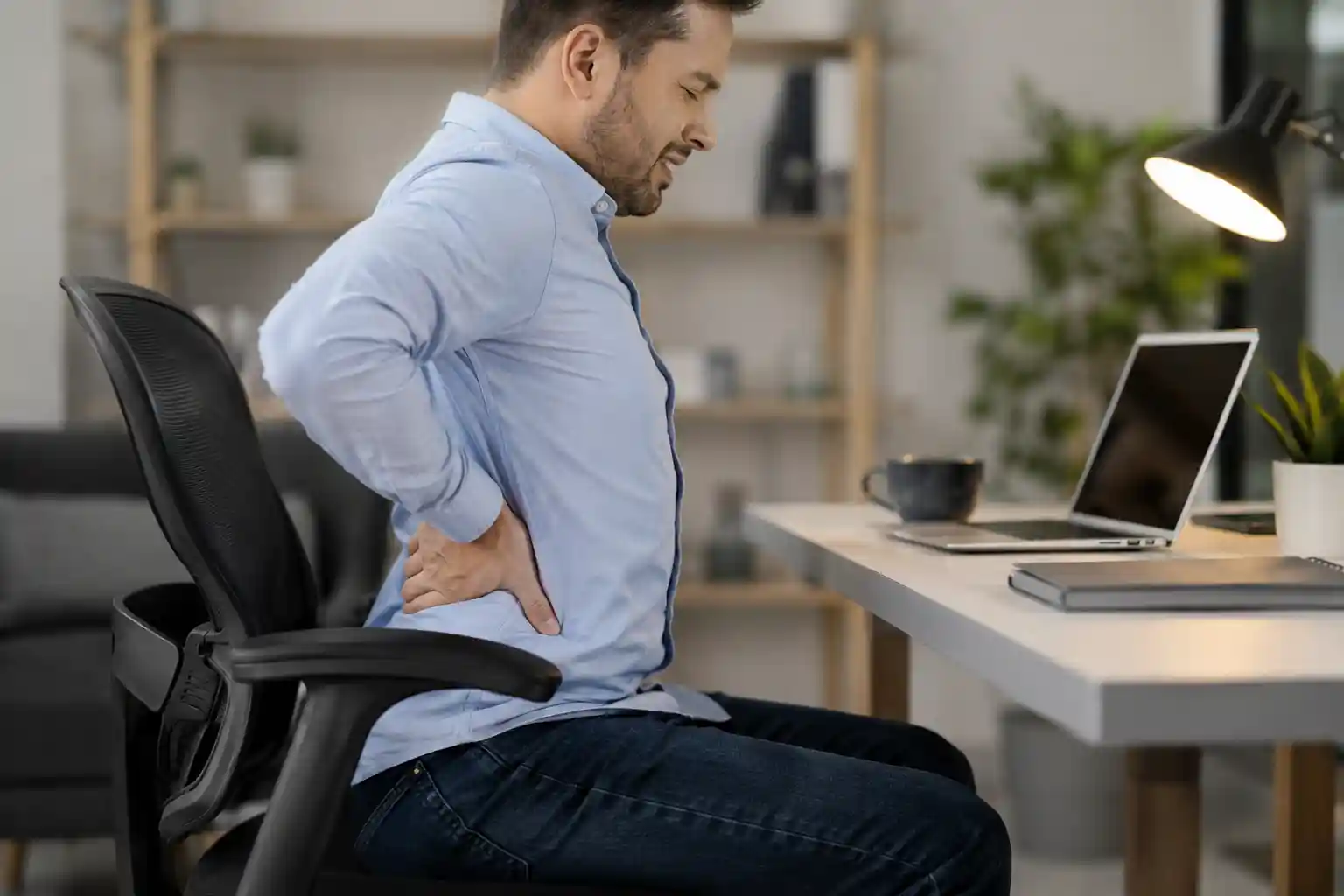
If you spend most of your day sitting at a desk, working from home, gaming, studying, or driving, you’ve probably experienced lower back pain at some point.
Maybe your back feels stiff after a long Zoom meeting. Maybe you feel soreness when standing up after hours in your chair. Or perhaps you notice tight hips and aching muscles by the end of the day.
You’re not alone.
Modern lifestyles have made sitting a daily habit for millions of people in the USA. While sitting may feel harmless, staying seated for long periods can place significant stress on the spine, muscles, and joints. In fact, many experts now consider prolonged sitting one of the biggest contributors to lower back pain from sitting.
The problem became even more common after the rise of remote work and home office setups. Many people now spend 6–10 hours daily sitting in non-ergonomic chairs with poor posture and little movement.
The good news is that most sitting-related back pain can improve with better posture, movement, ergonomic adjustments, and healthier daily habits.
In this guide, you’ll learn:
- Why sitting causes lower back pain
- Common posture mistakes
- How office chairs affect your spine
- The best sitting position for lower back pain
- Prevention tips and stretches
- When it’s time to see a doctor
Let’s start with the real reason your back hurts when you sit.
Experiencing stiffness and discomfort after long work hours? Read our complete guide on How to Fix Back Pain from Sitting All Day to learn simple posture fixes, stretches, and ergonomic tips for lasting relief.
Why Sitting Causes Lower Back Pain
Many people assume sitting is relaxing for the body. Surprisingly, sitting for long periods can actually put more pressure on the lower back than standing.
Increased Spine Pressure
When you sit, especially while slouching, your spine absorbs more pressure than it does when standing upright.
The lower back naturally has a curve called the lumbar curve. Poor sitting posture flattens or exaggerates this curve, increasing stress on spinal discs and muscles.
Over time, this can lead to:
- Muscle fatigue
- Disc compression
- Joint irritation
- Chronic discomfort
Poor Posture
One of the biggest causes of back pain while sitting is poor posture.
Common posture mistakes include:
- Leaning forward
- Slouching
- Rounded shoulders
- Forward head posture
- Sitting unevenly
These positions force the spine and surrounding muscles to work harder than they should.
Muscle Weakness
Long periods of sitting weaken important support muscles, including:
- Core muscles
- Glutes
- Hip stabilizers
Weak muscles reduce spinal support and increase strain on the lower back.
Reduced Blood Flow
Sitting too long limits circulation, especially in the hips and lower body. Reduced blood flow can cause stiffness, muscle tightness, and discomfort.
Compressed Spinal Discs
The discs between your vertebrae act like cushions. Sitting for hours compresses these discs continuously, especially if posture is poor.
This compression can lead to pain, stiffness, and sometimes nerve irritation.
If your lower back hurts after sitting for hours, check out our expert guide on Fix Back Pain from Sitting for easy daily habits, desk setup improvements, and practical pain relief strategies.
Common Causes of Lower Back Pain While Sitting
There’s usually not one single reason behind sitting-related pain. Instead, several small habits combine over time.
Poor Office Chair Support
Cheap or poorly designed chairs often lack proper lumbar support. Without lower back support, your spine collapses into unhealthy positions.
This is one reason ergonomic office chairs have become increasingly popular among remote workers and office employees.
Incorrect Sitting Posture
Bad posture can quickly strain muscles and joints.
Common mistakes include:
- Slouching forward
- Leaning to one side
- Sitting too low
- Hunching shoulders
- Looking down at a laptop
Sitting Too Long Without Movement
Even perfect posture becomes harmful if you never move.
Your body is designed for movement, not staying frozen in one position for hours.
Weak Core Muscles
Core muscles help stabilize the spine. Weak abdominal muscles force the lower back to compensate, increasing fatigue and pain.
Desk Setup Problems
An improper workstation can ruin posture.
Examples include:
- Desk too high
- Chair too low
- Keyboard too far away
- Monitor positioned incorrectly
Improper Monitor Height
Looking down at a screen strains the neck and upper back, which also affects lower back alignment.
Ideally, the top of your monitor should sit at eye level.
Crossing Legs While Sitting
Crossing your legs may feel comfortable temporarily, but it can create pelvic imbalance and uneven pressure on the spine.
Signs Your Sitting Habits Are Hurting Your Back
Many people ignore early warning signs until pain becomes more serious.
Watch for these symptoms:
- Stiffness after sitting
- Pain when standing up
- Tight hips
- Lower back soreness
- Muscle fatigue
- Numbness in legs
- Tingling sensations
- Rounded shoulders
- Poor posture
- Difficulty sitting comfortably for long periods
If these symptoms happen regularly, your sitting habits may be contributing to the problem.
How Poor Office Chairs Affect Your Spine
Your office chair plays a major role in spinal health.
Unfortunately, many chairs prioritize appearance or low cost instead of ergonomic support.
Lack of Lumbar Support
Lumbar support helps maintain the natural curve of your lower spine.
Without it, the lower back collapses into a slouched position that increases pressure on spinal discs.
Hard Seat Cushions
Seats that are too hard create pressure points and reduce comfort during long sitting sessions.
Wrong Seat Height
If your chair is too high or too low, it changes your posture dramatically.
Incorrect seat height can cause:
- Knee strain
- Hip tightness
- Slouching
- Foot instability
Cheap Non-Ergonomic Chairs
Basic chairs without adjustments often force users into unhealthy sitting positions.
A quality ergonomic chair can help improve posture by supporting the spine, shoulders, neck, and hips more effectively.
This is why many people researching lower back pain from sitting eventually explore ergonomic office chair recommendations and posture-supportive workstations.
Best Sitting Position for Lower Back Pain
Learning how to sit without back pain can make a huge difference in daily comfort.
Here’s the ideal ergonomic sitting posture.
Step 1: Keep Feet Flat on the Floor
Your feet should rest flat on the ground.
Avoid:
- Dangling feet
- Sitting on one foot
- Crossing legs for long periods
Step 2: Maintain a 90-Degree Knee Angle
Your knees should remain roughly level with your hips.
This position reduces pressure on the pelvis and lower spine.
Step 3: Support the Lower Back
Use lumbar support or a small cushion to maintain the natural spinal curve.
Step 4: Sit Back Fully in the Chair
Avoid sitting on the edge of the seat.
Your back should stay supported by the chair’s backrest.
Step 5: Relax Your Shoulders
Keep shoulders relaxed and avoid hunching forward.
Step 6: Position the Monitor Correctly
The screen should be:
- At eye level
- About an arm’s length away
- Directly in front of you
Step 7: Keep Elbows Comfortable
Your elbows should stay near your body at approximately 90 degrees.
How to Prevent Lower Back Pain from Sitting
Preventing back pain requires consistent habits, not just temporary fixes.
Take Standing Breaks
Stand up every 30–60 minutes.
Even a short walk improves circulation and reduces spinal compression.
Stretch Regularly
Gentle stretching helps release tight muscles and improve mobility.
Use an Ergonomic Chair
An ergonomic office chair supports healthy posture and reduces unnecessary strain.
Improve Your Desk Setup
Your workstation should encourage neutral posture.
Small adjustments can create major improvements.
Move More Throughout the Day
Movement matters more than perfect posture alone.
Try:
- Walking during phone calls
- Using standing breaks
- Light stretching sessions
- Short walks after meals
Strengthen Core Muscles
A stronger core provides better spinal support and stability.
Best Ergonomic Tips for Office Workers
Whether you work from home or in a corporate office, ergonomics matter.
Choose Adjustable Chairs
Look for chairs with:
- Adjustable seat height
- Lumbar support
- Armrest adjustments
- Recline options
Keep Monitor at Eye Level
A low monitor encourages neck and shoulder strain.
Monitor risers can help improve alignment.
Position Armrests Correctly
Armrests should support the elbows without raising the shoulders.
Maintain Proper Desk Height
Your desk should allow comfortable typing without wrist or shoulder tension.
Use a Footrest if Needed
Shorter users may benefit from footrests for better lower body alignment.
Choosing the right office chair can improve both comfort and focus. Explore our guide on Best Chair for Productivity at Work to find ergonomic chairs designed for long work sessions and better productivity.
Exercises & Stretches for Lower Back Pain Relief
Movement is one of the best natural solutions for sitting-related discomfort.
Hip Flexor Stretch
Sitting tightens hip flexors, which can pull on the lower back.
A gentle hip stretch helps reduce tension.
Seated Spinal Twist
This stretch improves spinal mobility and relieves stiffness.
Hamstring Stretch
Tight hamstrings often contribute to lower back stress.
Stretching the back of the legs can improve posture and flexibility.
Standing Back Extension
Standing and gently arching backward helps counter prolonged forward sitting posture.
Walking Breaks
Walking increases circulation and reduces stiffness better than sitting continuously.
Even 5-minute walks help.
Sitting for long hours can cause stiffness, tight hips, and lower back pain. Check out our expert guide on Best Stretches for Office Workers to discover simple daily stretches that improve posture, reduce muscle tension, and help you stay comfortable while working.
Best Office Chair Features for Back Pain
If you sit for long hours, investing in the right chair can significantly improve comfort.
Lumbar Support
One of the most important features for spinal alignment.
Adjustable Seat Height
Allows proper knee and hip positioning.
Breathable Mesh Back
Mesh backs improve airflow and reduce heat buildup during long work sessions.
Seat Depth Adjustment
Supports the thighs without putting pressure behind the knees.
Ergonomic Design
Ergonomic chairs are designed to support natural body posture during extended sitting periods.
When researching office chairs, focus on comfort, adjustability, and long-term spinal support rather than appearance alone.
Wondering whether a mesh office chair is better for comfort and posture? Read Is a Mesh Chair Good for Back Pain to discover the pros, cons, and ergonomic benefits of mesh chairs for long sitting hours.
When to See a Doctor
Most sitting-related lower back pain improves with posture correction and movement.
However, you should seek medical advice if you experience:
- Severe or worsening pain
- Pain lasting several weeks
- Numbness or tingling
- Weakness in the legs
- Sciatica symptoms
- Loss of bladder or bowel control
- Pain after injury
A healthcare professional can determine whether the pain is muscular, postural, or related to another medical condition.
According to Mayo Clinic , poor posture, prolonged sitting, and weak core muscles are some of the most common causes of lower back pain in office workers.
FAQs
Why does my lower back hurt when I sit?
Sitting increases pressure on the lower spine, especially with poor posture or weak support. Long sitting periods can also tighten muscles and compress spinal discs.
Is sitting worse than standing?
Prolonged sitting is generally harder on the lower back than standing. However, staying in any one position too long can cause discomfort. Regular movement is most important.
How can I sit comfortably all day?
Use proper ergonomic sitting posture, support your lower back, keep feet flat on the floor, and take regular movement breaks throughout the day.
Can office chairs cause back pain?
Yes. Poorly designed chairs without lumbar support or adjustability can contribute to posture problems and lower back pain.
Are ergonomic chairs worth it?
For people who sit several hours daily, ergonomic chairs can improve comfort, posture, and spinal support significantly.
Conclusion
If you’ve been wondering, “Why does sitting cause lower back pain?” the answer usually comes down to posture, pressure, muscle weakness, and lack of movement.
Modern lifestyles encourage long sitting hours, but our bodies are designed to move regularly. Poor office setups, cheap chairs, weak core muscles, and unhealthy sitting habits can all contribute to daily discomfort.
The good news is that small changes often create big improvements.
Better posture, regular movement, stretching, and ergonomic workspace upgrades can reduce strain on your spine and help prevent long-term problems.
If you spend hours sitting each day, improving your workspace may be one of the smartest investments you can make for your comfort, productivity, and long-term back health.
Explore more expert guides inside our Tips & Setup category, including ergonomic sitting tips, posture improvement guides, office chair advice, and daily habits to reduce lower back pain naturally.